
Moread 4K DisplayPort to HDMI Adapter
4.6Editor score
Supports 4K 30Hz video
Durable gold-plated connectors
Compact and portable design
This guide compares ten top HDMI Output to Input Adapter for Laptop options for performance, compatibility, and design to help you choose the right connector
Finding the right HDMI Output to Input Adapter for Laptop can transform your workspace by connecting to larger displays or projectors effortlessly.
We compared ten popular adapters based on resolution support, build quality, and compatibility with modern laptop ports to create this comprehensive list.
Each pick highlights key features and trade-offs to guide your decision, but remember that product availability and pricing may change over time.
4.6Editor score

4.6Editor score

4.7Editor score
The following table provides a side-by-side comparison of all ten adapters evaluated in this guide to help you quickly identify which model meets your specific connectivity needs.





This Anker USB C to HDMI Adapter stands out as a top choice for connecting modern laptops to HDMI displays with impressive performance and reliability.
We may earn a commission when you buy through this link, at no additional cost to you.
It supports video resolutions up to 4K at 60Hz, making it suitable for high-definition streaming and professional presentations without compromising visual quality.
The aluminum casing helps dissipate heat effectively during extended use, while the reinforced braided-nylon cable ensures durability against daily wear and tear.
Ideal for users who need a plug-and-play solution with solid performance, this adapter delivers consistent results across compatible USB-C and Thunderbolt devices.
Supports crisp 4K resolution at 60Hz for smooth visuals on external monitors and TVs.
Premium aluminum casing and braided cable ensure long-lasting use and effective heat management.
We may earn a commission when you buy through this link, at no additional cost to you.
The BENFEI 4K DisplayPort to HDMI Adapter offers a reliable and affordable solution for users with laptops that have DisplayPort outputs.
We may earn a commission when you buy through this link, at no additional cost to you.
Its advanced internal IC chip ensures stable signal conversion from DisplayPort to HDMI, supporting resolutions up to 4K at 30Hz and 1080p at 60Hz.
The gold-plated DisplayPort connector resists corrosion, while the latch design secures the connection firmly during use to prevent accidental disconnection.
This adapter is perfect for those seeking a budget-friendly option that still delivers solid performance for presentations and media consumption.
The built-in latches provide a secure fit that reduces the risk of cable slippage during presentations.
Advanced IC chip ensures smooth conversion from DisplayPort to HDMI signals for clear video output.
We may earn a commission when you buy through this link, at no additional cost to you.
Moread's 4K DisplayPort to HDMI Adapter delivers exceptional value with robust features and a notably long warranty period for peace of mind.
We may earn a commission when you buy through this link, at no additional cost to you.
It supports high video resolutions including 4K at 30Hz and 1080p at 120Hz, making it versatile for both work and entertainment scenarios.
The reinforced ABS housing and gold-plated connectors provide enhanced durability against wear, while the latch design ensures a stable connection to your monitor.
Users seeking a budget-friendly option without sacrificing long-term reliability will find this adapter an ideal choice for their display needs.
The exclusive 5-year warranty reflects confidence in the product's durability and long-term performance.
Capable of handling both 4K at 30Hz and 1080p at 120Hz for different display requirements.
We may earn a commission when you buy through this link, at no additional cost to you.
Highwings provides a reliable USB C to HDMI adapter that delivers crisp 4K visuals at 60Hz for smooth presentations and media playback.
We may earn a commission when you buy through this link, at no additional cost to you.
This adapter works seamlessly with laptops that support DP Alt Mode and features a braided nylon jacket designed to withstand daily plugging and unplugging.
It operates as a plug-and-play solution without requiring driver installations and includes a generous 24-month warranty to support long-term usage.
Ideal for home office setups, this adapter bridges the gap between your USB-C device and HDMI displays with stable performance and ease of use.
Delivers smooth 60Hz video at 4K resolution for fluid motion and sharp text on external screens.
Braided nylon jacket protects the cable from frequent bending and tugging during regular use.
We may earn a commission when you buy through this link, at no additional cost to you.
This Anker HDMI Switch simplifies switching between two HDMI sources to a single display using a convenient manual button for hassle-free transitions.
We may earn a commission when you buy through this link, at no additional cost to you.
Supporting resolutions up to 4K at 60Hz, it delivers cinematic visual quality for movies or gaming while maintaining compatibility with a wide range of devices.
The compact design allows for easy setup on any desk and ensures seamless integration with laptops, game consoles, and other media sources.
Perfect for users needing to toggle between devices like a laptop and a console without constant cable swapping, this switch offers reliable performance and simplicity.
A simple button press lets you switch between devices quickly without unplugging cables.
Maintains 4K 60Hz resolution for sharp and smooth visuals on supported monitors and TVs.
We may earn a commission when you buy through this link, at no additional cost to you.
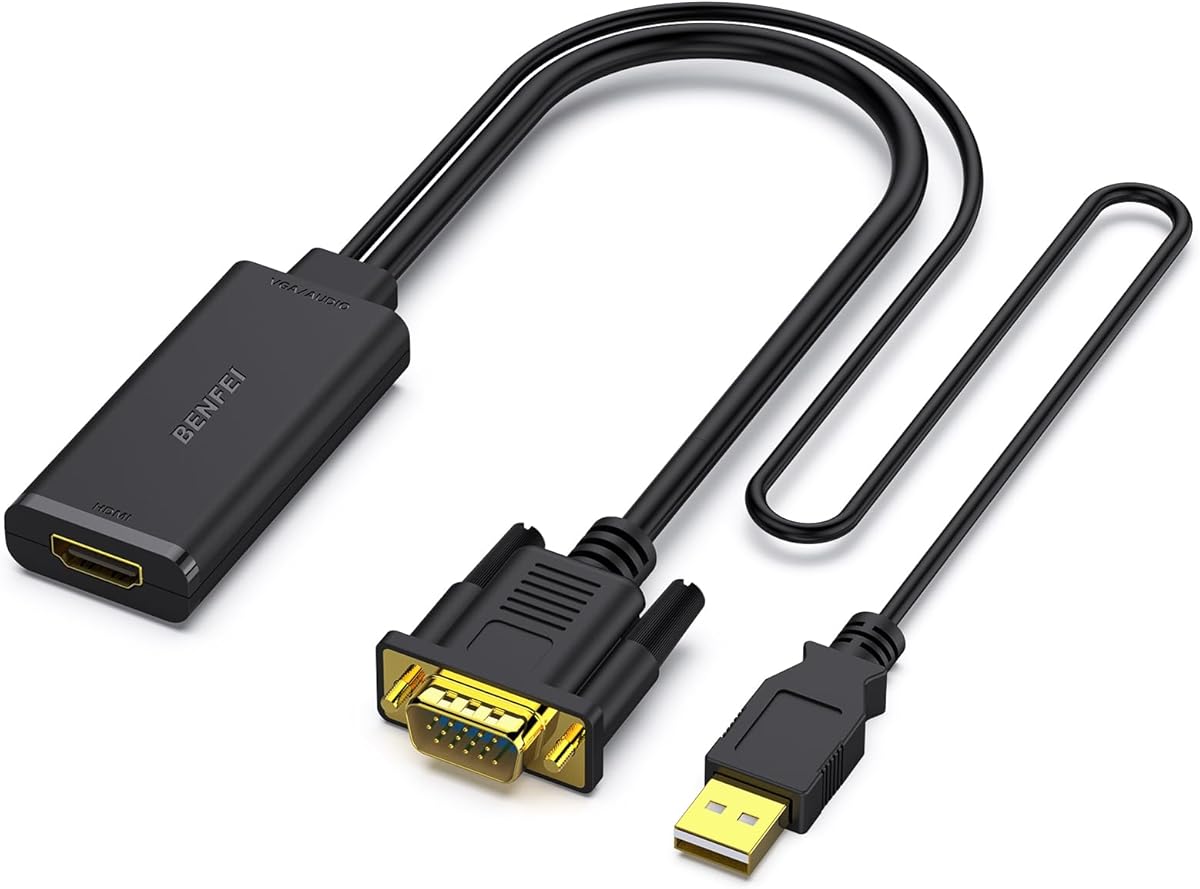
For those with older laptops or desktops equipped with VGA ports, this BENFEI adapter bridges the gap to modern HDMI displays effectively.
We may earn a commission when you buy through this link, at no additional cost to you.
It converts analog VGA signals to digital HDMI, supporting 1080P resolution, and includes an integrated USB cable for digital audio transmission.
The built-in IC chip ensures superior stability during signal conversion, making it suitable for presentations and extending desktop screens reliably.
Ideal for users maintaining older hardware who need HDMI connectivity, this adapter provides a straightforward and affordable solution for display expansion.
Connects laptops with older VGA outputs to modern HDMI monitors and TVs effortlessly.
Integrated USB cable delivers digital audio alongside video for complete multimedia output.
We may earn a commission when you buy through this link, at no additional cost to you.
This 3-in-1 USB C to HDMI Multiport Adapter extends laptop connectivity by providing HDMI, PD charging, and USB-A ports in a single hub.
We may earn a commission when you buy through this link, at no additional cost to you.
Supporting 4K at 30Hz, it allows for mirroring or extending your screen to a larger display while enabling simultaneous data transfer via USB 3.0.
The slim aluminum body offers better heat dissipation and a professional look, while PD support allows charging up to 87W for compatible devices.
Perfect for professionals needing a compact hub for presentations and work tasks, this adapter offers versatile connectivity in a portable design.
Combines HDMI video output, USB-A data port, and PD charging into one convenient hub.
USB 3.0 port supports up to 5 Gbps transfer speed for quick file access and sharing.
We may earn a commission when you buy through this link, at no additional cost to you.
For users with devices featuring Mini HDMI ports, this adapter delivers exceptional high-resolution support including 8K at 60Hz for future-proof connectivity.
We may earn a commission when you buy through this link, at no additional cost to you.
The advanced HDMI 2.1 standards ensure stunning visual clarity with lag-free performance ideal for gaming or high-definition home theater applications.
Constructed with a high-quality aluminum alloy housing and 24K gold-plated connectors, it ensures long-lasting durability and stable signal transmission.
Best suited for enthusiasts and professionals who demand the highest video fidelity and reliable connections across various devices like cameras and laptops.
Supports ultra-high 8K 60Hz and high refresh rates for next-generation display capabilities.
24K gold-plated connectors and aluminum housing protect against corrosion and heat during use.
We may earn a commission when you buy through this link, at no additional cost to you.
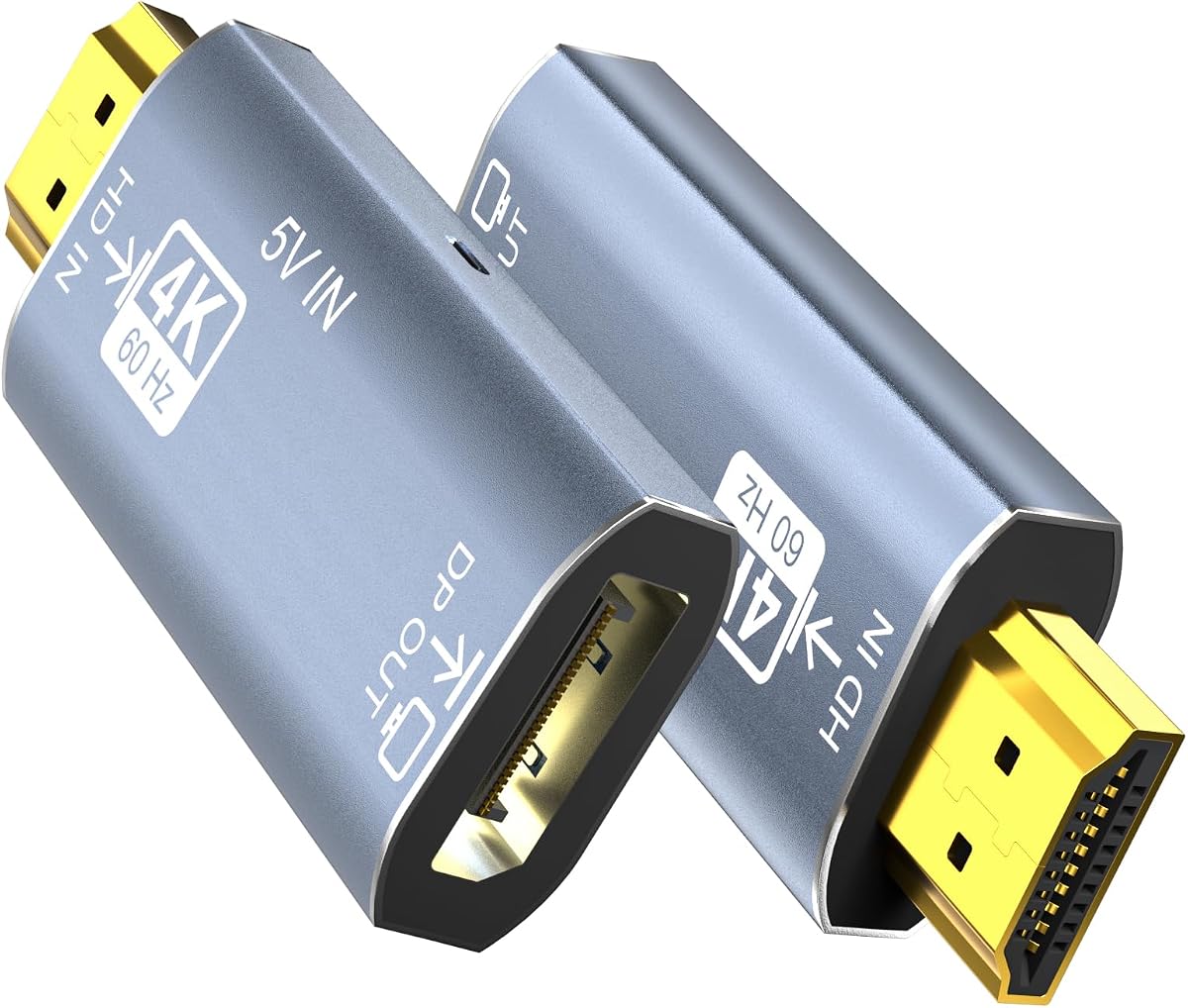
This BENFEI adapter converts HDMI sources to DisplayPort displays, enabling connection of devices like game consoles to monitors without native HDMI inputs.
We may earn a commission when you buy through this link, at no additional cost to you.
It supports resolutions up to 4K at 60Hz and high refresh rates like 1080P at 165Hz, making it suitable for gaming and multimedia applications.
The braided nylon cable adds durability, and the aluminum alloy casing helps manage heat while ensuring stable signal transfer through its advanced chipset.
Ideal for users needing to adapt HDMI outputs to DisplayPort inputs, this adapter provides a functional solution with solid performance and design.
Allows HDMI sources to connect to DisplayPort monitors expanding display flexibility and usage options.
Delivers smooth 165Hz and 144Hz refresh rates for gaming and fluid motion content.
We may earn a commission when you buy through this link, at no additional cost to you.
This active HDMI to DisplayPort adapter uses a premium directional chip to convert HDMI signals to DisplayPort for reliable multi-screen setups.
We may earn a commission when you buy through this link, at no additional cost to you.
It delivers stable 4K at 60Hz video transmission and zero latency performance, making it suitable for gaming and professional office workflows.
The aluminum alloy housing ensures excellent heat dissipation, while the driver-free plug-and-play operation simplifies setup on various operating systems.
For users needing an active solution to connect HDMI sources to DisplayPort monitors without signal issues, this adapter provides a robust and efficient option.
Uses a premium chipset for accurate protocol translation from HDMI to DisplayPort signals.
Delivers instant response times essential for gaming and high-refresh interactive content.
We may earn a commission when you buy through this link, at no additional cost to you.
Selecting the right adapter depends on understanding your laptop's ports, the desired display resolution, and the specific use case you intend to support.
Ensure your laptop has the necessary port such as USB-C, DisplayPort, Mini HDMI, or VGA to match the adapter input requirements for successful connectivity.
Check the adapter specifications to confirm it supports the desired output resolution and refresh rate, especially if you plan to use 4K or high refresh displays.
Most adapters are uni-directional converting signals from output to input, so verify you are not looking for a bidirectional converter unless specifically needed.
Look for adapters with reinforced cables and quality materials like braided nylon or aluminum housing to ensure they withstand frequent use and heat.
Some active adapters require external power for reliable conversion so confirm whether a USB power cable is included or needed separately for operation.
Verify that the adapter supports audio transmission through HDMI or has auxiliary options like USB audio cables for complete sound and video output.
Choose brands that offer substantial warranty periods and responsive customer service to address any issues or compatibility problems that may arise.
Ensure the adapter works with your operating system and device ecosystem such as Windows, macOS, or Linux to avoid driver or software complications.
Connect the adapter to your laptop's compatible output port first then plug an HDMI cable into the adapter and the other end into your display device.
Configure your laptop's display settings to extend or mirror the screen depending on whether you want additional workspace or duplicate the content.
Avoid bending the cable sharply and store it properly when not in use to maintain the durability and longevity of the adapter's internal connections.
Not all USB-C ports support video output via DP Alt Mode so you must verify your specific laptop model supports this feature before purchasing the adapter for compatibility.
DisplayPort to HDMI adapters send signals from a DisplayPort source to an HDMI display while HDMI to DisplayPort adapters reverse this direction to connect HDMI sources to DisplayPort monitors.
Some adapters support 4K at 60Hz while others support up to 4K at 30Hz so checking the product specifications is essential to ensure they meet your resolution requirements.
Most HDMI adapters do not support charging except for certain multiport hubs that include a Power Delivery port designed specifically for charging while video output is active.
Check all cable connections ensure your display input matches the adapter output verify resolution settings on your laptop and try restarting devices to refresh the connection.
Yes many HDMI adapters work with consoles provided the display input matches the adapter output but note that high refresh rates may depend on the adapter's specifications.
This guide has reviewed ten top HDMI Output to Input Adapter for Laptop options offering diverse choices tailored to various port types resolution needs and budgets.
Prioritize compatibility with your specific laptop ports and the desired display resolution to ensure seamless performance and avoid connectivity issues during use.
Always verify the latest product availability and details directly on the retailer site as features and stock may change before making your purchase decision.