
Portable Printers Wireless for Travel, N80 Bluetooth Thermal Printer
4.1Editor score
Affordable entry-level price
USB-C cable connectivity
Supports US Letter paper
Finding a reliable inkless portable printer for travel can transform how you handle documents on the go. These devices offer instant printing without the mess of ink cartridges, making them ideal for business travelers, students, and remote workers.
We compared ten top models based on connectivity options, battery life, print resolution, and overall portability. Our analysis focuses on real-world performance, ease of use, and compatibility with various operating systems to ensure you get the most versatile tool.
Each pick highlights specific strengths like thermal technology efficiency, app usability, and design compactness. Prices and availability change frequently, so check current listings for the most up-to-date deals before making your final purchase decision.
4.1Editor score
4.1Editor score

4.6Editor score
As an Amazon Associate we earn from qualifying purchases.
This side-by-side comparison highlights key specifications and features across all ten selected inkless portable printers to help you quickly identify the model that best fits your mobile printing needs and budget constraints.





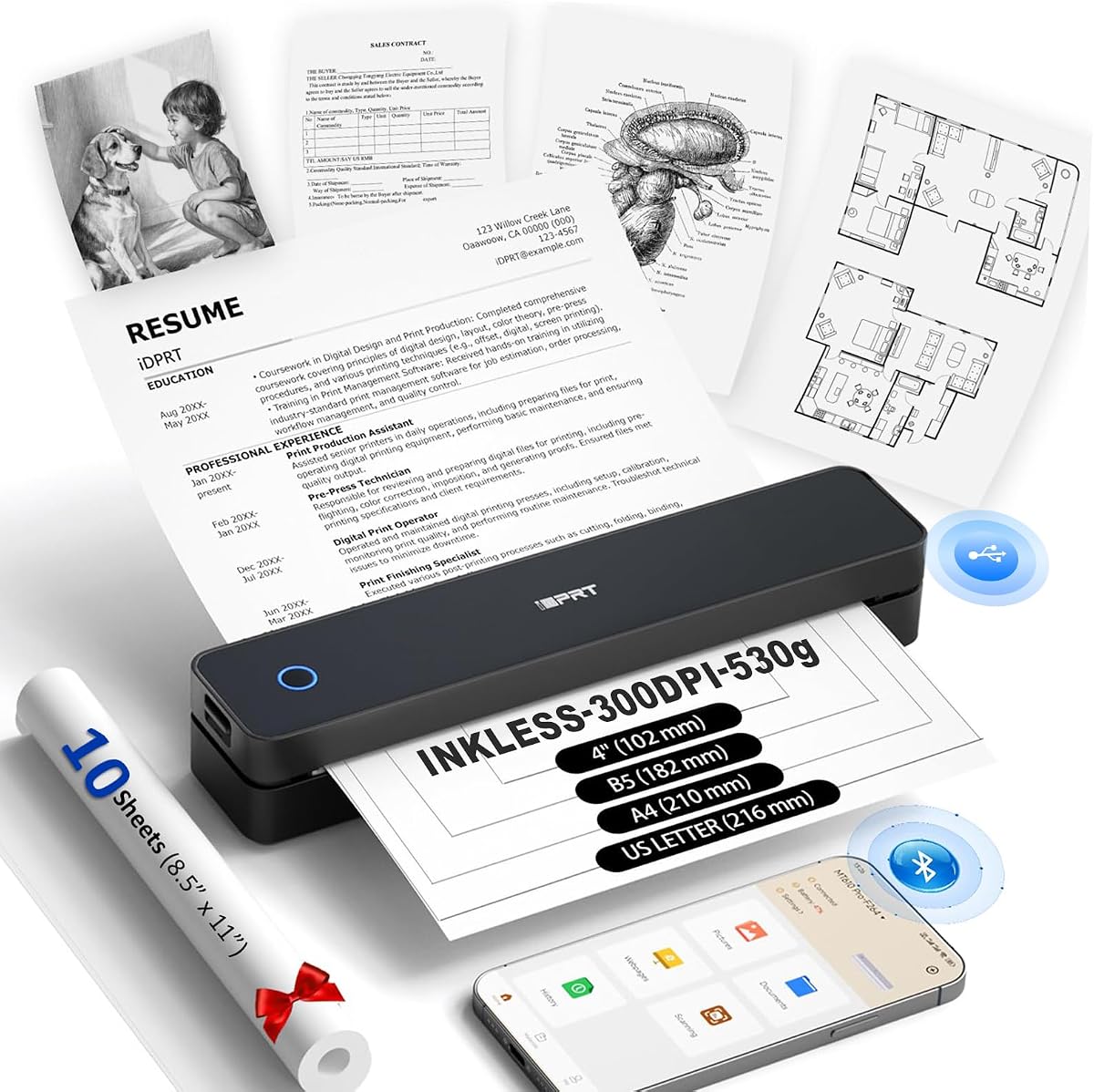
The MT610Pro stands out as a top contender with its high 300DPI thermal resolution and ultra-light 1.2lb frame. Its compatibility with iOS Android Windows and Mac via Bluetooth or USB-C ensures broad utility for travelers.
We may earn a commission when you buy through this link, at no additional cost to you.
This device uses advanced thermal technology to eliminate ink cartridges entirely, offering cost-effective printing. The 2000mAh battery supports up to 200 pages per charge, perfect for long trips or client meetings.
While it only prints in black and white, this is expected for thermal printers. Users must ensure they purchase compatible thermal paper as regular inkjet paper will not work with this model.
Ideal for students professionals and business travelers needing quick document access anywhere. It is a practical gift that balances portability performance and ease of use exceptionally well.
At just 1.2lb and 1.6 inches thick this printer fits easily into any backpack or work bag without adding bulk to your travel gear.
The 300DPI resolution ensures text charts and diagrams remain sharp and legible even when printed on the go in various environments.
We may earn a commission when you buy through this link, at no additional cost to you.
The D90E delivers solid performance with its 8.5 x 11 US Letter support and included travel case. It uses thermal technology for clean inkless printing suitable for emergency documents and contracts.
We may earn a commission when you buy through this link, at no additional cost to you.
Connectivity options include Bluetooth for mobile devices and USB for PCs though Chromebooks are not supported. The Labelnize app facilitates mobile printing while drivers must be installed for computer use.
Users appreciate the straightforward paper jam solution which automatically ejects paper via the power button. This feature minimizes downtime during urgent printing tasks while on the move.
Best for travelers or students needing larger format thermal paper. It balances functionality and protection making it a strong choice for professional and academic printing needs.
The included travel case safeguards the printer during transit ensuring it remains undamaged during busy travel schedules and outdoor work environments.
Pressing the power button automatically ejects jammed paper preventing potential damage to the printer mechanism and user hands.
We may earn a commission when you buy through this link, at no additional cost to you.
The Gloryang printer offers a comprehensive package with three thermal paper rolls and a carry case. Its built-in paper bin helps keep workspaces tidy whether you are at a desk or in a vehicle.
We may earn a commission when you buy through this link, at no additional cost to you.
Using the Jadens Printer app mobile connectivity is seamless via Bluetooth. It supports 2 to 8.5 inch paper widths allowing flexibility for documents photos and designs on the go.
One minor limitation is its exclusivity to Gloryang branded thermal paper which users must purchase separately. However this ensures optimal print quality and reduces jamming risks.
Perfect for students professionals and gift-givers who want a ready-to-use solution. The included extras make it a convenient option for immediate deployment upon arrival.
The internal paper bin captures prints efficiently reducing clutter and maintaining a clean workspace even in confined travel spaces.
Starting with three rolls of thermal paper means users can print immediately without needing to purchase additional supplies right away.
We may earn a commission when you buy through this link, at no additional cost to you.
The N80 provides excellent value with its affordable price point and solid 203DPI print quality. It connects via Bluetooth to mobile devices and USB to laptops ensuring versatile connectivity options for different scenarios.
We may earn a commission when you buy through this link, at no additional cost to you.
Equipped with a 1500mAh battery it prints around 160 sheets per charge. This capacity suits moderate printing needs such as contracts invoices and boarding passes during business trips.
Note that laptop connections require a USB cable and driver installation since Bluetooth is not supported for computers. This ensures stable large file printing while maintaining portability for mobile use.
Ideal for students budget-conscious travelers seeking a cost-effective printing tool. It is also compatible with tattoo transfer paper making it unique for creative hobbyists and artists.
Beyond documents this printer can handle tattoo transfer paper offering utility for artists needing temporary designs without specialized equipment.
The 1500mAh battery provides sufficient power for short trips and intermittent printing tasks without frequent recharging interruptions.
We may earn a commission when you buy through this link, at no additional cost to you.
The A285M is a compact solution supporting five thermal paper sizes from 2.08 inches to 8.5 inches. This versatility makes it suitable for various needs from receipts to full-page documents.
We may earn a commission when you buy through this link, at no additional cost to you.
It features a built-in paper bin to manage output neatly and connects via Bluetooth to mobile devices or USB to computers. The USB-C cable ensures stable data transfer for larger files.
Users must download the specific driver for computer use as direct Bluetooth laptop connections are not supported. This setup guarantees reliable printing but requires initial configuration time.
Great for truck drivers mobile notaries and field workers needing diverse paper formats. Its small footprint allows easy storage in tight spaces like glove boxes or backpacks.
Supporting widths from 2.08 to 8.5 inches allows printing everything from small receipts to standard office documents effortlessly.
The internal paper bin prevents clutter and protects prints after ejection keeping your workspace tidy during mobile operations.
We may earn a commission when you buy through this link, at no additional cost to you.
The Rongta F11A offers a sleek design with support for US Letter Legal and A4 thermal papers. Its Bluetooth connectivity pairs easily via the RONGTA app making mobile printing straightforward.
We may earn a commission when you buy through this link, at no additional cost to you.
For laptops users must connect via USB cable ensuring stable performance for larger documents. This hybrid approach balances convenience with reliability across different devices.
Users should note that Chromebooks are not supported requiring careful device verification before purchase. This limitation is common among budget-friendly thermal models focusing on mainstream OS.
Ideal for teachers office workers and students needing a reliable backup printer. Its compact form ensures it fits easily into bags for daily commuting or field visits.
Accepting US Letter Legal and A4 paper sizes provides flexibility for academic and business documents without changing hardware.
The modern design complements professional settings while remaining compact enough for discreet travel use and storage.
We may earn a commission when you buy through this link, at no additional cost to you.
The M832D features a smart touchscreen that displays battery status and paper alignment for precise printing. This interface simplifies operation even for first-time users making it highly user-friendly.
We may earn a commission when you buy through this link, at no additional cost to you.
With 300DPI resolution and optimized Bluetooth connectivity it delivers crisp prints 50% faster than standard models. The noise reduction technology makes it quieter for shared environments like offices or vehicles.
While USB connects to computers and Bluetooth connects to phones the separation ensures optimized performance for each device type. This distinction enhances speed and reliability across the board.
Perfect for users who value ease of use and clarity. It is an excellent choice for small business owners needing professional invoices or students requiring detailed study materials.
The digital display allows easy monitoring of battery and paper settings ensuring smooth operation without guesswork or external apps.
Reduced printing noise by 30% makes it less intrusive in quiet settings such as libraries or meeting rooms.
We may earn a commission when you buy through this link, at no additional cost to you.
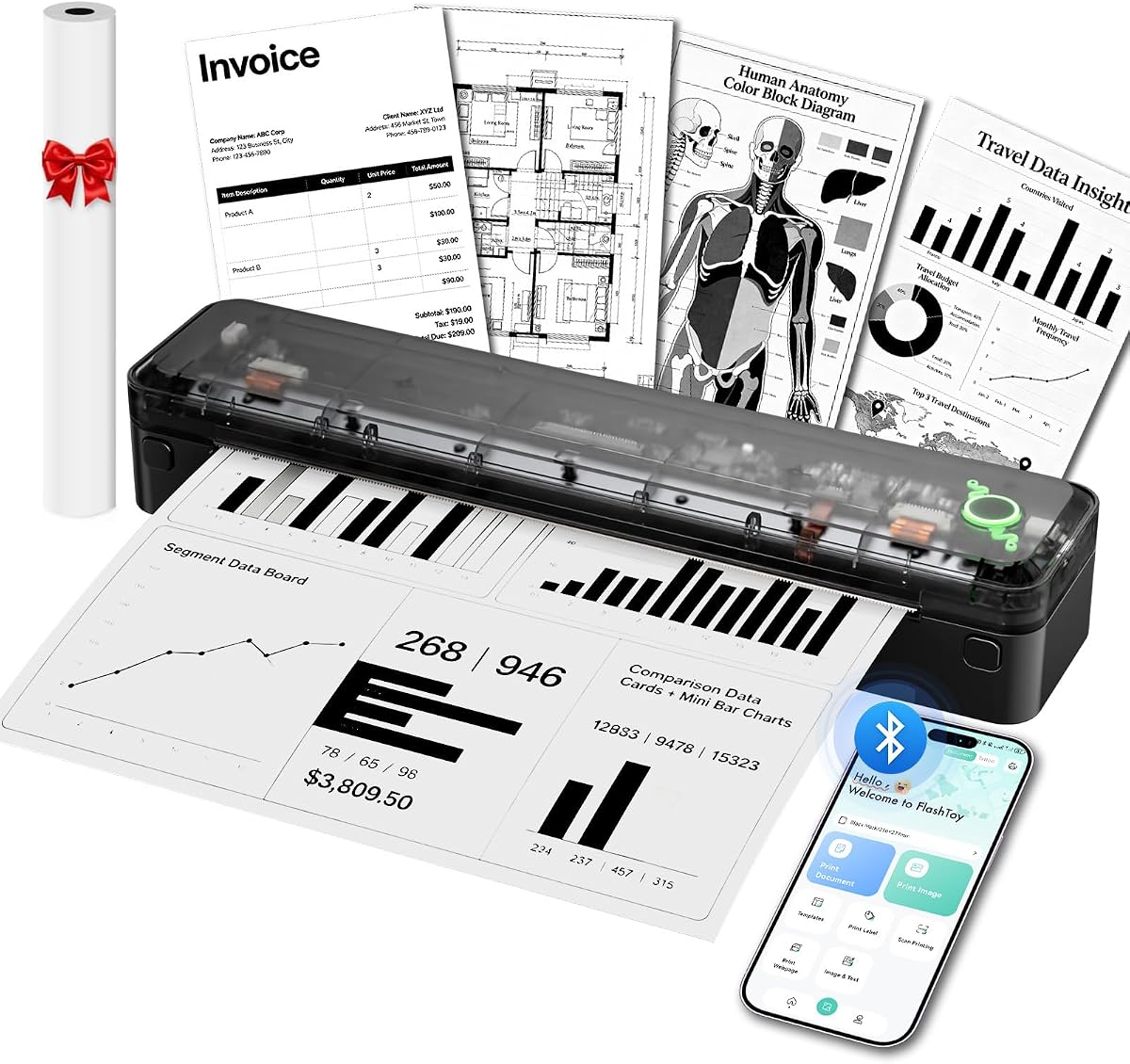
The A8 boasts a 3000mAh battery capable of printing 200 sheets per charge which is exceptional for extended travel. Its graphite translucent design offers a unique aesthetic for modern workspaces.
We may earn a commission when you buy through this link, at no additional cost to you.
It supports Windows macOS and Linux via USB while allowing Bluetooth printing for mobile devices. This broad compatibility ensures you can print from any major operating system without hassle.
The built-in paper compartment keeps workspaces clean by housing paper internally. This design eliminates the need for external holders maintaining a compact footprint in small bags.
Best for truck drivers remote workers and students needing long battery life. It combines style and performance making it a reliable companion for demanding mobile printing tasks.
The 3000mAh battery supports extended use without recharging ideal for long flights or multi-day work trips without outlet access.
The frosted graphite translucent top reveals internal components giving a high-tech look that stands out in professional environments.
We may earn a commission when you buy through this link, at no additional cost to you.
The M85 represents a premium option with a large touchscreen for template preview and printing. Its 3500mAh battery supports 200+ pages making it ideal for extended periods away from power sources.
We may earn a commission when you buy through this link, at no additional cost to you.
Featuring 300 DPI resolution prints are crisp and professional. The device supports five thermal paper sizes and offers template uploads via app for reusable designs.
While the price is higher the included case and accessories justify the investment. This model is designed for users who demand high reliability and professional output on the go.
Perfect for small business owners frequent travelers needing professional documents. Its advanced features ensure efficient workflow and consistent high-quality results anywhere.
The smart touchscreen allows direct template preview and printing reducing reliance on external devices for visual confirmation of prints.
The 3500mAh battery eliminates battery anxiety ensuring continuous operation for days of travel without recharging interruptions.
We may earn a commission when you buy through this link, at no additional cost to you.
The MUNBYN printer is roughly the size of a water bottle weighing only 1.57 lbs. Its adjustable paper slot fits multiple sizes including US Letter and A4 ensuring versatility in any setting.
We may earn a commission when you buy through this link, at no additional cost to you.
Bluetooth setup takes seconds via the self-developed app which offers a library of templates. macOS users must connect via USB though Windows and Android support wireless printing.
Responsive customer support helps resolve any connection issues quickly. This model focuses on ease of use and portability making it ideal for quick printing tasks.
Great for travelers students needing a discreet printing solution. It balances small size with broad compatibility ensuring you can print invoices or assignments instantly.
The adjustable slot accommodates various paper sizes including US Letter A4 B5 and A5 for diverse printing requirements.
The app provides a library of templates for quick printing of standardized documents reducing setup time and errors.
We may earn a commission when you buy through this link, at no additional cost to you.
Selecting the right thermal printer requires evaluating key factors that impact performance portability and ease of use while traveling.
Most portable printers connect via Bluetooth for mobile devices or USB for computers. Ensure the model supports your devices' OS and that laptop connectivity does not require cumbersome setup steps.
Bluetooth simplifies mobile printing but always verify USB-C availability for stable data transfer with laptops or desktops.
Battery capacity directly affects how many pages you can print per charge. Models with 2000mAh to 3500mAh batteries offer 160 to 200+ pages suitable for long trips without power access.
Choose a battery life that matches your expected daily printing volume to avoid recharging interruptions during critical tasks.
Thermal printers range from 203DPI to 300DPI resolution. Higher DPI ensures sharper text and images which is crucial for contracts or diagrams requiring clear details.
Prioritize 300DPI models if print clarity is a priority for your professional or academic documents.
Check if the printer supports your required paper sizes such as US Letter A4 or smaller rolls. Some models offer adjustable slots for versatile printing options.
Select a printer that handles standard office paper widths to ensure compatibility with your existing document workflows.
Lightweight designs under 2 lbs and compact dimensions fit easily into backpacks or briefcases. Look for durable builds that withstand travel wear and tear.
A protective case can add extra safety but ensure the printer itself remains slim and lightweight for easy transport.
A user-friendly mobile app simplifies document selection and printing. Evaluate app ratings and features like templates or file format support.
Ensure the app is regularly updated for security and compatibility with the latest iOS or Android versions.
Thermal paper costs vary by brand and size. Some printers require proprietary paper which can limit availability and increase long-term expenses.
Opt for models compatible with widely available thermal paper to reduce recurring costs and improve accessibility.
Start by downloading the recommended mobile app or installing drivers for your computer via the USB-C cable. Ensure your device is fully charged before your first printing session to test all connectivity features.
Load thermal paper according to the manufacturer's instructions ensuring the print side faces the correct direction. Align the paper properly to avoid jams and adjust the paper slot for the desired document size.
Store the printer in a protective case to prevent dust accumulation and damage to the print head. Avoid exposing the device to extreme temperatures or moisture to maintain optimal performance during travel.
No these inkless printers use thermal technology that requires special thermal paper. Regular copy paper will not react properly and may cause jams or poor print quality. Always use the recommended thermal paper for best results.
All listed inkless portable printers support black and white printing only. Color printing is not available with direct thermal technology as it relies on heat-sensitive paper. Use high-resolution thermal models for clear monochrome output.
If the battery depletes connect the printer via USB-C to a power source or computer. Many models support printing while charging though full power ensures fastest operation. Carry a portable power bank for extended trips.
Most models support macOS but require USB connection for stable printing. Bluetooth connectivity is typically limited to mobile devices on iOS or Android. Install provided drivers before connecting your Mac to the printer.
Open the printer cover gently to remove any stuck paper. Never force the cover open to avoid damaging the print head. Restart the printer after clearing jams to reset sensors and resume normal operation.
These printers support up to A4 or US Letter sizes (8.5 x 11 inches). Larger formats are beyond their standard capabilities. For wider prints use a desktop printer designed for large paper dimensions.
No internet is required for printing locally via Bluetooth or USB. However you need Wi-Fi or mobile data to download apps or updates initially. Once installed printing works offline without connectivity.
We highlighted the MT610Pro as our top overall pick for its balance of high resolution and light weight. The D90E and Gloryang models offer great value with included accessories like cases and paper rolls.
Prioritize battery life and connectivity options based on your specific needs whether it is mobile printing or document stability. Choosing a model with good app support simplifies your daily workflow significantly.
Remember to check current pricing and availability as offers change regularly. Investing in the right portable printer ensures you stay productive wherever your travels take you.