
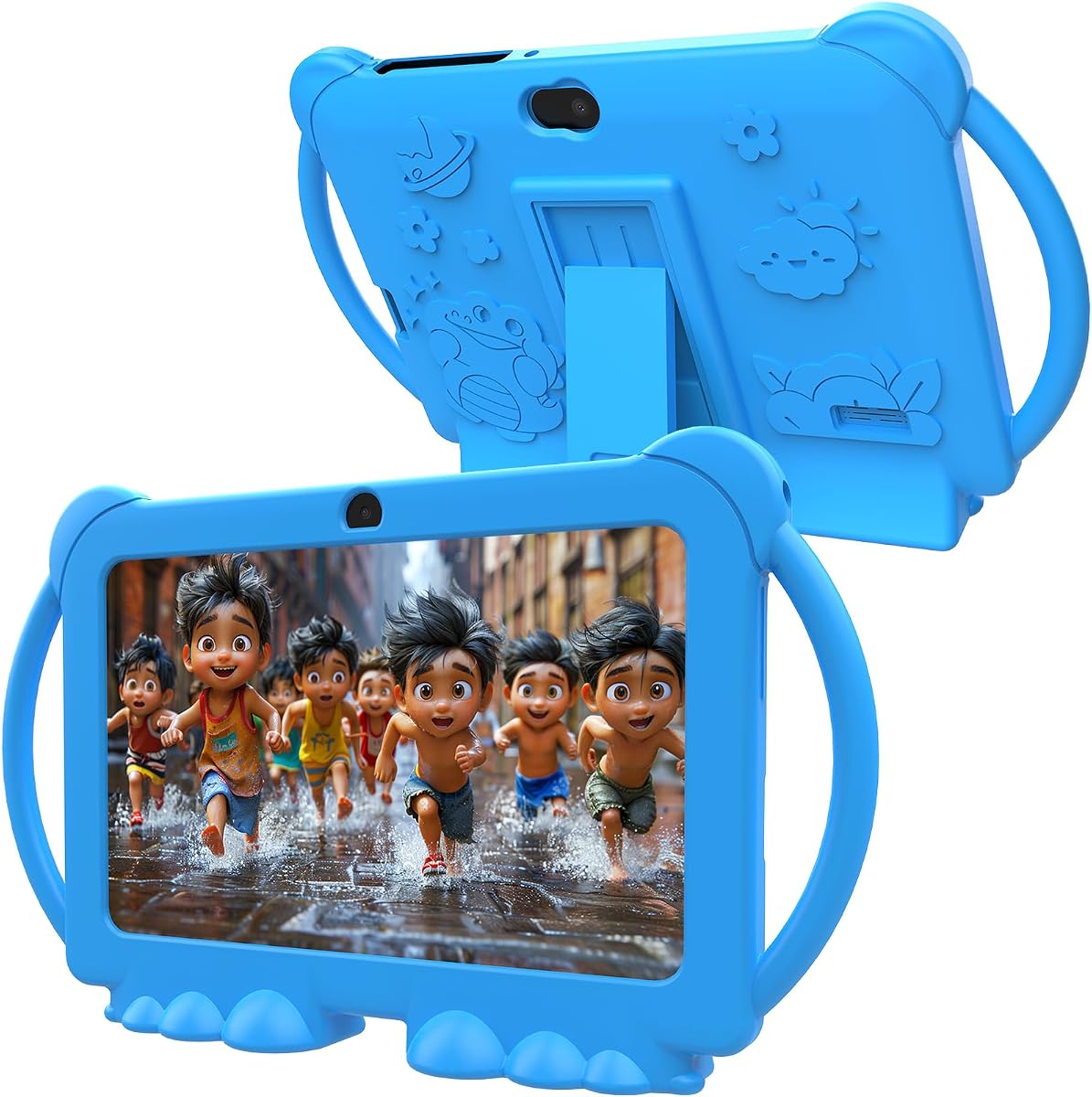
Kids Tablet 7 Inch for Kids 3-9
4.0Editor score
32GB ROM 4GB RAM
Android 12 system
Shockproof case included
Finding the right tablet for young children requires balancing durability with educational value and safety features. Parents need devices that withstand drops while offering engaging content that supports learning and creativity without compromising on screen time limits or parental oversight controls.
We evaluated ten leading models based on screen quality, battery life, included software subscriptions, and robust parental control systems. Our comparison focuses on devices specifically designed for the 3 to 7 age range, ensuring each option offers age-appropriate interfaces and protective cases for peace of mind.
Each product in this roundup highlights unique strengths from budget-friendly options to premium features. We detail specifications, real-world performance, and key considerations to help you make an informed decision. Please note that prices and availability change frequently, so verify current details before purchasing.
4.0Editor score

4.6Editor score

4.6Editor score
As an Amazon Associate we earn from qualifying purchases.
The following comparison table outlines the key specifications and features of each tablet to help you quickly identify the best fit for your child's needs and your budget constraints.




This Fire 7 Kids tablet stands out as the best value option for families seeking a reliable device for young children. With a 4.3 star rating, it delivers solid performance and a comprehensive ecosystem of apps and books designed for ages three through seven.
We may earn a commission when you buy through this link, at no additional cost to you.
The bundle includes a full year of Amazon Kids+ subscription, providing access to thousands of ad-free books games and videos. Parental controls are intuitive allowing you to set time limits and educational goals easily. The included kid-proof case protects against drops while the battery lasts up to ten hours of mixed use.
While the internal storage is capped at 16 GB, expandable storage via microSD helps mitigate this limitation. The screen resolution is functional but not high-definition compared to larger models. These trade-offs are acceptable given the price point and the inclusion of a robust warranty.
Parents looking for an affordable entry point into tablet ownership will find this model ideal. It balances safety features educational content and durability effectively. We recommend this device for families prioritizing long-term value over premium screen quality.
The Amazon Kids+ subscription offers curated educational content from trusted brands like PBS Kids and Nickelodeon ensuring safe exploration.
If the tablet breaks during normal use Amazon will replace it for free within two years reducing long-term risk for parents.
We may earn a commission when you buy through this link, at no additional cost to you.
The Fire HD 8 Kids tablet elevates the experience with a larger 8-inch HD screen and faster performance suitable for more demanding apps. Its 4.6 rating reflects high satisfaction among parents who value clarity and speed for their children's learning and entertainment activities.
We may earn a commission when you buy through this link, at no additional cost to you.
With 32GB of storage and 3GB of RAM this model handles multitasking better than the 7-inch variant. The battery life extends to 13 hours ensuring the device lasts through long flights or road trips. Parental controls remain easy to use and the Kids+ subscription provides rich content.
The increased cost compared to the Fire 7 model is justified by the hardware improvements. The screen brightness and resolution offer a more immersive viewing experience for videos and interactive games. Some users may prefer traditional ports but this design prioritizes durability.
This tablet is perfect for families wanting a longer-lasting device that grows with the child. The combination of performance and safety features makes it a top choice. We suggest this model for parents seeking premium features without leaving the Fire ecosystem.
The 8-inch HD screen provides sharper visuals making reading and watching videos a more engaging experience for young eyes.
With up to 13 hours of battery life children can enjoy extended use without frequent interruptions for recharging.
We may earn a commission when you buy through this link, at no additional cost to you.
This Android tablet offers impressive specifications for its low price point featuring 4GB of RAM and 32GB of storage. While it lacks the polished ecosystem of Amazon devices it provides open access to Google Play which allows for a wider variety of educational apps.
We may earn a commission when you buy through this link, at no additional cost to you.
The 1024×600 IPS display delivers clear visuals and the shockproof case ensures durability during daily use. Parental controls are available though they may require more manual setup than proprietary systems. The inclusion of dual cameras adds creative potential for photography and video calls.
Users should be aware that build quality can vary slightly compared to major brands. The software experience is functional but may contain occasional bloatware. However for families prioritizing performance per dollar this is a compelling alternative to more expensive tablets.
This option is ideal for tech-savvy parents comfortable with Android customization. It delivers good value for basic learning and entertainment needs. We recommend this for budget-conscious shoppers willing to explore third-party apps.
Access to Google Play allows parents to download specific educational tools tailored to their child's learning goals.
The 4GB RAM ensures smooth operation even when running multiple apps simultaneously which is rare at this price point.
We may earn a commission when you buy through this link, at no additional cost to you.
The YosaToo Kids Tablet focuses on independence and learning with pre-loaded offline content from YUBABE. It runs Android 16 providing a modern interface that is familiar to many parents. The design supports both connectivity and offline use which is great for travel.
We may earn a commission when you buy through this link, at no additional cost to you.
Parental controls are detailed allowing you to filter content and set limits easily. The 7-inch screen is bright and the drop-proof case protects against common toddler accidents. Google Kids Space offers a curated environment for safe browsing and app usage.
As a newer brand the long-term reliability is less proven than established competitors. Warranty terms are standard but lack the two-year promise of Amazon Fire tablets. However the hardware specifications are competitive for the price.
This model is a strong contender for families who want open Android flexibility with safety features. It balances cost and functionality well. We suggest this for parents seeking offline content options.
Pre-installed apps allow kids to learn without internet connectivity making it perfect for flights or remote areas.
Google Kids Space provides a safe browsing environment ensuring children only access age-appropriate content.
We may earn a commission when you buy through this link, at no additional cost to you.
While designed for ages 6-12 this tablet offers features that appeal to advanced 3-7 year olds who need more storage. The 64GB capacity allows for more apps and downloads. It maintains the safety features of the standard Kids model but with a mature design.
We may earn a commission when you buy through this link, at no additional cost to you.
The 13-hour battery life and fast processor ensure smooth operation for more complex tasks. Parental controls allow you to approve downloads and monitor activity effectively. Kids can also make voice and video calls to approved contacts using the Alexa app.
The slim case is less bulky than the standard kid-proof case which some parents might find less protective. The content focus shifts slightly more toward productivity and independent browsing. This makes it suitable for kids approaching school age.
We recommend this for families with children who have outgrown basic toy-like tablets. It offers a bridge to independence with safety guardrails. Consider this if your child needs more storage and advanced capabilities.
With 64GB of internal storage kids can store more games photos and videos without needing external cards immediately.
Voice and video calls are restricted to approved contacts ensuring safe communication while on the device.
We may earn a commission when you buy through this link, at no additional cost to you.
The PEICHENG tablet emphasizes media consumption with dual speakers and a headphone jack. This makes it suitable for watching videos and listening to music comfortably. The Android 12 system ensures compatibility with a wide range of apps.
We may earn a commission when you buy through this link, at no additional cost to you.
Parental controls help filter unsafe web pages and manage screen time effectively. The IPS screen offers better color reproduction than standard displays enhancing the viewing experience. The shockproof case protects the device during active play.
Build quality and software stability may vary compared to larger brands. Users should be cautious about pre-installed apps that might not be child-safe. However the hardware specs provide good value for the price point.
This tablet works well for children who primarily use devices for entertainment and educational videos. We suggest it for families seeking multimedia features on a budget.
Dual speakers provide immersive sound for videos and games while a headphone jack ensures private listening.
Parental controls allow parents to filter unsafe web pages ensuring a secure online environment.
We may earn a commission when you buy through this link, at no additional cost to you.
With a 10-inch screen this tablet offers a significantly larger viewing area than standard 7-inch models. This is ideal for drawing and reading or shared watching. The 8GB RAM ensures smooth performance even with demanding apps.
We may earn a commission when you buy through this link, at no additional cost to you.
The blue light reduction technology helps protect eyesight during long sessions. Google Kids Space provides a safe environment for exploration. The adjustable stand allows for hands-free viewing which is convenient for kids.
The size makes it less portable for carrying around in small bags. It may be more challenging for smaller hands to hold securely. The battery life is decent but not the longest in this category.
This device is best for home use where screen size matters more than portability. We recommend it for families prioritizing display quality and memory.
Advanced blue light reduction technology minimizes eye strain making long viewing sessions more comfortable.
8GB RAM allows for seamless multitasking and quick app switching without lag or slowdowns.
We may earn a commission when you buy through this link, at no additional cost to you.
This tablet supports expansion up to 1TB making it excellent for storing large media libraries. The Android 12 system and 4GB RAM offer a balanced performance for daily tasks. It includes a silicone case for physical protection.
We may earn a commission when you buy through this link, at no additional cost to you.
Parental controls allow profile management and screen time limits. The 1024×600 IPS display provides clear visuals for apps and videos. WiFi and Bluetooth connectivity ensure easy pairing with other devices.
Battery life may not match larger tablets so frequent charging might be needed. Software updates may be less frequent than major brands. However the hardware provides good value for the price.
Ideal for families with large media needs or who want to store many educational videos. We suggest this for cost-conscious buyers seeking storage flexibility.
Expandable storage up to 1TB ensures kids can store thousands of videos photos and games without running out.
Built-in Bluetooth and WiFi enable easy connection to external speakers and internet for learning.
We may earn a commission when you buy through this link, at no additional cost to you.
The 6000mAh battery supports extended use without frequent charging. The Octa-core processor handles apps smoothly and the 10-inch screen is vibrant. Face recognition adds a convenient security layer.
We may earn a commission when you buy through this link, at no additional cost to you.
Parental controls manage screen time and content access effectively. The device supports PD fast charging for quicker power-up times. The case provides protection and a stand for stable viewing.
As an emerging brand the consistency of software updates may vary. Face recognition might not be as precise as premium options. The performance remains solid for general educational and entertainment tasks.
We recommend this for families needing long battery life for travel. It offers a balance of speed and power.
The 6000mAh battery provides extended usage time allowing for long trips or full days of learning.
Support for 18W PD fast charging reduces downtime and keeps kids connected longer.
We may earn a commission when you buy through this link, at no additional cost to you.
PRITOM focuses on a simple interface through the iWawa kid-friendly software. This makes navigation easy for young children. Android 13 ensures access to modern apps. The case is durable and includes a stand.
We may earn a commission when you buy through this link, at no additional cost to you.
Parental controls provide spending limits and game time management. The device supports WiFi and Bluetooth for connectivity. USB Type-C charging ensures fast power replenishment.
Software updates may be limited compared to major brands. The build quality is acceptable but not exceptional. It remains a viable option for basic needs.
Ideal for families wanting a no-fuss start for their child. We suggest this for users seeking simplicity and ease of use.
The iWawa software simplifies navigation making it easy for toddlers to find apps and content.
USB Type-C charging provides fast and convenient power-up times for busy families.
We may earn a commission when you buy through this link, at no additional cost to you.
Selecting the right tablet involves evaluating durability screen quality software ecosystem and parental control features to ensure safety and engagement.
A good kids tablet should come with a robust case that absorbs impacts from drops and bumps. Look for thick silicone or rubber cases that protect corners and edges. Some models include warranties that replace the device if it breaks which adds peace of mind.
Prioritize devices with shockproof cases and strong glass to withstand active use by toddlers and young children.
Screen sizes typically range from 7 to 10 inches. A 7-inch model is easier to carry while a 10-inch model offers better visibility for reading and video. Look for IPS displays for better color and viewing angles.
Choose a screen size that balances portability with visual clarity based on your child's preferences and your storage needs.
Battery life is crucial for travel and daily use. Aim for at least 10 hours of mixed use to avoid frequent charging. Fast charging support is a bonus that reduces downtime significantly.
Look for tablets with 10 to 13 hours of battery life to ensure the device lasts through school trips or long commutes.
Effective parental controls allow you to filter content set time limits and manage app access. Some systems offer detailed dashboards and remote control features. Ensure the controls are easy for you to use and hard for kids to bypass.
Select a model with intuitive and comprehensive parental controls to manage screen time and content safely.
Storage determines how many apps and media files you can save. Internal storage ranges from 16GB to 64GB in this category. Expandable storage via microSD cards is a valuable feature for growing libraries.
Choose a tablet with adequate internal storage and the option to expand via SD cards to accommodate future needs.
Some tablets run custom systems like Amazon Fire OS while others run Android. Fire OS is simpler for kids but limits app selection. Android offers more apps via Play Store but may need more setup.
Decide if you prefer a curated environment with Amazon apps or the flexibility of the Google Play ecosystem.
Many tablets come with a free trial of a subscription service like Amazon Kids+. These services provide ad-free content and educational games. Check the renewal cost and content quality before committing.
Consider the value and cost of included subscription services when comparing different models for long-term use.
A good warranty protects your investment against damage or defects. Some brands offer two-year worry-free guarantees while others offer standard one-year coverage. Customer service quality should also be considered.
Prioritize tablets with strong warranties and responsive customer support to reduce financial risk.
Start by setting up parental controls and creating a profile for your child. This ensures safe access to content and helps you manage screen time effectively from day one.
Keep the tablet in its protective case at all times to prevent damage from drops. Use a soft cloth to clean the screen and avoid harsh chemicals that could damage the coating.
Charge the device fully before use and avoid leaving it plugged in overnight. Store it in a cool dry place when not in use to preserve battery health.
A 7 inch tablet is ideal for children aged 3 to 7 because it is lightweight and easy to hold. It provides enough screen real estate for educational games without being too bulky for small hands.
Yes parental controls are essential to ensure children access age-appropriate content. They allow you to limit screen time and prevent accidental purchases or downloads which keeps the experience safe.
Fire tablets are highly regarded for their durability and comprehensive parental controls. They come with a free subscription to Amazon Kids+ which offers thousands of educational and entertaining apps.
Most quality kids tablets last between 10 to 13 hours on a single charge. This duration supports full days of use including travel or school activities without needing a recharge.
Many tablets support the Google Play Store or allow sideloading of apps. However some Fire tablets require Amazon App Store apps unless unlocked with extra steps.
Some brands like Amazon offer a two-year worry-free guarantee that replaces the device for free if it breaks. Others may require standard warranty claims which could involve repair costs.
Yes all the tablets listed in this guide support Wi-Fi connectivity for internet access. Some also support Bluetooth for connecting headphones or other accessories wirelessly.
Yes most of these tablets support video calls and educational apps required for remote learning. Ensure the model has a decent camera and microphone if this is a priority.
We have reviewed ten top tablets suitable for children aged 3 to 7 highlighting key features like battery life durability and parental controls. The Amazon Fire HD 8 Kids tablet remains a top choice for its balance of performance and safety features.
When choosing prioritize a model with robust parental controls and a strong warranty to protect your investment. Ensure the screen size and battery life meet your family's daily needs and travel habits.
Remember that prices and availability fluctuate so check current listings before finalizing your purchase. This guide aims to simplify the process so you can focus on your child's learning and fun.