
HP Essential Laptop 2026
4.4Editor score
Lightweight 3.24 lb design
Up to 11 hours battery
Wi-Fi 6 connectivity
This guide compares the top laptops for nursing students focusing on battery life performance portability and features needed for clinical rotations and study
Nursing school demands a reliable laptop that can handle long study sessions clinical documentation and virtual simulations. Finding the right device ensures you stay productive during lectures and on the go.
We compared ten top models based on performance portability battery life and essential features like webcam quality and connectivity. Each pick balances power and affordability for student needs.
Every review highlights key specs real-world use cases and potential trade-offs to help you decide. Prices and availability change frequently so check current listings before purchasing your next device.
4.4Editor score

4.3Editor score
4.0Editor score
The following table provides a side-by-side comparison of all ten selected laptops. It highlights key specifications like processor type memory storage and display size to help you quickly identify which model fits your specific nursing school requirements.





The HP 14 Student Business laptop stands out as a top contender for nursing students needing reliable performance without breaking the bank. Its solid 4.6 rating reflects user satisfaction with its balance of speed and affordability. The included accessory bundle adds significant value for those setting up their study space.
We may earn a commission when you buy through this link, at no additional cost to you.
Powered by a Quad-Core Intel N150 processor, this machine handles everyday tasks like writing papers and browsing medical journals with ease. The 4GB DDR5 RAM ensures smoother multitasking compared to older DDR4 models. Storage is cleverly managed with a fast internal drive plus a portable external option for large video files or textbooks.
While the HD resolution is standard, the anti-glare screen helps during long study sessions under bright lights. The main trade-off is relying on the external drive for full storage capacity which requires managing two devices. For budget-conscious students who prioritize utility over premium screen quality this remains a strong choice.
Buyers seeking a complete package for schoolwork and clinical notes will appreciate the ready-to-use nature of this device. The inclusion of Windows 11 Pro offers added security features useful for handling sensitive health data. It is an excellent starting point for students needing a dependable tool.
Windows 11 Pro includes hardware-based isolation and encryption to keep your health-related files safe during clinical rotations.
DDR5 technology provides faster data rates and better power efficiency allowing longer battery life during lectures.
We may earn a commission when you buy through this link, at no additional cost to you.
The HP 14 Laptop with 8GB RAM offers a step up in performance for students managing multiple apps. Its 4.4 rating highlights reliability for daily study tasks and online classes. The inclusion of a one-year Office 365 subscription saves money and ensures compatibility with school assignments.
We may earn a commission when you buy through this link, at no additional cost to you.
With 8GB of RAM this model handles video calls while keeping research tabs open without slowing down. The 11-hour battery life is a crucial asset for long days on campus or during clinical shifts where outlets are scarce. Weighing only 3.24 lbs it fits easily in a nursing backpack alongside textbooks.
Storage on the128GB UFS drive fills quickly with large medical software or lecture recordings. Users may need cloud storage or external drives soon. The webcam is adequate for basic video conferencing but lacks advanced low-light features. These limitations are acceptable given the overall value and portability.
Ideal for students who prioritize mobility and battery life over heavy storage needs. The balance of RAM and processor speed ensures a smooth experience for most coursework. It remains a solid daily driver for academic life.
Designed to power through back-to-back classes or long shifts without needing a charger nearby.
Office 365 ensures you have access to Word Excel and PowerPoint for all academic projects.
We may earn a commission when you buy through this link, at no additional cost to you.
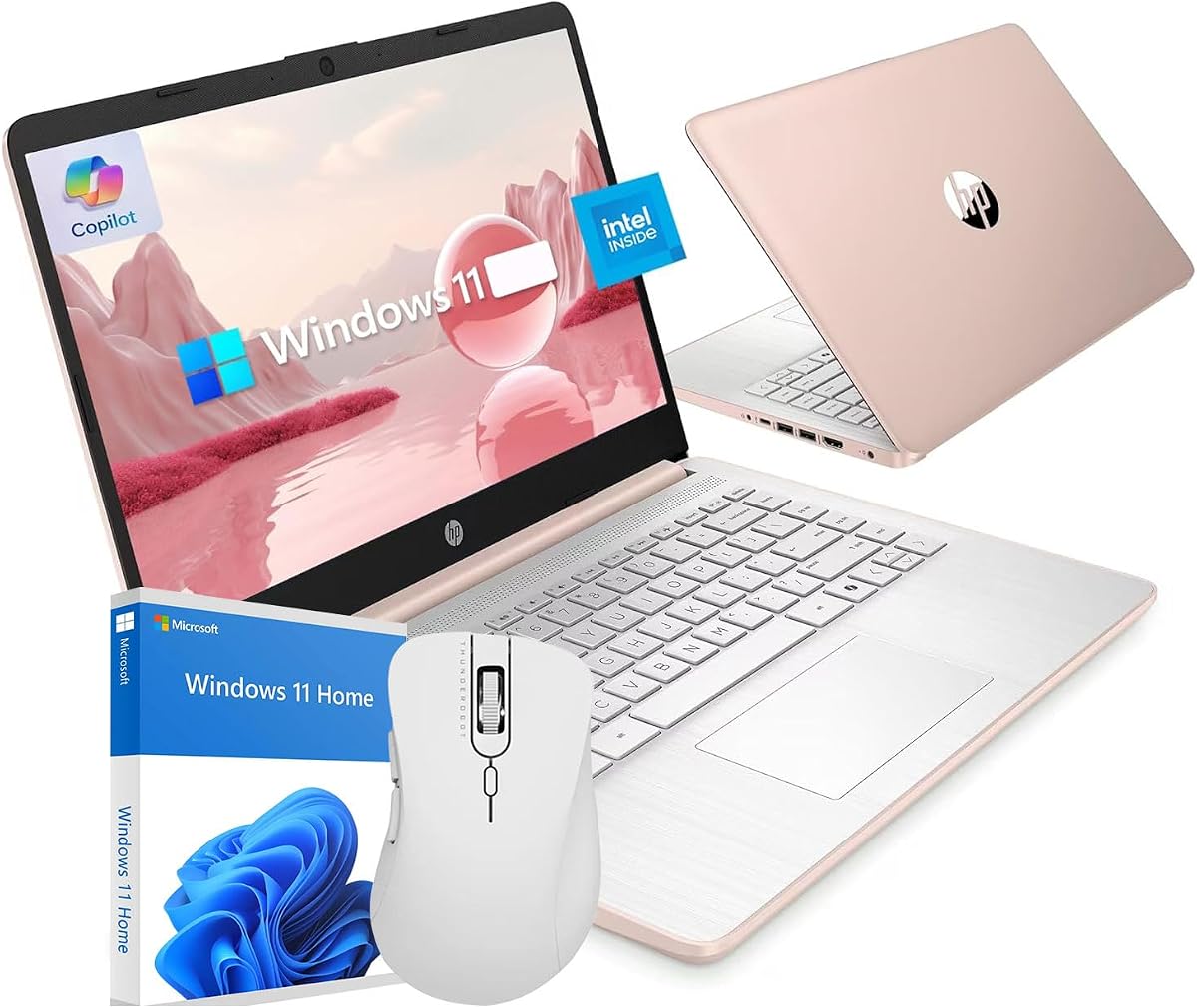
The HP Essential Laptop 2026 is designed for students who need a portable machine for note-taking and web-based research. Its 4.4 rating indicates strong performance for light academic workloads. The modern willow green design adds a professional touch suitable for clinical environments.
We may earn a commission when you buy through this link, at no additional cost to you.
Despite its slim profile this laptop features a 14-inch HD micro-edge display that maximizes screen real estate. Wi-Fi 6 connectivity ensures stable internet speeds for telehealth simulations or virtual labs. The Copilot key allows quick access to AI assistance for studying or drafting care plans.
The 4GB RAM and 128GB storage are the main constraints limiting heavy multitasking or local file storage. Students relying heavily on cloud services will find this less of an issue. The lightweight build makes it easy to carry between hospital wards or lecture halls without strain.
Best suited for students focusing on online coursework and using cloud apps rather than heavy local software. Its portability and modern features make it a strong candidate for on-the-go learning. Prioritize cloud storage management to maximize its potential.
Wi-Fi 6 and Bluetooth 5.4 keep you connected to printers and accessories without lag.
Access Microsoft Copilot instantly to help summarize notes or organize study materials efficiently.
We may earn a commission when you buy through this link, at no additional cost to you.
The HP Ultrabook 14 Business combines a stylish design with essential computing features for students. While its 4.0 rating suggests some variability in user experiences it offers a sleek look that stands out. The Rose Gold finish provides a professional yet personal touch for bedside notes.
We may earn a commission when you buy through this link, at no additional cost to you.
Powered by a Quad-Core Intel CPU it handles web apps and document editing efficiently. The SSD ensures quick boot times and snappy responsiveness for daily tasks. It is designed for business and study environments requiring reliability and portability during long shifts.
Storage is limited to 128GB which may require external drives for extensive medical records or video tutorials. The lower rating indicates potential issues with build quality or battery consistency. Users should weigh the design benefits against these practical limitations before purchasing.
This model appeals to students valuing aesthetics and lightweight design for campus mobility. The included Office 365 ensures productivity tools are ready immediately. It is a good option for light users who prioritize form alongside function.
The Rose Gold finish and slim profile make it a stylish accessory for clinical settings.
SSD storage ensures you can start your device quickly and jump into studying right away.
We may earn a commission when you buy through this link, at no additional cost to you.
The Lenovo Chromebook offers an affordable entry point for students comfortable with cloud-based workflows. Its 4.2 rating reflects satisfaction with its fast boot times and ease of use. The touchscreen adds versatility for interactive learning apps or note-taking on the fly.
We may earn a commission when you buy through this link, at no additional cost to you.
The MediaTek Kompanio 520 processor provides decent speed for web browsing and video streaming. With only 64GB of storage it relies heavily on cloud integration which keeps the device light. The design is extremely portable making it easy to slip into a pocket or small bag.
Chrome OS limits the ability to run specialized Windows-based medical software. Students needing specific clinical tools will find this a barrier. The screen quality is strong for media consumption but may not be ideal for long hours of text editing.
Best for students whose coursework is primarily web-based or who use tablets for heavy lifting. The price point is attractive for those needing a secondary device or backup. Ensure your school supports Chrome OS before relying on it as a primary machine.
Touch navigation enhances usability for apps requiring direct interaction or quick sketches.
Built-in cloud backups ensure your work is safe even if the device is lost or damaged.
We may earn a commission when you buy through this link, at no additional cost to you.
The HP 17.3 inch Laptop is a robust option for students needing significant power for complex software. Its 4.3 rating points to strong performance and build quality. The large screen and ample RAM make it excellent for detailed anatomy studies or data analysis.
We may earn a commission when you buy through this link, at no additional cost to you.
With an Intel Core i5 processor and 16GB of RAM this machine handles heavy multitasking with ease. The 512GB SSD provides fast and spacious storage for large medical files. The physical camera shutter adds a layer of privacy during remote classes or personal sessions.
Portability is the main drawback as the 17-inch frame and larger chassis add weight. It is not ideal for daily commuting or carrying around a hospital. Students with a fixed desk or home base will find this the most capable workstation.
Prioritize performance and screen real estate over portability with this model. It is the choice for those running multiple simulations or editing video content. If weight is not a concern the utility it offers is unmatched.
The Core i5 processor handles demanding applications without slowing down during critical work.
The 17.3-inch screen provides ample space to view textbooks and notes simultaneously.
We may earn a commission when you buy through this link, at no additional cost to you.
The HP Portable Laptop offers a unique combination of high RAM and a compact design for students. It features a generous 16GB of RAM which supports running multiple apps simultaneously. The Pale Rose Gold finish adds a touch of elegance to the study setup.
We may earn a commission when you buy through this link, at no additional cost to you.
Despite the high RAM the processor is a mid-range Intel N150 which balances power with efficiency. This allows for smooth web browsing and document editing without excessive battery drain. The included earbuds are useful for attending lectures in noisy environments.
Storage is limited to 128GB which is a trade-off for the higher memory capacity. Cloud solutions are necessary for keeping the system clutter-free. The display is standard HD which is functional but not exceptional for detailed graphics.
Ideal for users who need to run heavy browser-based applications or multiple tabs. The bundle adds value by including audio accessories and office software. It is a smart choice for multitasking on a budget.
16GB RAM allows for seamless switching between research tabs and assignment software.
Included earbuds and software save you the cost of buying extra accessories separately.
We may earn a commission when you buy through this link, at no additional cost to you.
The Dell 15.6 Laptop provides a reliable experience for daily academic tasks. Its 4.3 rating suggests consistent performance and durability. The full-size keyboard and numeric pad are helpful for entering data or calculations quickly during assignments.
We may earn a commission when you buy through this link, at no additional cost to you.
ComfortView software helps reduce eye strain which is crucial for long nights of studying. The Intel Core 3 processor ensures that basic tasks run smoothly. With 8GB of RAM it handles typical student workloads without significant lag.
While it includes onsite service for peace of mind battery life may not last a full clinical day. Users might need to carry a charger for extended shifts. The overall value lies in its sturdy build and support options.
Best for students who value durability and screen comfort. The numeric keypad is a distinct advantage for data entry tasks. Consider battery needs if you plan to use it away from outlets frequently.
ComfortView software filters harmful blue light to reduce eye fatigue during long study sessions.
One year onsite service provides quick repairs without needing to ship the device away.
We may earn a commission when you buy through this link, at no additional cost to you.
The HP Laptop 14 Computer 2026 is a standard reliable option for daily coursework and web browsing. Its 4.3 rating indicates satisfaction with basic performance and ease of use. The inclusion of Office 365 simplifies setup for new students.
We may earn a commission when you buy through this link, at no additional cost to you.
AI noise reduction helps maintain clear audio during online classes by filtering background noise. The Wi-Fi 6 connectivity ensures stable internet access in dorms or lecture halls. It is designed for straightforward tasks like writing papers and attending virtual meetings.
Storage is limited to 128GB which may require external drives for media files. The 4GB RAM is sufficient for single-tasking but may struggle with many open tabs. Users should manage their files carefully to avoid space issues.
Recommended for students needing a straightforward laptop without complex requirements. The AI features add a modern touch to basic learning tools. It serves well as a primary device for light academic workloads.
AI Noise Reduction filters background sounds to ensure clear voice transmission during calls.
Wi-Fi 6 provides faster speeds and better range for connecting to campus networks.
We may earn a commission when you buy through this link, at no additional cost to you.
The HP 14 Ultra-Portable stands out for its generous total storage capacity when combined with external drives. Its 4.3 rating reflects user satisfaction with the versatility and utility of the bundle. The inclusion of a docking station accessory adds significant functional value.
We may earn a commission when you buy through this link, at no additional cost to you.
Windows 11 Pro provides robust security features beneficial for protecting sensitive health data. The Rose Gold finish offers a stylish look suitable for professional environments. It is designed for students needing to manage large amounts of data on the go.
The processor is standard mid-range which limits performance for heavy multitasking. Reliance on external drives means managing multiple devices during use. However the storage volume is a major advantage for those with large media libraries.
Ideal for students who need extensive storage for videos and records. The docking station helps expand connectivity for presentations. Prioritize storage needs over raw speed when considering this model.
Combined storage capacity allows you to keep large files locally without relying solely on cloud.
Windows 11 Pro encryption helps protect your medical records and personal data.
We may earn a commission when you buy through this link, at no additional cost to you.
Selecting the right laptop for nursing school requires balancing performance portability and specific software needs. This guide outlines the critical factors to ensure you choose a device that supports your academic and clinical demands.
For nursing students the processor is the engine that powers your multitasking and research. A Quad-Core CPU like the Intel N150 is sufficient for web browsing and document editing. More demanding software may require a Core i5 for better performance and speed.
Prioritize a processor that handles multiple tabs and apps smoothly without lagging during video lectures.
Random Access Memory determines how many applications you can run simultaneously. 8GB of RAM is generally recommended for smooth multitasking between Zoom and research tools. 4GB may suffice for light users but can struggle with heavier workloads.
Aim for at least 8GB to ensure your device remains responsive during intensive study sessions.
Storage capacity affects how many files and programs you can keep on your device. SSDs offer faster load times compared to traditional drives. External drives or cloud storage are often necessary for medical students with large video libraries.
Consider total available storage including external options to ensure you have room for growth.
Long battery life is essential for clinical rotations where power outlets may be unavailable. Look for devices that promise 8 to 11 hours of real-world use. This ensures you stay productive throughout long shifts without interruption.
Check reviews for real-world battery endurance to confirm it meets your daily needs.
A clear screen is vital for reading textbooks and viewing medical images accurately. Anti-glare displays reduce eye strain during long study sessions. Resolution should be at least HD to ensure sharp text and images.
Prioritize displays with good brightness and viewing angles for use in various lighting conditions.
Nursing students often carry their laptops between campuses and clinical sites. A lightweight device under 4 lbs makes commuting easier. The compact design of 14-inch laptops offers a good balance between screen size and portability.
Choose a chassis that fits comfortably in your bag and is easy to carry daily.
Ports like USB-C and HDMI are necessary for connecting to projectors or external drives. Wi-Fi 6 ensures stable and fast internet connections. A good webcam is crucial for attending virtual classes and remote communication.
Verify that the device has the necessary ports for your specific school requirements and peripherals.
Ensure the laptop runs your required software like Windows or specific medical applications. Some nursing schools require specific operating systems for compatibility. Accessories like Office 365 can save money and provide immediate tools for assignments.
Check your program requirements before purchasing to avoid compatibility issues.
To maximize battery life adjust your screen brightness and close unused apps when not in use. Utilize power-saving modes during clinical shifts to ensure the device lasts through the day. This simple practice extends your productivity without needing a charger.
Keep your device clean and dry to prevent damage from spills or dust in busy environments. Use a protective case when transporting your laptop to avoid scratches and bumps. Regular updates keep your system secure and running smoothly for academic tasks.
Organize your files into clear folders for better efficiency during assignments and research. Backup important documents regularly to a cloud service to prevent data loss from unexpected issues. Proper file management ensures you can access materials quickly when you need them.
Ideally you should look for a laptop with at least 8GB of RAM to handle multiple tabs and applications smoothly. While 4GB can work for light tasks it may slow down during heavier multitasking. Investing in more RAM ensures your device stays responsive throughout your studies.
Most nursing programs require specific software that runs best on Windows. A Chromebook may suffice for basic coursework but could limit your ability to use clinical tools. Check with your school to confirm their requirements before deciding on an operating system.
Battery life is critical for clinical rotations where power sources may be scarce. Aim for a device with at least 8 to 10 hours of real-world use. This ensures you can take notes and attend lectures without worrying about finding an outlet.
A touchscreen is not strictly necessary but can be helpful for interactive learning apps and note-taking. It offers flexibility when working with digital textbooks or diagrams. However standard trackpads are sufficient for most academic tasks if you prefer them.
External drives are useful for storing large medical videos or files when internal storage is limited. They provide a backup solution and expand your capacity significantly. This is a practical choice for students managing large amounts of data.
Anti-glare screens and blue light filters like ComfortView can significantly reduce eye fatigue. These features are essential for long nights of reading and writing. Look for displays with adjustable brightness to adapt to different lighting environments.
Tablets are great for reading and note-taking but lack the power for complex assignments. Most medical software requires a desktop operating system. A laptop is the primary tool for research and project work while a tablet can complement it.
Use strong passwords and encryption tools to keep your data secure. Windows 11 Pro offers built-in security features that help protect sensitive files. Regular updates and backups also ensure your information remains safe from threats.
Selecting the right laptop for nursing school involves balancing power portability and specific needs. Our top picks include options ranging from budget-friendly models to high-performance machines that can handle complex tasks. Whether you prioritize battery life or screen size there is a device that fits your workflow.
Focus on key factors like RAM storage and battery life to ensure your device supports your entire academic journey. The included accessory bundles and software subscriptions can add significant value to your investment. Prioritize features that align with your daily clinical and study requirements.
Prices and availability change frequently so verify current listings before making your purchase. Investing in a reliable machine now will pay off as you progress through your career. Your laptop is a vital tool for your education and future practice.