
HP OmniBook 3 14 inch Next Gen AI PC
4.1Editor score
2K OLED Display
Snapdragon X Processor
Up to 41 Hours Battery
Laptops with OLED displays deliver vibrant colors and deep blacks that transform how you work and play. Whether you edit videos or browse the web, an OLED screen provides unmatched contrast and clarity for every pixel you see.
We compared ten leading models based on processor power, screen quality, battery life, and port selection. Our analysis focuses on real-world usability for professionals and creatives who demand high fidelity and reliable performance daily.
Each pick highlights key strengths and trade-offs to help you choose the right device for your workflow. Remember that availability and specific configurations may change over time, so verify details before purchasing.
4.1Editor score

4.5Editor score
4.5Editor score
As an Amazon Associate we earn from qualifying purchases.
This table provides a side-by-side view of the ten selected laptops with OLED displays. Compare specifications like screen size, processor type, memory, and key features to find the model that aligns with your specific needs and budget constraints.



This laptop combines high-quality OLED visuals with strong processing power for demanding workflows. It scores well for creative professionals who need accurate colors and fast rendering speeds for daily tasks.
We may earn a commission when you buy through this link, at no additional cost to you.
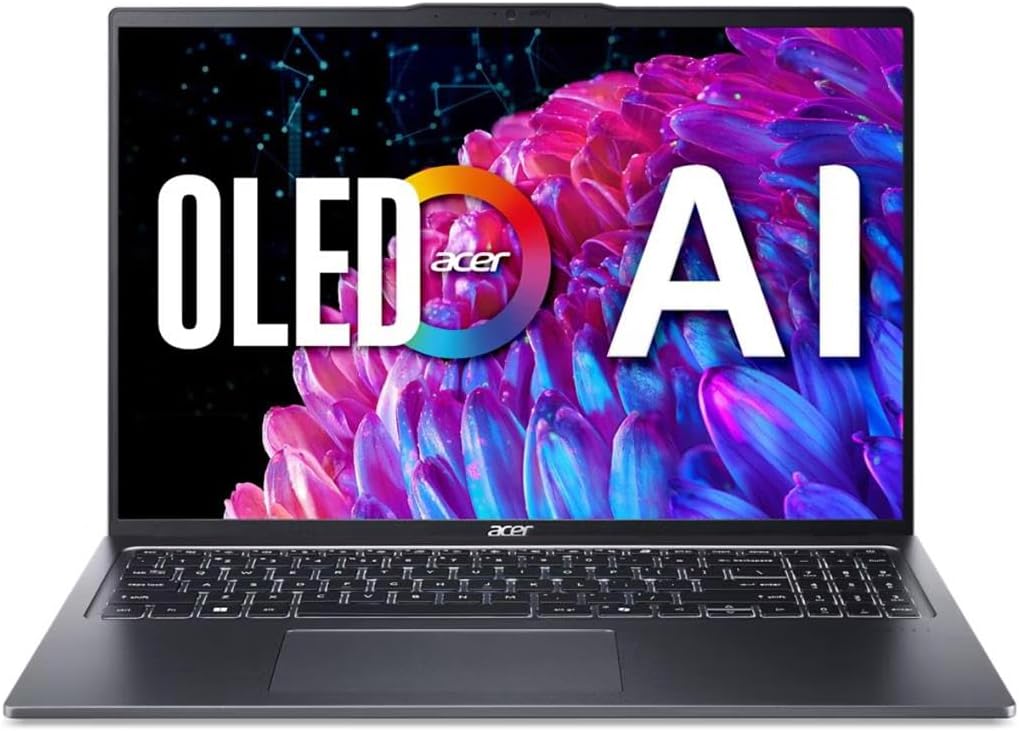
The 16-inch OLED panel offers a 120Hz refresh rate and VRR support which makes motion appear smooth during media playback or editing. The Ryzen AI 7 processor handles multitasking efficiently while the dedicated GPU accelerates graphics-intensive applications like video editing.
While the build quality is robust with MIL-STD certification, the weight might be a concern for frequent travelers. The battery life is decent but not class-leading, so carrying a charger is often necessary for long work sessions away from an outlet.
Buy this if you need a reliable workstation that balances performance and screen quality without breaking the bank. It is an excellent choice for designers and editors who prioritize display fidelity and processing speed over portability.
The 2.8K resolution and 16:10 aspect ratio provide ample screen real estate for complex software interfaces and detailed design work.
Integrated AI features help automate routine tasks and optimize performance based on your usage patterns throughout the day.
We may earn a commission when you buy through this link, at no additional cost to you.
This model brings high-end OLED technology to a more accessible price range for students and entry-level professionals. It offers a sharp display and solid build quality that competes with much more expensive machines on the market today.
We may earn a commission when you buy through this link, at no additional cost to you.
The 3.2K OLED display is a standout feature that delivers deep blacks and vibrant colors ideal for photo editing or watching movies. Thunderbolt 4 support ensures you can connect to external monitors and fast storage drives without performance bottlenecks during heavy file transfers.
However, the 8GB of RAM may limit multitasking capabilities if you run many applications simultaneously. Users requiring heavy performance should consider upgrading or choosing a model with more memory to ensure smooth operation over time.
This laptop is perfect for those who want a premium viewing experience without paying a premium price. It suits casual creatives and general users who prioritize screen quality and connectivity over raw processing power for complex tasks.
The DisplayHDR True Black 500 certification ensures high contrast ratios that make dark scenes pop on the screen.
Dual USB Type-C ports support power delivery and multi-monitor setups for a versatile desk environment.
We may earn a commission when you buy through this link, at no additional cost to you.
This device focuses on productivity and portability with a lightweight chassis that fits easily into a carry-on bag. It is designed for users who need reliable performance for daily tasks without carrying heavy equipment everywhere they go.
We may earn a commission when you buy through this link, at no additional cost to you.
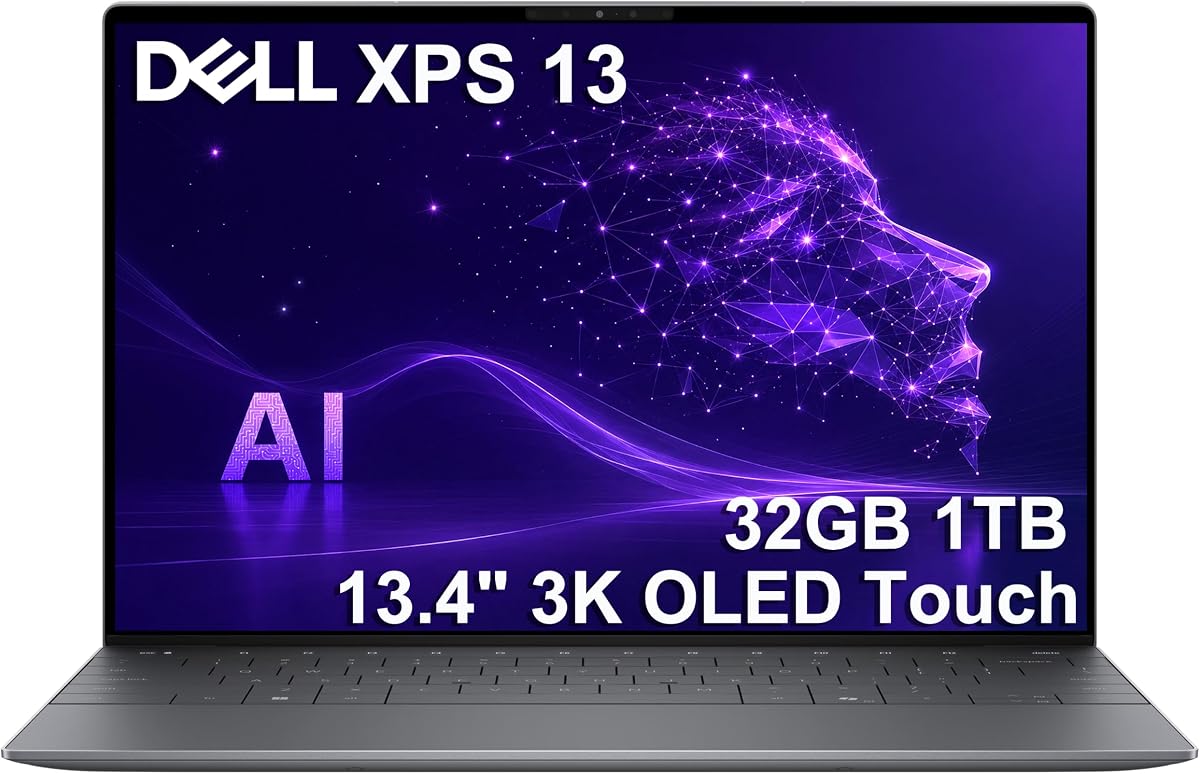
With 32GB of RAM and a 1TB SSD, this laptop handles large files and complex workflows smoothly. The long battery life means you can work through meetings or flights without worrying about finding a power source during your journey.
The display is good but uses a lower resolution than some competitors which might affect text clarity for some users. Additionally the integrated graphics are not suitable for heavy gaming or professional 3D rendering work that requires dedicated GPU power.
Ideal for business travelers and students who need a balanced machine for work and study. It offers strong reliability and modern AI features that can help streamline your daily routine efficiently and effectively.
Weighing just 3.75 pounds and measuring 0.63 inches thin it is easy to slip into a small backpack for travel.
Fast charge capability restores significant power quickly so you can keep working without long interruptions.
We may earn a commission when you buy through this link, at no additional cost to you.
This laptop stands out for its incredible battery longevity which allows users to work for extended periods without plugging in. It is an ideal choice for remote workers and commuters who often lack access to power outlets during the day.
We may earn a commission when you buy through this link, at no additional cost to you.
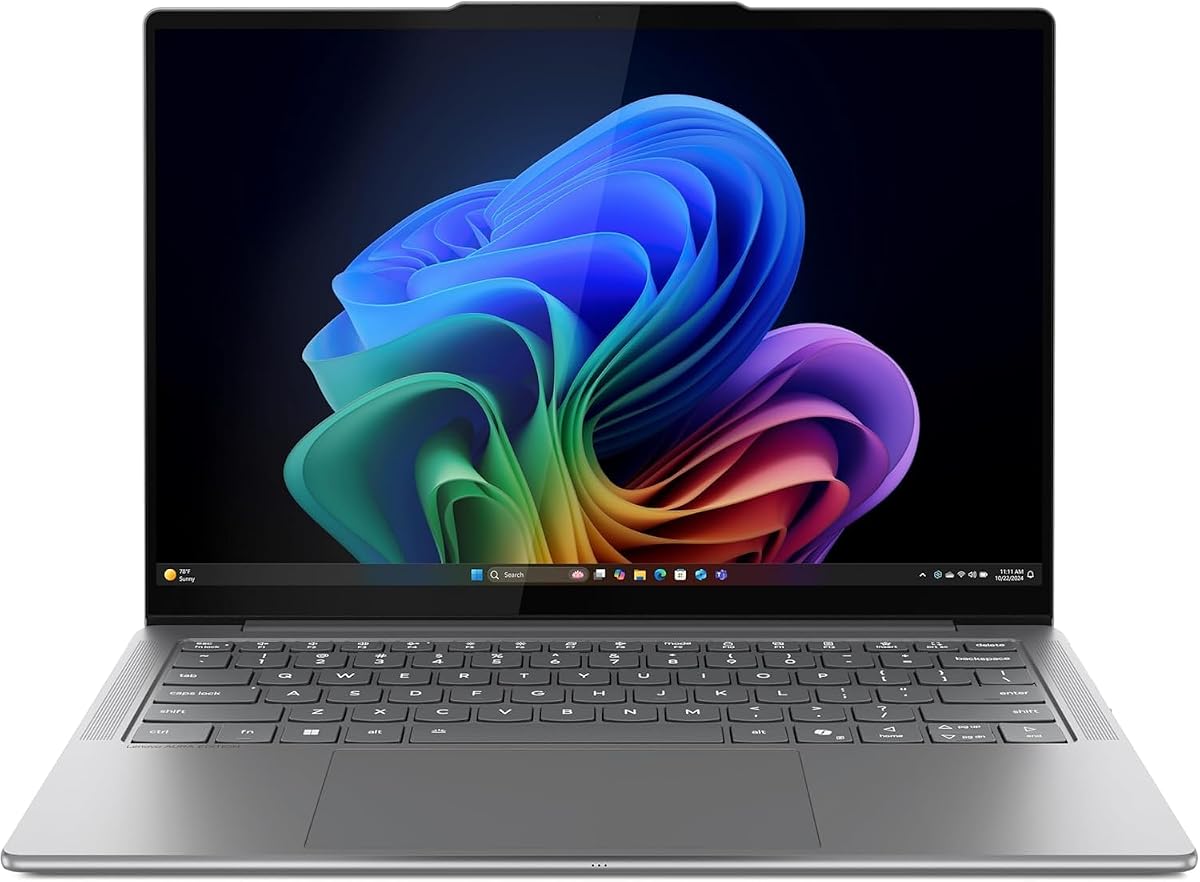
The Snapdragon processor provides efficient performance for common office tasks and web browsing with the added benefit of integrated AI capabilities. The OLED screen delivers rich colors and good contrast making it pleasant to view even in varied lighting conditions.
However the 256GB storage may fill up quickly if you store many local files or media libraries. Additionally some legacy x86 applications may not run optimally on this ARM-based architecture which could be a hurdle for specific software needs.
Consider this model if you prioritize mobility and battery life above all else for your daily work. It offers a modern computing experience with smart features that adapt to your habits and enhance overall productivity significantly.
The battery can last over a day and a half on typical usage patterns so charging is rarely a priority.
Built-in AI tools help with transcription and note-taking to save time during meetings and collaborative sessions.
We may earn a commission when you buy through this link, at no additional cost to you.
This powerful laptop brings high-end processing capabilities to a slim chassis that fits well in professional settings. It is designed for users who demand speed and reliability for complex projects while maintaining a sleek modern appearance.
We may earn a commission when you buy through this link, at no additional cost to you.
The Intel Core Ultra 9 processor handles demanding workflows with ease ensuring that applications launch quickly and run smoothly. With 32GB of RAM you can keep many programs open at once without experiencing slowdowns or lag during intensive work sessions.
While the integrated graphics are capable for most tasks they are not intended for high-end gaming or heavy 3D rendering. The price reflects these premium specs but users on a tight budget might find better value in mid-range alternatives with similar features.
Buy this laptop if you need a reliable machine for professional work that can handle heavy loads without compromise. It is a top choice for engineers developers and analysts who rely on consistent performance for critical daily tasks.
The MIL-STD 810H testing ensures the device can withstand bumps and drops during regular use in the field.
Multiple USB ports and HDMI output allow for easy connection to external displays and peripherals without adapters.
We may earn a commission when you buy through this link, at no additional cost to you.
This laptop offers a large interactive OLED screen that allows for direct manipulation of content which is great for creative work. The touch functionality adds a layer of convenience for tasks like sketching or navigating complex interfaces quickly.
We may earn a commission when you buy through this link, at no additional cost to you.
Powered by a Snapdragon processor it delivers consistent performance for multimedia consumption and daily productivity applications. The battery life is strong enough to last through long workdays and travel sessions without needing frequent recharges throughout the period.
The added touch capability does increase the overall weight slightly which might make it less ideal for frequent travel. Users who prefer a traditional clamshell design without touch might find the extra cost unnecessary for their specific use case.
This device is perfect for designers and educators who benefit from touch input for presentations or digital art. It provides a modern interface that feels intuitive and responsive during interaction with various applications and content.
The touchscreen supports multi-touch gestures that make scrolling and zooming natural and fluid during use.
Fast charging ensures you can get enough power for a few hours of work quickly when you are in a hurry.
We may earn a commission when you buy through this link, at no additional cost to you.
This laptop is designed for those who value portability above almost all else in a premium computing device. It features a sleek aluminum chassis that feels solid yet remains light enough for easy carrying in a small bag.
We may earn a commission when you buy through this link, at no additional cost to you.
The OLED touchscreen provides vibrant visuals and responsive input making it suitable for both work and entertainment on the go. Battery life is sufficient for most daily tasks and the cooling system keeps the device quiet even under moderate load.
The number of available ports is limited which means you will likely need dongles for standard connections like USB-A or HDMI. This added requirement can be inconvenient for users who prefer direct connectivity without carrying extra accessories everywhere they go.
Choose this laptop if you need a high-end portable device for frequent travel and professional meetings. It balances build quality and performance well but requires you to be prepared for limited direct connectivity options on the device.
The ergonomic edge allows for easy lifting and carrying which reduces strain during frequent travel.
Quad speakers deliver immersive sound that enhances media consumption without needing external headphones.
We may earn a commission when you buy through this link, at no additional cost to you.
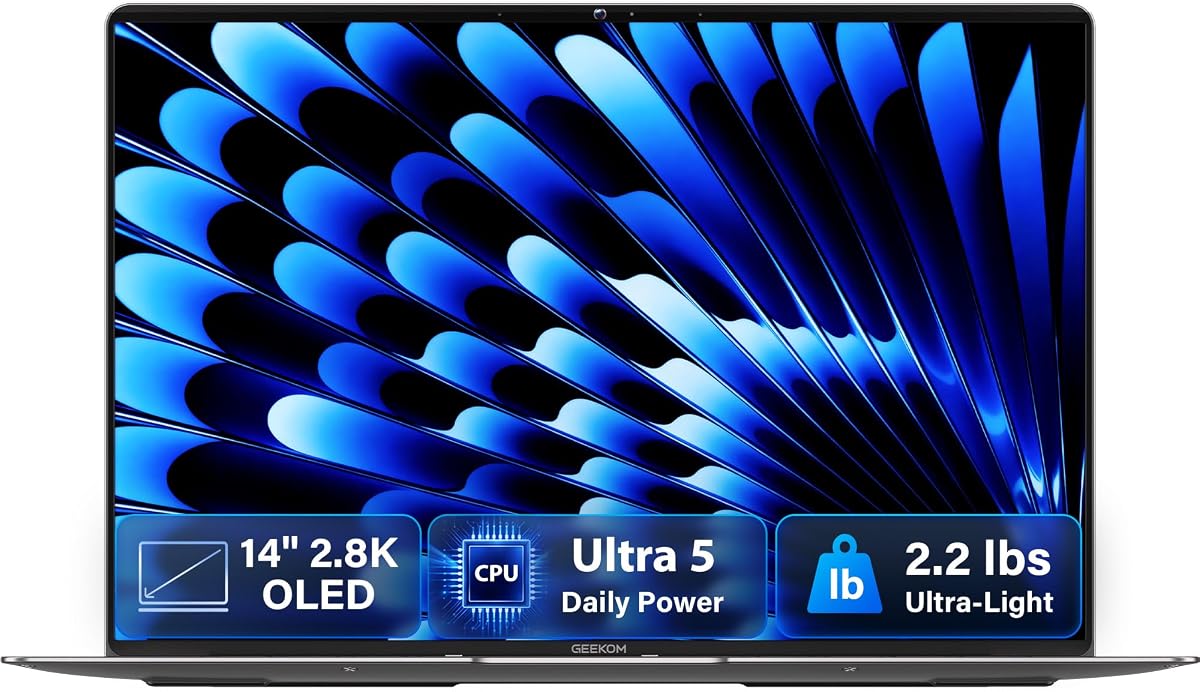
This laptop is built for extreme portability with a chassis that weighs only 2.2 pounds making it easy to carry anywhere. It is an excellent option for users who prioritize weight and thickness in their device selection for travel.
We may earn a commission when you buy through this link, at no additional cost to you.
The 2.8K OLED display offers crisp detail and rich colors that make text and images look sharp on the small screen. The cooling system keeps the device cool during use so performance remains stable even during longer work sessions in warm environments.
The compact 14-inch form factor may feel small for users who need more screen real estate for complex multitasking or coding work. Additionally the storage capacity is fixed so you may need cloud solutions for additional file space over time.
Ideal for frequent travelers and students who need a powerful yet ultra-light device for daily use. It provides a high-quality screen and solid performance in a package that is easy to handle and carry everywhere.
The high pixel density ensures text remains crisp and readable which reduces eye strain during long work sessions.
Internal blowing technology moves heat away efficiently so the laptop remains quiet and cool to the touch.
We may earn a commission when you buy through this link, at no additional cost to you.
This gaming laptop brings high-performance hardware to an OLED display which creates an immersive visual experience for both games and media. It is designed for users who want serious graphics power without sacrificing the color accuracy of a premium screen.
We may earn a commission when you buy through this link, at no additional cost to you.
The 165Hz refresh rate ensures smooth motion during fast-paced games and the dedicated GPU handles complex rendering tasks effectively. With 32GB of DDR5 RAM you can run modern titles and creative applications simultaneously without performance degradation or lag.
The weight and bulk make it less practical for daily commuting or travel compared to ultrabooks and the battery life is shorter during intensive tasks. It is best suited as a primary home workstation or for travel when gaming and high graphics performance are required.
Buy this laptop if you are a gamer or 3D artist who needs top-tier visuals and performance. It combines the best of gaming hardware with OLED clarity to deliver a rich and responsive experience for demanding workloads.
The high TGP of the GPU ensures you get maximum frame rates and visual fidelity in supported titles.
Wi-Fi 7 offers fast and reliable connections for online gaming and quick downloads of large files and updates.
We may earn a commission when you buy through this link, at no additional cost to you.
This laptop represents the pinnacle of ultra-portable design with a slim chassis and a high-quality OLED touchscreen for a premium user experience. It is aimed at professionals who need a reliable and efficient device for travel and business tasks.
We may earn a commission when you buy through this link, at no additional cost to you.
The Snapdragon X Elite processor delivers strong performance and power efficiency which contributes to its exceptional battery life. The display offers high resolution and anti-reflective properties that make it easy to view in bright offices or outdoor settings.
The limited port selection means you will need adapters for standard USB-A or HDMI connections which adds bulk to your travel bag. The premium price may also be a barrier for some users who do not need the highest-end business features and materials.
Choose this laptop if you value build quality and portability and are willing to pay for a top-tier device. It offers a balanced mix of performance and battery life that is ideal for executives and mobile professionals.
Anti-reflective coating helps maintain visibility in bright environments which is useful for outdoor or office work.
Windows 11 Pro provides advanced security options like BitLocker to protect sensitive business data on the device.
We may earn a commission when you buy through this link, at no additional cost to you.
Selecting the right OLED laptop involves balancing display quality with performance and budget constraints to meet your specific needs.
Resolution affects how sharp text and images appear on your screen. Higher resolution like 2.8K or 3.2K provides more detail and clarity which is beneficial for design work and high-quality media consumption.
Look for at least 1080p but aim for 2K or higher if you want the crispest visual experience for your tasks.
Refresh rate determines how smoothly motion appears on the display. A 60Hz rate is standard but 90Hz 120Hz or higher offers smoother scrolling and better responsiveness for gaming and interactive work.
Choose a higher refresh rate if you play games or edit video where smooth motion is a priority for your workflow.
The processor is the brain of your laptop and determines how fast it handles tasks. Intel Core Ultra and AMD Ryzen AI processors are top choices for productivity and AI features that boost daily performance.
Select a powerful processor based on your workload requirements to ensure smooth multitasking and fast application loading times.
Memory and storage capacity are critical for running multiple applications and storing files efficiently. At least 16GB of RAM is recommended for smooth performance while 512GB or more of SSD storage provides ample space for large files.
Prioritize enough RAM and SSD space to avoid slowdowns and ensure you have room for your projects and software.
Battery life determines how long you can use your laptop without access to a power outlet. Look for models with long endurance if you travel frequently or work in environments where charging is not always available.
Check estimated battery hours to ensure the device supports your daily schedule without needing frequent recharging breaks.
Ports allow you to connect peripherals and external displays. Ensure the laptop has the right combination of USB-C USB-A and HDMI ports to suit your needs without requiring dongles or adapters.
Verify available ports before buying to avoid inconvenience and extra costs for necessary adapters.
Build quality affects the durability and feel of the device. Metal chassis like aluminum or magnesium alloy offer better protection and a premium feel than plastic alternatives.
Look for durable materials if you travel often or work in demanding environments to ensure long-term reliability.
Features like touchscreens AI assistants or privacy cameras add convenience and security to your computing experience. These can be valuable additions depending on your specific work style and security requirements.
Consider these extras to enhance your productivity and ensure the laptop meets your unique personal preferences.
To maintain the longevity of your OLED screen adjust brightness levels and enable dark mode when possible. This reduces strain on pixels and helps prevent potential issues like burn-in over time.
Clean your display with a soft microfiber cloth and avoid harsh chemicals. Use distilled water if needed to remove smudges without damaging the coating on the screen.
Keep your laptop in a cool dry place when not in use. Avoid exposing it to extreme temperatures or humidity which can affect the internal components and the display panel.
Yes OLED displays typically offer deeper blacks and higher contrast because they produce true black pixels. They also have faster response times which makes them ideal for gaming and media consumption compared to standard IPS panels.
Burn-in can occur if static images are displayed for long periods. However modern laptops include features like pixel shifting and automatic brightness to mitigate this risk significantly during typical daily use.
OLED screens can use more power when displaying bright white content but they are efficient with dark content. Overall battery life depends on your usage patterns but many models compensate with larger batteries.
Absolutely OLED displays often support wide color gamuts that are essential for photo and video editing. They provide the accuracy and contrast needed for professional creative workflows.
Use a soft dry microfiber cloth to gently wipe the screen. Avoid using paper towels or harsh cleaning solutions that could scratch or damage the delicate coating on the panel.
Adjust brightness to match your lighting conditions. Too bright can strain your eyes while too dim reduces visibility. Auto brightness features can help manage this automatically for comfort.
Yes most OLED laptops have USB-C or HDMI ports to connect to external monitors. Check the specific ports to ensure they support the resolution and refresh rate you need.
Keep your graphics drivers up to date from the manufacturer. Updates often include optimizations for OLED screens to ensure color accuracy and performance stability.
Our top picks offer a range of options from budget-friendly choices to high-performance machines. The HP OmniBook 3 provides value while the ASUS Vivobook S16 delivers strong performance for everyday tasks.
When selecting a laptop prioritize display quality and battery life to suit your workflow. Consider portability if you travel frequently and ensure the device has the necessary ports for your needs.
Prices and availability may change so verify current details before making your purchase. Choosing the right OLED laptop will enhance your computing experience significantly over the long term.