
BENGOO Gaming Mouse Wired with RGB Backlit
4.6Editor score
Adjustable DPI up to 3600
Ergonomic skin-friendly design
Multi-color RGB lighting effects
This guide compares the top 10 light up LED mice for gaming and work, evaluating ergonomics, battery life, lighting modes, and connectivity features for every
Finding the right light up LED mouse can transform your computing experience by adding style and functionality to your setup. These devices offer vibrant lighting effects that enhance your desk atmosphere while providing essential features like adjustable DPI and ergonomic comfort for long sessions.
We evaluated ten top-rated models based on user feedback, build quality, lighting customization, and overall performance. Our comparison covers both wired and wireless options, ensuring you find a device that matches your specific needs for gaming productivity or general daily tasks without breaking the bank.
Each pick below highlights key strengths and potential trade-offs to help you make an informed decision quickly. Remember that availability and stock levels change frequently, so checking the latest details on the product pages is always recommended before finalizing your purchase.
4.6Editor score

4.3Editor score

4.5Editor score
The following table provides a side-by-side overview of the most important technical specifications and features for each model selected in this guide. This allows you to quickly compare DPI levels, connectivity options, and unique design elements to find the perfect match for your needs.


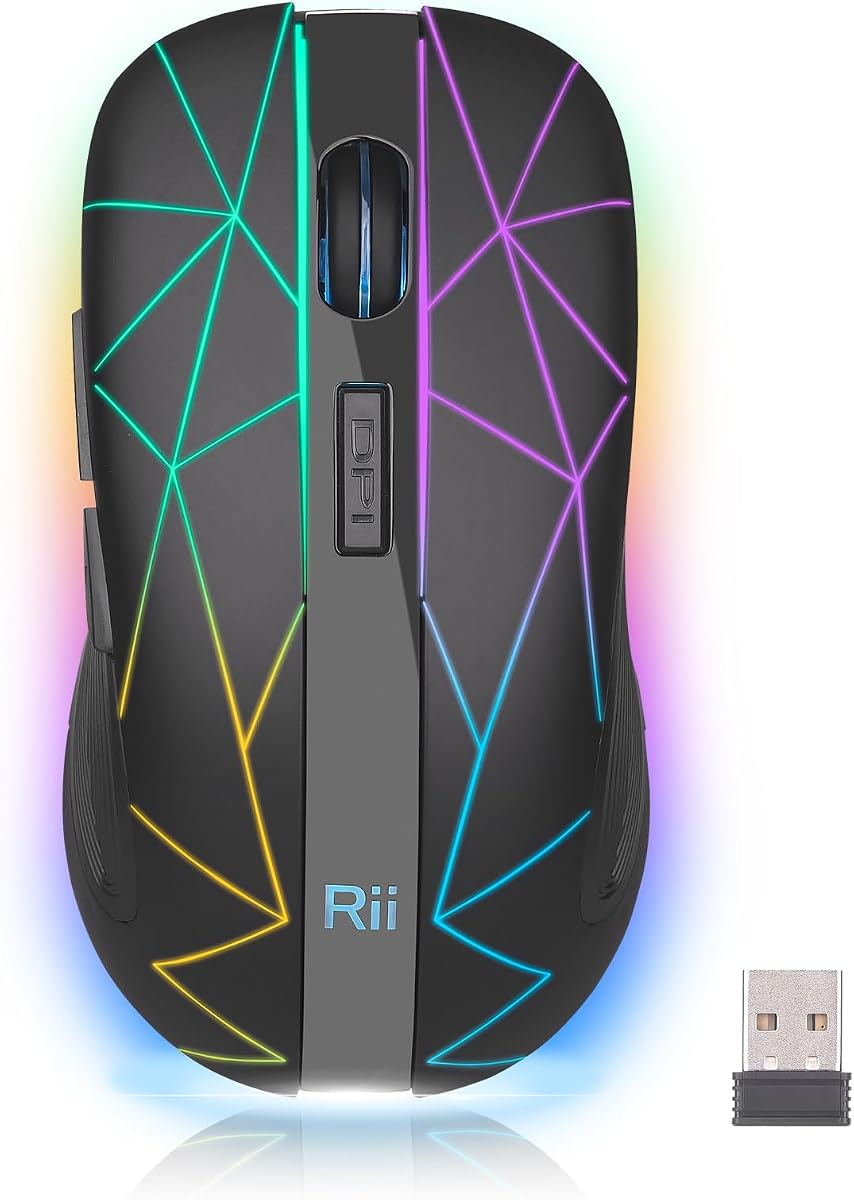


This wired mouse combines affordability with essential gaming features, earning a strong 4.6 rating from users. Its adjustable DPI switch allows for quick speed changes between 1200 and 3600 without needing drivers. The ergonomic shape fits comfortably under the palm, making it suitable for extended use.
We may earn a commission when you buy through this link, at no additional cost to you.
The RGB lighting adds a vibrant touch to your desk setup with multiple color options to choose from. Six buttons including forward and back keys help improve navigation efficiency during browsing or gaming. The skin-friendly material ensures a secure grip even during intense sessions.
While the cable is a limitation compared to wireless models, it ensures zero latency and consistent power. The lack of complex software means you can start using it immediately after plugging it in. This trade-off is acceptable for users prioritizing simplicity and value.
Anyone looking for a reliable entry-level gaming mouse with visual flair will find this model appealing. It works well with various Windows versions and even supports Macbooks. The balance of comfort features and cost makes it a top recommendation for budget shoppers.
The contoured shape and skin-friendly materials reduce hand fatigue during long usage sessions.
Four DPI settings let you switch between precise tracking and fast movement instantly.
We may earn a commission when you buy through this link, at no additional cost to you.
This wireless model stands out with its silent click mechanism and impressive battery longevity, rated highly by users for office environments. It supports 2.4G wireless connectivity with a receiver that stores inside the mouse for easy transport. The ability to switch to wired mode while charging ensures you never face downtime.
We may earn a commission when you buy through this link, at no additional cost to you.
The 7-color LED lighting creates a visually stunning environment that can be turned off to save power. You can adjust the DPI across three levels to suit different tasks without installing extra software. The lightweight ergonomic design reduces strain on your wrist during extended use.
Battery life varies depending on whether the lights are on or off, but it still offers up to twenty days of usage. The silent clicks prevent noise disturbances in shared spaces like libraries or offices. These features make it versatile for both work and casual gaming needs.
Users seeking a quiet and reliable wireless option will appreciate the thoughtful design choices here. Compatibility extends across Windows, Mac, and Linux systems for broad appeal. The included service guarantee adds peace of mind for potential buyers.
Noiseless clicks allow you to work in quiet environments without disturbing others.
Up to twenty-five days of usage on a single charge keeps you productive longer.
We may earn a commission when you buy through this link, at no additional cost to you.
This model offers premium build quality with a metal chassis that provides shockproof durability for heavy use. It features four adjustable DPI settings reaching up to 3200 for precise tracking across various surfaces. The unique laser carving and surface coating enhance both aesthetics and grip.
We may earn a commission when you buy through this link, at no additional cost to you.
The 7-color breathing light effect adds a dynamic visual element to your gaming setup. Six buttons including forward and back functions streamline navigation for both gaming and productivity tasks. Its stability is highlighted by users who value consistent performance without signal dropouts.
While it is wired, this ensures uninterrupted power and instant responsiveness which is crucial for competitive gaming. The ergonomic shape fits naturally under the palm to reduce fatigue. The durability aspect justifies the higher cost compared to plastic alternatives.
Gamers who prioritize build quality and precision will find this mouse a worthy investment. It supports a wide range of operating systems including Linux and Mac. The one-year warranty further supports its positioning as a robust option.
Metal flanks and chassis make the mouse resistant to drops and daily wear.
Breathing mode with multiple colors creates an immersive atmosphere for sessions.
We may earn a commission when you buy through this link, at no additional cost to you.
This sleek mouse offers flexibility with both Bluetooth and 2.4G wireless connectivity for diverse devices. The slim profile makes it highly portable and ideal for laptop users on the go. A dedicated button returns you to the desktop quickly when multitasking through web browsers.
We may earn a commission when you buy through this link, at no additional cost to you.
The rechargeable battery provides up to ten days of use after a short charge period. Silent clicks ensure that your work environment remains quiet and productive. The LED lighting adds a touch of visual flair without being overly distracting.
The limited DPI range might not satisfy hardcore gamers but suits general office tasks well. Its compact size is perfect for travelers who need a reliable backup device. The automatic sleep mode helps conserve energy effectively between uses.
Professionals and students needing a versatile mouse for multiple devices will benefit from this design. It supports a wide array of operating systems including Windows and Mac. The ease of switching connections makes it a practical choice.
Switch between Bluetooth and USB receiver for maximum device compatibility.
The desktop button streamlines navigation when managing multiple windows.
We may earn a commission when you buy through this link, at no additional cost to you.
This wired mouse delivers solid performance with four adjustable DPI levels reaching up to 3200 for precision. The ergonomic shape ensures comfort during long hours of use without causing strain. Its plug and play nature means no driver installation is required to start working.
We may earn a commission when you buy through this link, at no additional cost to you.
The 7 color breathing light effect highlights the gaming atmosphere effectively. Six buttons including forward and back help you navigate efficiently through applications and web pages. The optical tracking technology provides accurate movement on a wide range of surfaces.
While it lacks wireless capabilities, the wired connection ensures stable performance without latency. The design is straightforward and focuses on essential features without unnecessary complexity. This makes it an ideal choice for users who want reliability.
Users looking for a dependable gaming mouse with good lighting effects will find this value. It is compatible with most major operating systems and devices. The balanced design supports both gaming and office environments effectively.
High DPI levels allow for precise cursor control in any gaming situation.
Breathing lights create an engaging atmosphere for your gaming space.
We may earn a commission when you buy through this link, at no additional cost to you.
This wireless model balances gaming features with daily usability through its silent click design. The rechargeable battery ensures you do not need to replace cells frequently. Its RGB lighting adds a vibrant touch that changes automatically to enhance the environment.
We may earn a commission when you buy through this link, at no additional cost to you.
Three DPI levels offer flexibility for different tasks while the nano receiver stores conveniently inside. The mouse automatically enters sleep mode to save power when not in use for eight minutes. Silent operation ensures you can work without disturbing others around you.
The battery life is extended by smart power-saving features built into the design. However, keeping the lights on will reduce the overall time between charges. Users can turn them off easily to maximize uptime for critical work periods.
Anyone seeking a quiet wireless mouse with a gaming flair will appreciate this model. It works well with Windows and Mac systems for broad compatibility. The sturdy build passes high click tests for long-term reliability.
Auto sleep mode conserves battery life effectively during idle times.
High cycle test ratings ensure the mouse lasts through years of heavy use.
We may earn a commission when you buy through this link, at no additional cost to you.
The compact size of this mouse makes it perfect for travel and small workspaces. Its ergonomic shape is contoured to fit the natural curve of your hand comfortably. The random color changes in lighting offer a unique visual effect without manual switching.
We may earn a commission when you buy through this link, at no additional cost to you.
A rechargeable lithium battery with intelligent sleep mode extends usage time significantly. The automatic sleep after five minutes helps save power when the mouse is idle. Plug and play compatibility allows for immediate use without driver installation.
While the DPI range is lower than gaming focused models it suits general tasks well. The smooth cursor control ensures precision within its limits for typical office work. This makes it a great secondary mouse for laptops or on-the-go use.
Users who prioritize portability and simple operation will find this model satisfying. It is compatible with Windows and Mac systems broadly. The battery life and design make it a practical choice for travelers.
Small dimensions allow easy packing in any laptop bag.
Sleep mode activates quickly to preserve battery between sessions.
We may earn a commission when you buy through this link, at no additional cost to you.
This model focuses on comfort and quiet operation with its silent click mechanism for noise reduction. The rechargeable battery comes with a cable for easy power maintenance when needed. Its ergonomic design ensures maximum comfort for your hand during long work sessions.
We may earn a commission when you buy through this link, at no additional cost to you.
The 7 color LED light creates a soothing ambient atmosphere that can be turned off via a bottom switch. The 2.4G wireless technology provides a lag free connection with a working distance of up to 10 meters. You can switch CPI levels to meet your needs with high precision.
The ability to use while charging ensures there is no interruption to your workflow. The smooth skin-friendly materials provide a secure grip that reduces fatigue. This design prioritizes user comfort and quiet functionality over flashy gaming aesthetics.
Users who work in shared spaces will appreciate the silent features and stable connection. It supports most major operating systems and devices easily. The battery performance and build quality make it a reliable daily driver.
Buttons operate quietly to prevent noise disturbances in quiet environments.
Advanced wireless tech ensures lag-free movement up to 10 meters.
We may earn a commission when you buy through this link, at no additional cost to you.
This wireless mouse offers a comfortable experience with colorful breathing lights that change randomly. The silent click feature frees you from worrying about disturbing others while working or studying. It is rechargeable and comes with a cable so you do not need to change batteries.
We may earn a commission when you buy through this link, at no additional cost to you.
The auto sleep mode activates after ten minutes of no operation to conserve power significantly. You can wake it up instantly by clicking any button when you return. The 2.4G wireless technology provides stable transmission over a distance of up to 10 meters.
Three CPI levels allow you to switch speeds to meet your precision needs easily. The ergonomic design ensures a good grip for various hand sizes. This balance of comfort and visual appeal makes it a versatile choice for many users.
Anyone looking for a reliable wireless mouse with a touch of color will find this great. It supports Windows and Mac systems broadly for easy integration. The battery and lighting controls add to its overall practicality.
Random color changes create an engaging visual backdrop for your desk.
Auto sleep ensures the battery lasts longer between charges.
We may earn a commission when you buy through this link, at no additional cost to you.
This mouse offers dual mode connectivity supporting both Bluetooth and 2.4G wireless for flexible device pairing. The breathing LED light highlights the gaming atmosphere especially during night usage. Silent buttons ensure you can work without causing noise around you.
We may earn a commission when you buy through this link, at no additional cost to you.
The rechargeable battery includes smart power saving technology that enters sleep mode after eight minutes. DPI levels are adjustable across three settings to suit different tasks. The ergonomic shape and skin-friendly materials ensure maximum comfort without fatigue.
Light mode can speed up battery consumption but you can turn it off easily when needed. The receiver stores inside the mouse for convenient transport and storage. This makes it ideal for users who switch between multiple devices often.
Users seeking a versatile mouse with connectivity options will find this model practical. It supports a wide range of operating systems including Windows and Mac. The balance of features and comfort makes it a strong contender.
Switch between Bluetooth and USB to match your device setup.
Auto sleep conserves battery when the mouse is not in use.
We may earn a commission when you buy through this link, at no additional cost to you.
Choosing the right light up LED mouse involves considering several factors beyond just the visual effects. This section outlines the most important elements to evaluate to ensure you get the best value and performance for your specific use case.
The first decision is whether you prefer wired or wireless connectivity. Wired mice offer zero latency and constant power which is ideal for competitive gaming. Wireless mice provide freedom of movement and reduce cable clutter making them great for offices.
Look for models that support 2.4G wireless for stable connections or Bluetooth for easier pairing with multiple devices.
DPI determines how sensitive the mouse cursor is to movement. Higher DPI values allow for faster cursor movement with less hand motion. Consider your screen resolution and gaming needs when selecting the DPI range.
Most models offer adjustable DPI settings to let you switch between precision and speed easily.
For wireless models battery life is critical. Some mice offer weeks of usage while others may need more frequent charging. Check if the mouse supports use while charging to avoid downtime.
Rechargeable batteries are more convenient than disposable ones and are common in modern gaming mice.
The shape of the mouse affects how comfortable it feels during long sessions. Ergonomic designs reduce strain on your wrist and hand. Materials matter too so look for skin-friendly textures that provide a good grip.
Choose a mouse that fits your hand size and grip style to prevent fatigue.
Extra buttons can enhance productivity by allowing quick access to shortcuts. Some mice include forward and back buttons or dedicated DPI switches. Consider if you need programmable buttons for your workflow.
Ensure the buttons feel responsive and are easy to reach without moving your hand much.
Different mice offer various lighting effects such as breathing or color cycling. Some allow you to turn the lights off to save battery. Look for lighting that enhances your setup without being distracting.
Check if you can customize the colors or patterns to match your personal style.
Ensure the mouse works with your operating system such as Windows Mac or Linux. Some models support multiple platforms out of the box without needing drivers. This is crucial if you use multiple devices regularly.
Plug and play compatibility is preferred for immediate use without software installation.
Look for mice that have passed click tests for long-term reliability. Metal chassis or reinforced materials can add to the lifespan of the device. Reviews often mention build quality which helps verify durability claims.
A solid build ensures the mouse withstands daily wear and tear over years of use.
Start by connecting the mouse to your computer via the USB receiver or Bluetooth. If using a wired model simply plug it into an available USB port. The device should be recognized automatically without needing drivers on most systems.
Adjust the DPI settings to match your preferred cursor speed. Press the DPI button to cycle through levels until you find the right feel. This helps you work more accurately on different screen sizes and resolutions.
To maintain battery life on wireless models turn off the lights when not needed. Clean the sensor on the bottom regularly with a soft cloth. Store the mouse in a dry place and avoid dropping it to protect the electronics.
Yes using the LED lights will consume more power compared to when they are off. Most models provide up to twenty-five days without lights and less with them on. You can turn the lights off using a switch to extend battery life.
Yes most of these models are designed for both desktop and laptop use. They come with portable designs and wireless options that make them easy to carry. Ensure you check for Bluetooth or wireless compatibility with your specific laptop.
Many models offer a range of preset colors and breathing effects. Some allow you to cycle through colors automatically or turn them off entirely. However software-based customization is limited compared to higher-end gaming peripherals.
Most products offer a one to two year warranty depending on the brand. Some include replacement policies for defects within the first year. Always check the specific product page for detailed warranty terms before buying.
Yes many of the listed models support Mac OS out of the box. They use standard USB or Bluetooth connections that Mac devices recognize easily. Ensure you verify compatibility with your specific Mac version before purchasing.
Not all models have silent buttons so check the product details carefully. Silent options are designed to reduce noise for office or library use. Wired gaming models often have louder clicks for better tactile feedback.
Look for a dedicated DPI button usually near the scroll wheel on the mouse. Pressing it cycles through different sensitivity levels instantly. This feature is standard on most gaming mice included in this guide.
Most wireless models have a working distance of up to 10 meters or 33 feet. This range is sufficient for typical desk setups and some casual use cases. Ensure the USB receiver is not blocked by obstacles for best performance.
This guide has explored ten top-rated light up LED mice that balance style functionality and performance. Whether you prioritize wireless freedom silent clicks or ergonomic comfort there is a model here to suit your needs.
When selecting the right mouse consider your specific use case such as gaming or office work. Factors like battery life DPI and connectivity should be prioritized based on how you plan to use the device daily.
Prices and availability can change so please check the current details on the product pages before buying. We hope this information helps you find a reliable and visually appealing mouse to enhance your setup.