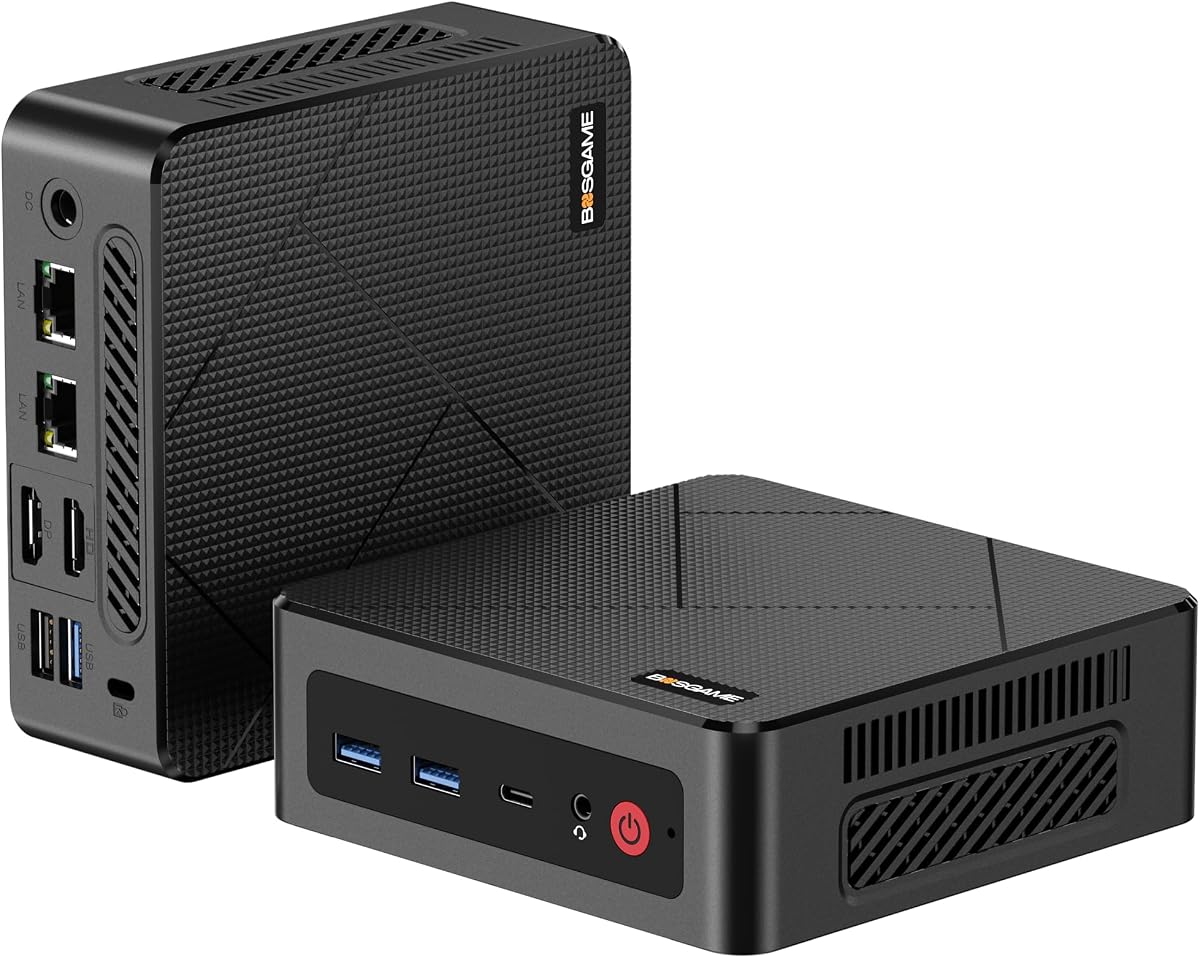
BOSGAME E4 Air
4.2Editor score
Affordable Ryzen 5 processor
Dual Gigabit Ethernet ports
Triple 4K display support
Discover the top Linux Mini Pcs for 2026. This guide compares performance, features, and value across ten leading models for every user.
Linux Mini Pcs have revolutionized how we approach desktop computing by offering powerful performance in a tiny footprint. These devices are perfect for developers, enthusiasts, and anyone seeking efficiency without sacrificing capability in their daily workflows.
We have evaluated ten distinct models based on processor power, memory capacity, storage options, and specific Linux compatibility. Our comparison ensures you find a machine that aligns with your unique technical needs and usage patterns.
Each pick highlights key strengths and ideal use cases to help you decide quickly. Note that pricing and availability can fluctuate frequently, so verify current details before making your final purchase decision online.
4.2Editor score

4.5Editor score

4.7Editor score
The following table provides a side-by-side overview of the ten selected models, highlighting their core specifications to help you compare key differences at a glance.


The TK Node Mini PC stands out as a robust choice for users seeking reliable Linux computing in a small form factor. It features Zorin OS pre-installed, offering a familiar desktop experience that eases the transition from Windows.
We may earn a commission when you buy through this link, at no additional cost to you.
Built for continuous operation, this device handles virtualization and automation tasks effectively. The AMD Ryzen R2314 processor provides efficient performance for daily workloads, while the dual SO-DIMM slots allow for significant memory expansion up to 64GB.
While the base model comes with 8GB of RAM, the ability to upgrade ensures longevity and flexibility for growing needs. The inclusion of a US-based warranty adds a layer of confidence for long-term support.
This mini PC is ideal for professionals needing a quiet, efficient workstation or home server. Its compact design and extensive connectivity options make it a versatile addition to any modern tech setup.
Zorin OS provides a user-friendly interface that mimics Windows layouts, making it easy for new Linux users to adapt quickly without a steep learning curve.
With support for up to 64GB of RAM and dual NVMe SSD slots, this system can grow alongside your storage and multitasking demands over time.
We may earn a commission when you buy through this link, at no additional cost to you.
The Beelink SER3 offers impressive value for users who need to run multiple applications simultaneously. With 16GB of DDR4 RAM, it handles daily productivity tasks and light media editing smoothly without lag.
We may earn a commission when you buy through this link, at no additional cost to you.
Its AMD Ryzen 3 3200U processor ensures energy efficiency while maintaining enough power for home office needs. The dual HDMI ports allow you to connect two 4K displays for an expansive workspace experience.
While the processor is from an older generation, the generous memory compensates well for many general computing tasks. The device also supports upgrades to 32GB of RAM if your workload increases.
This mini PC is a practical choice for budget-conscious buyers who still want reliable performance. Its compact build and extensive port selection make it suitable for various desk configurations.
The 16GB RAM capacity allows for smooth switching between browser tabs, documents, and communication tools without system slowdowns.
Two HDMI 2.0 ports enable dual 4K display setups, perfect for traders, coders, or anyone needing extra screen real estate.
We may earn a commission when you buy through this link, at no additional cost to you.
The ASUS NUC 14 Pro represents the pinnacle of performance in the Linux Mini PC category. Featuring the Intel Core Ultra 7 155H processor, it delivers cutting-edge speed for AI tasks and complex workflows.
We may earn a commission when you buy through this link, at no additional cost to you.
Linux Mint comes pre-installed, offering a stable and privacy-focused environment for developers and power users. The massive 64GB DDR5 RAM ensures that even the most demanding applications run without interruption.
Thermal management is excellent, with an advanced cooling system that keeps noise levels low during heavy usage. This makes it suitable for office environments where silence is crucial for productivity.
Ideal for professionals requiring serious computational power, this mini PC justifies its cost with top-tier specs. It supports multiple high-resolution displays and includes premium connectivity options like Thunderbolt 4.
The combination of Intel Ultra architecture and ample RAM makes this system perfect for machine learning prototyping and local development environments.
A 2TB PCIe Gen4 SSD provides ultra-fast boot times and ample space for large project files without needing external drives.
We may earn a commission when you buy through this link, at no additional cost to you.
The Beelink Mini S12 Pro is an exceptional choice for those prioritizing energy efficiency without sacrificing modern features. The Intel N100 processor provides reliable performance for everyday tasks while keeping electricity costs minimal.
We may earn a commission when you buy through this link, at no additional cost to you.
It supports AV1 video decoding, making it great for streaming high-quality content on dual 4K displays. The system also includes WiFi 6 for fast and stable wireless connectivity in busy networks.
Although it has only one RAM slot, the 16GB capacity is sufficient for most users. Storage expansion is flexible with slots for both M.2 and SATA drives to handle large media libraries.
This mini PC is perfect for home offices, digital signage, or lightweight server applications. Its quiet operation and small footprint make it easy to place anywhere without disrupting the workspace.
Support for AV1 decode ensures smooth playback of modern streaming content without high bandwidth or processing power.
Multiple drive slots allow you to mix SSD and HDD storage to balance speed and capacity for your specific data needs.
We may earn a commission when you buy through this link, at no additional cost to you.
The KAMRUI Pinova P2 excels in providing extensive display connectivity for multitasking needs. It supports triple 4K outputs via HDMI, DisplayPort, and USB-C, allowing for a highly productive multi-monitor setup.
We may earn a commission when you buy through this link, at no additional cost to you.
Powered by an AMD Ryzen 7 3300U, it delivers solid single and multi-core performance. The Zen3 architecture ensures responsive computing for office applications and creative work alike.
While the base storage is 256GB, expansion slots are available to reach up to 4TB total. This flexibility is crucial for users who need more space for media or project files over time.
Its portable size and quiet cooling make it suitable for both home and travel environments. Users looking to maximize screen real estate will find this model particularly compelling for their workflow.
Three independent display outputs let you arrange windows efficiently across three 4K screens for enhanced productivity.
Two additional slots support up to 4TB total storage ensuring you never run out of space for growing data needs.
We may earn a commission when you buy through this link, at no additional cost to you.
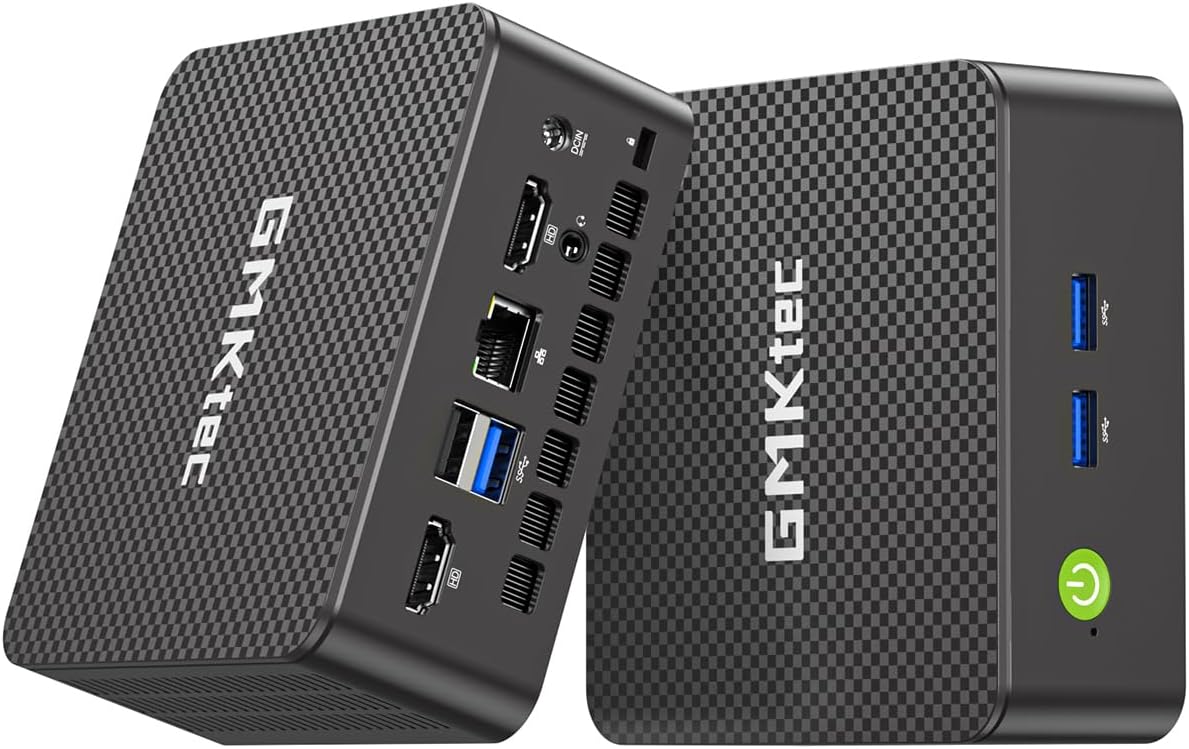
The GMKtec G11 is engineered specifically for users with networking and server requirements. Its dual 2.5GbE Ethernet ports make it an excellent candidate for firewalls, routers, or NAS devices using software like pfSense.
We may earn a commission when you buy through this link, at no additional cost to you.
The embedded Ryzen R2514 processor offers performance that beats many standard mobile chips. Dual-channel RAM support ensures that the integrated GPU operates without memory bottlenecks for smooth graphics output.
Three 4K displays can be driven simultaneously, adding versatility for home lab monitoring or professional use. WiFi 6E support keeps wireless connections stable and fast in congested environments.
This device is ideal for tech enthusiasts building home labs or small businesses needing robust networking hardware. Its reliability and specific networking features set it apart from general-purpose mini PCs.
Dual 2.5G Ethernet ports enable high-speed data transfer and advanced routing setups for sophisticated network environments.
The powerful CPU and memory setup support running multiple virtual machines smoothly for testing and development.
We may earn a commission when you buy through this link, at no additional cost to you.
The CyberGeek Mini PC offers desktop-level performance in a compact chassis. The 11th Gen Core i9 processor delivers exceptional speed for gaming and heavy multitasking tasks that usually require larger hardware.
We may earn a commission when you buy through this link, at no additional cost to you.
It comes with Ubuntu Linux pre-loaded, providing a stable environment for developers and casual users. The 32GB of RAM ensures that memory is never a bottleneck for demanding applications.
Triple 4K display support allows for extensive workspace customization. The inclusion of dual LAN ports provides redundancy for critical network connections in business settings.
Users seeking a full desktop replacement in a small package will find this model compelling. Its advanced cooling system maintains performance during extended use without overheating.
The i9-11900H processor offers significant power for gaming and content creation that standard office PCs cannot match.
Six USB ports and dual LAN connections ensure you can connect all your peripherals and networks effortlessly.
We may earn a commission when you buy through this link, at no additional cost to you.
The BOSGAME E5 is tailored for enthusiasts who need robust networking capabilities in a small device. Two 2.5GbE LAN ports allow for dedicated server or firewall setups with high bandwidth.
We may earn a commission when you buy through this link, at no additional cost to you.
With 16GB of RAM and a fast NVMe SSD, it handles daily tasks and server applications efficiently. The dual NVMe slots offer easy storage expansion without removing the original drive.
Triple 4K display support provides flexibility for monitoring multiple systems or services simultaneously. The USB-C port adds modern connectivity options for peripherals and displays.
This mini PC is an excellent choice for home labs or small business servers. Its quiet design ensures it runs unobtrusively in any environment while delivering consistent performance.
Dual 2.5GbE ports make this device perfect for advanced routing and firewall applications that require high throughput.
Two NVMe slots allow you to expand storage easily to accommodate growing data needs without hardware hassle.
We may earn a commission when you buy through this link, at no additional cost to you.
The BOSGAME E4 Air offers an accessible entry point into the world of Linux Mini Pcs. With a Ryzen 5 3500U processor, it provides reliable performance for basic computing tasks and media streaming.
We may earn a commission when you buy through this link, at no additional cost to you.
Its budget-friendly price does not compromise on essential features like triple 4K display support and dual Gigabit Ethernet. These features make it versatile for various setups including light server duties.
The 8GB RAM and 256GB SSD are sufficient for everyday use. While not expandable for memory, the included capacity covers most standard office and entertainment needs effectively.
This model is perfect for students or secondary home office setups. Its small footprint and efficient design help save space while delivering consistent and quiet operation.
An affordable price point combined with solid specs makes this an excellent choice for those on a tight budget.
Triple 4K display support ensures you can connect multiple monitors for enhanced productivity without extra cost.
We may earn a commission when you buy through this link, at no additional cost to you.
The GMKtec G3S is designed for users who need a simple and effective computing solution. The Intel N95 processor offers a performance boost over older low-power chips for smoother daily usage.
We may earn a commission when you buy through this link, at no additional cost to you.
It supports AV1 decoding for high-quality video streaming and offers dual HDMI outputs for basic multitasking. The compact size fits easily into any home or office environment.
While the base specs are modest, they are adequate for web browsing, document editing, and media consumption. The dual HDMI ports allow for connecting two monitors to extend your workspace.
This mini PC is ideal as a secondary device or for simple task stations. Its price point and functionality make it a strong contender for basic home and office needs.
AV1 decoding support ensures smooth streaming of high-definition video content without taxing the processor.
Dual HDMI 2.0 ports allow you to connect two screens for extended productivity without complex cabling.
We may earn a commission when you buy through this link, at no additional cost to you.
Selecting the right Linux Mini PC depends on balancing your performance needs with budget constraints. Consider these factors to find the device that suits your workflow best.
Choose a CPU based on your workload. AMD processors often offer better integrated graphics for visual tasks, while Intel may provide better compatibility for specific enterprise software.
Match the processor generation to your performance needs to ensure long-term usability without overpaying for unnecessary power.
Minimum 16GB RAM is recommended for smooth multitasking on Linux systems. More memory ensures you can run virtual machines or heavy applications without bottlenecks.
Check if the RAM is upgradeable to future-proof your investment as software demands grow over time.
SSDs provide much faster boot times than traditional hard drives. Look for systems with NVMe slots or multiple drive bays for easy expansion.
Ensure there is enough space for your OS, applications, and data while keeping future upgrades in mind for your storage needs.
Determine how many screens you need to support for your workflow. Some models support three displays which is excellent for multi-tasking environments.
Verify the ports match your monitors to avoid buying extra adapters that add cost and complexity to your setup.
Some devices come with Linux pre-installed which saves time on setup. Others require manual installation but offer greater freedom to choose your distro.
Check hardware compatibility lists to ensure Wi-Fi and Bluetooth drivers work well with your chosen Linux distribution.
Modern ports like USB-C and Thunderbolt are essential for fast data transfer and connecting peripherals. Also check for Ethernet speed if networking is a priority.
A variety of USB ports reduces the need for hubs and keeps your workspace organized and efficient for daily tasks.
Reliable customer support is vital when buying hardware online. Look for brands that offer clear warranty terms and responsive technical assistance teams.
Long warranties indicate manufacturer confidence in build quality and provide peace of mind against potential hardware failures.
Mini PCs often run hot due to compact sizes. Efficient cooling systems ensure sustained performance without throttling during intensive work.
Silent operation is important for office environments to maintain focus and avoid distraction during work hours.
Connect your Mini PC to a monitor using HDMI or DisplayPort cables. Ensure your keyboard and mouse are linked via USB or Bluetooth for initial setup and control.
Update your Linux distribution immediately after installation to patch security vulnerabilities and install the latest system optimizations and drivers.
Keep the device in a well-ventilated area to prevent overheating. Regularly clean the air vents with compressed air to maintain optimal airflow and cooling efficiency.
Yes, Mini PCs are excellent for Linux because they consume less power and generate less heat than large desktops. Most modern Mini PCs have broad driver support for common Linux distributions.
Most models support Ubuntu installation. Some even come with it pre-installed for convenience. Check manufacturer documentation for any specific BIOS settings required.
Many top models support two or three external displays. This makes them ideal for productivity setups where screen real estate is essential for multitasking workflows.
Generally yes, but verify Wi-Fi and Bluetooth chipsets. Most mainstream Mini PCs now include chips that work well with standard Linux drivers out of the box.
Models with 16GB or more RAM and fast SSDs are best for coding. Look for those with USB-C and Ethernet ports for efficient development workflows.
They handle light gaming well but are not a replacement for dedicated gaming rigs. They excel at retro gaming and titles with low graphical requirements easily.
The top picks include the TK Node Mini PC for overall value and the ASUS NUC 14 Pro for raw power. Each model offers unique strengths tailored to different user requirements.
Prioritize RAM capacity and storage expansion when making your decision. These factors heavily influence long-term performance and usability of your system.
Always check current prices and availability before buying to ensure you get the best deal. Deals change often in the tech market.