
M.2 Heatsink Cooler 2280 SSD Double-Sided Heat Sink with Thermal Silicone pad for PS5/PC PCIE NVME M2 SSD(Black))
4.6Editor score
Aluminum alloy body
Double-sided clip design
Low viscosity pads
This guide compares the top ten low profile SSD heatsink solutions for PS5, laptops, and desktops to help you choose the best cooling option for your drive.
Thermal throttling remains a critical issue for high performance M.2 SSDs under heavy load. Effective cooling ensures consistent read and write speeds during gaming or professional workloads.
We evaluated ten top rated low profile heatsinks based on material quality, dimensions, and cooling performance. Each entry balances thermal efficiency with the tight space constraints of modern builds.
Each pick highlights key specifications and real world benefits. Prices fluctuate frequently on Amazon so check current listings before purchasing to ensure you get the best deal available today.
4.6Editor score

4.5Editor score

4.7Editor score
This table compares all ten selected low profile heatsinks across dimensions material, and installation methods. Reviewing these specs side by side helps you pick the right fit for your specific system constraints.




This GLOTRENDS pack ranks as our Editor's Choice for its versatile fit and easy install. It delivers a 5 to 20 degree cooling gain to stop throttling during sustained loads.
We may earn a commission when you buy through this link, at no additional cost to you.
The aluminum fins efficiently pull heat off the controller without fans or noise. Thermal pads and clasps secure the drive in under a minute without voiding warranties.
While it lacks active cooling fans, passive design keeps power use near zero. Clasps work well but rubber bands are needed for tighter fits in some enclosures.
Buy this for any 2280 drive needing reliable low profile cooling. It is ideal for PS5 expansions and desktop builds where height is limited.
Fits any 2280 NVMe or SATA SSD from Gen3 to Gen5 including PS5 drives.
Install in under a minute using thermal pads and clasps or bands instead of screws.
We may earn a commission when you buy through this link, at no additional cost to you.
This heatsink uses graphene coating for superior thermal conductivity compared to standard metals. It offers a full cover design to protect drive particles during install and use.
We may earn a commission when you buy through this link, at no additional cost to you.
The stripe pattern adds a clean look while air ducts boost contact with airflow. Silicone pads fix the radiator without tools and protect uneven SSD surfaces well.
Graphene layers are delicate so handle with care during peel and stick. Test temps before and after to confirm gains versus other radiators in your setup.
Choose this for maximum cooling efficiency in laptop or narrow PC spaces. It pairs well with NVMe drives like SN750 or 970 EVO for stable speeds.
Graphene reaches 5300W/m K conductivity for faster heat release than copper or aluminum.
Slanted slots create a pleasing visual display when installed in visible drive bays.
We may earn a commission when you buy through this link, at no additional cost to you.
This copper heatsink excels in compact laptops needing minimal height. A 1.5mm profile ensures fit in tight slots while copper moves heat fast to cooler areas.
We may earn a commission when you buy through this link, at no additional cost to you.
Nano thermal pads adapt to uneven surfaces for better contact. Rubber rings and insulation stickers offer flexible mounting without tools for easy swaps.
Polished copper looks premium but can tarnish without care. In sealed laptop cases, airflow limits gains but throttling still drops significantly versus stock runs.
Buy this for laptop SSD upgrades where space is at a premium. It keeps drives safe from overheating during long gaming or editing sessions.
Minimum height of 1.5mm allows install in laptops with strict internal height limits.
Pure copper delivers faster heat dissipation than aluminum for sustained workloads.
We may earn a commission when you buy through this link, at no additional cost to you.
This film heatsink stands out for being just 0.5mm thick. It uses graphene copper foil to cut peak temps by up to 25 degrees under heavy use.
We may earn a commission when you buy through this link, at no additional cost to you.
Apply pads to both SSD sides for doubled heat dissipation. Adhesive bonds permanently to keep contact tight with zero fall-off over time.
Peel the film slowly to prevent bending as flexibility is low. Gently flatten if damaged before install to ensure effective cooling results.
Pick this for PS5 or ultra-thin laptop slots needing minimal bulk. It maintains peak speeds without raising height in constrained spaces.
Apply pads to both SSD sides to maximize heat removal and prevent throttling.
0.5mm thickness fits places standard 2mm heatsinks cannot accommodate.
We may earn a commission when you buy through this link, at no additional cost to you.
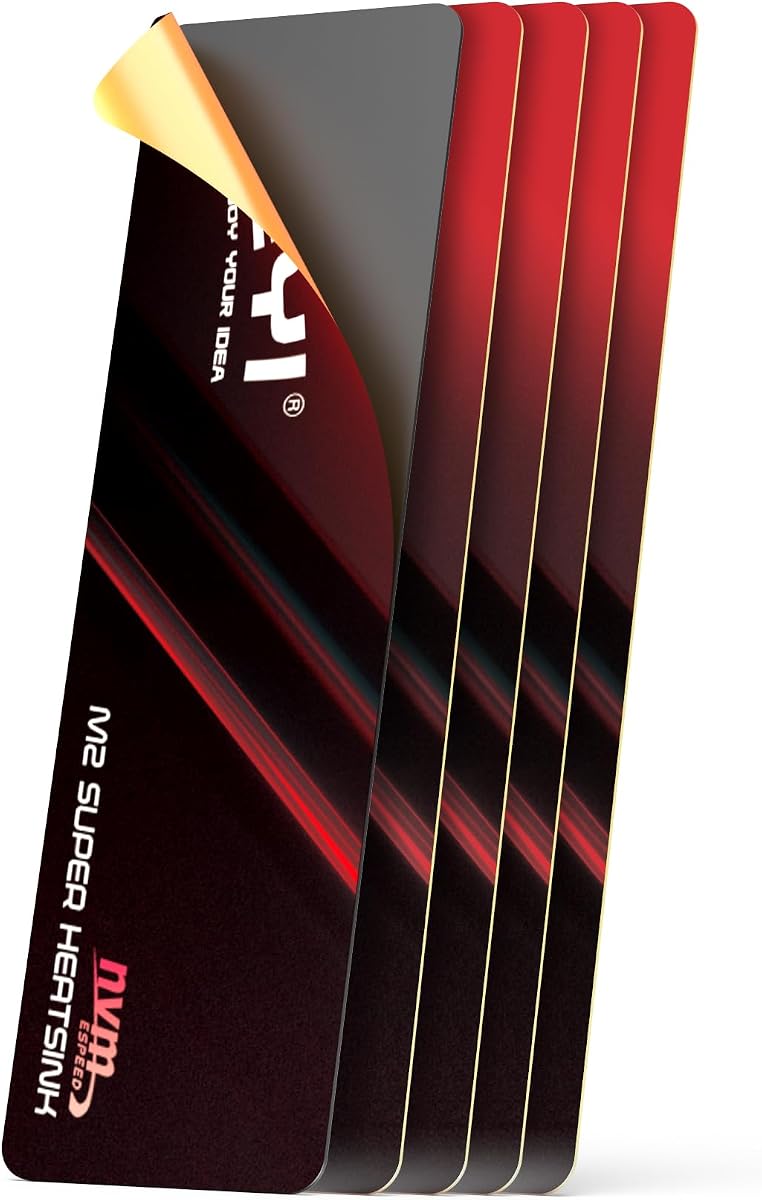
This heatsink offers solid value with a double-sided clip design that stabilizes the drive. Aluminum alloy body with silver plating reduces static while anodic oxidation protects surfaces.
We may earn a commission when you buy through this link, at no additional cost to you.
It fits PS5 and PC M.2 slots with cooling gains between 10 and 20 degrees. Thermal pads are low viscosity to avoid damaging sensitive SSD parts.
While not premium looking, its reliability is clear. It works well for single sided Type drives where full enclosure protection is not needed.
Buy this for tight budgets needing dependable PS5 or PC cooling. It improves system performance without throttling risks during long file transfers.
Double-sided clip design ensures stable install on various SSD heights without tools.
Silver plating helps eliminate static electricity that could harm sensitive components.
We may earn a commission when you buy through this link, at no additional cost to you.
This pure copper heatsink uses groove design to increase heat dissipation area. It measures 67mm long which suits specific devices like Nintendo Switch or PS5 expansion slots.
We may earn a commission when you buy through this link, at no additional cost to you.
Silicone pads maximize contact surface and come included for easy install. Rubber rings and low viscosity pads ensure flexibility without damage during setup.
Verify your slot length as 67mm may not fit all 2280 drives fully. In tight cases this short profile keeps heat moving into air faster than alloy.
Choose this when space limits standard lengths and precision is key. It maintains reliable data speeds on laptops and compact PCs.
Grooves increase contact area with air to release accumulated heat faster.
Works with PS5 Nintendo Switch and other heat generating devices beyond just SSDs.
We may earn a commission when you buy through this link, at no additional cost to you.
This cooler from be quiet! delivers premium build and ideal PS5 dimensions. It supports single and double sided modules for broader drive compatibility and stable cooling.
We may earn a commission when you buy through this link, at no additional cost to you.
Lower temps let the SSD run at full performance for longer spans. This reduces loading times and keeps extra space available without thermal limits.
Cost is higher than budget options but quality justifies it. It fits PS5 memory slots perfectly and ensures quiet reliable operation under load.
Buy this for PS5 owners wanting guaranteed fit and top performance. It keeps your drive cool and fast for extended gaming sessions.
Fits both single and double sided M.2 2280 modules for wide drive compatibility.
Lower temperatures enable sustained read/write speeds without thermal throttling.
We may earn a commission when you buy through this link, at no additional cost to you.
This radiator combines graphene coating with copper for top conductivity. Slanted slots improve airflow and add a clean look when visible in open cases.
We may earn a commission when you buy through this link, at no additional cost to you.
Air duct design increases contact with air to dissipate heat quickly. Silicone pads fix easily without tools and protect drive particles from damage.
Height of 4mm works in most PS5 but may be too tall in tighter spots. Check your expansion slot space before purchase to avoid fit issues.
Choose this for builds needing style and high thermal efficiency. It extends SSD life while keeping transfers smooth and fast.
Professional air duct design increases contact area with air for quick heat exchange.
Slanted slot design offers a more aesthetically pleasing display during installation.
We may earn a commission when you buy through this link, at no additional cost to you.
This heatsink reaches just 0.5mm thick for tight fits. Copper material releases heat fast and prevents misalignment or short circuits with exact dimensions.
We may earn a commission when you buy through this link, at no additional cost to you.
Chemically polished pads have smooth surfaces without burrs to prevent shorts. They resist oxidation and rust for a long service life under use.
Package includes a spudger and screws for easier install. But the thin copper may bend if handled roughly so handle with care during setup.
Buy this for laptops or PS5 needing minimal height. It keeps SSDs safe and fast with minimal added bulk.
Chemically polished pads prevent short circuits and resist oxidation over time.
Includes copper heatsink thermal pad screwdriver and spudger for full install.
We may earn a commission when you buy through this link, at no additional cost to you.
This heatsink uses cross-cut aluminum fins for optimal heat dissipation. A 5mm low profile height fits PS5 and PC upgrades where space is limited.
We may earn a commission when you buy through this link, at no additional cost to you.
Supports 2280 length SSDs with easy install using thermal pads. Silicone rings secure the sink and work on motherboards or adapters well.
Aluminum dissipates heat well but slower than pure copper. Ensure your PS5 slot allows 5mm height to avoid interference with casing.
Choose this for standard PC builds needing reliable low profile cooling. It keeps transfers smooth and drives cool without added bulk.
Heat resistant silicone rings included to secure the heatsink in tight spaces.
Cross-cut aluminum alloy fins optimize heat dissipation for sustained performance.
We may earn a commission when you buy through this link, at no additional cost to you.
Choosing the right low profile heatsink requires matching materials dimensions and mounting style to your system. The following factors explain what matters most for reliable cooling.
Copper offers higher thermal conductivity than aluminum while graphene adds extra heat transfer efficiency. Heatsinks using copper or graphene cool better under load but aluminum is lighter and cheaper.
Prioritize copper or graphene for high speed drives and aluminum for budget builds where space is tight.
Low profile models range from 0.5mm to 5mm in height and length must match your SSD slot. Always check your system manual for clearance limits before buying.
Select a heatsink that leaves room for other components and airflow inside the enclosure.
Clasps rubber rings and adhesive pads define how secure the heatsink will be without screws. Tool-free options save time but adhesive must resist heat over long periods.
Choose a mounting style that fits your skill level and allows quick removal if needed.
Thermal pads transfer heat between the SSD and heatsink surface and low viscosity types prevent damage to chips. Thickness should match your clearance gap for full contact.
Ensure included pads are smooth and durable to avoid air gaps that reduce cooling.
Some heatsinks support PS5 or laptop slots while others suit desktops with adapters. Verify your drive size such as 2280 and slot width before purchasing.
Pick a model that explicitly lists your device to avoid fit issues during install.
Passive fins lower peak temps by 5 to 20 degrees under load. Active fans cool more but add noise and height which defeats low profile goals.
Select passive cooling for silent builds and active only if your system needs extra airflow.
Metal quality determines resistance to bending or corrosion during long use. Anodic oxidation or silver plating adds surface protection against static and oxidation.
Look for reinforced edges and stable clips to ensure the heatsink stays secure over time.
Complete kits include pads screws and spudgers that simplify install without extra purchases. Check that all necessary parts are listed to avoid delays or errors.
Ensure the package has everything needed for your specific setup and drive model.
Begin by powering off your system and disconnecting the power cable. Remove the drive slot cover or access panel to reach the M.2 SSD safely.
Peel the thermal film or pad carefully and align it with the controller area. Press firmly without bending the heatsink to ensure full surface contact.
Secure the heatsink using the provided clasps or adhesive rings. Replace the cover and power on to monitor drive temps under load for performance gains.
M.2 SSDs generate heat during heavy read or write operations which can cause thermal throttling. A heatsink dissipates this heat to maintain consistent speeds and extend drive lifespan.
Copper has higher thermal conductivity than aluminum so it cools faster under load. Aluminum is lighter and cheaper but copper performs better in sustained tasks.
Check the PS5 expansion slot requirements for length and height. Most 2280 SSDs fit but verify your clearance before buying a low profile heatsink.
Yes thermal pads ensure heat transfers between the drive controller and the heatsink surface. Without them cooling efficiency drops and temps stay higher under load.
You can reuse heatsinks but remove old pads cleanly before reinstalling. Check for bent edges or residue that may affect contact and cooling.
Using a low profile heatsink does not void warranty if installed without screws or adhesive that damages the drive. Tool-less clasps are safer for warranty protection.
Laptop slots often need 0.5mm to 1.5mm height for proper fit. Measure your slot before buying to ensure enough clearance for cooling.
Adhesive pads resist heat between -40 and 120 degrees so they last for years. Replace them if they dry out or lose stickiness over time.
The GLOTRENDS 2-Pack be quiet! MC1 and Double-Sided Heat Sink lead our picks for overall performance value and premium fit. Each delivers reliable cooling for PS5 and PC builds.
Focus on material quality dimensions and mounting style when selecting your heatsink. These factors decide whether your drive stays cool and fast during heavy loads.
Prices fluctuate on Amazon so review current listings before you buy. Checking these listings helps you secure the best deal available today for your build.