
Ozeino Wireless Gaming Headset
4.2Editor score
2.4GHz wireless connection
40-hour battery life
Wide device compatibility
This guide compares the top ten Mac gaming headsets for 2026, evaluating sound quality, comfort, and compatibility for seamless Apple ecosystem gaming
Gaming on a Mac requires peripherals that integrate smoothly with macOS while delivering immersive audio. A quality headset ensures clear communication and rich soundscapes essential for competitive play or single-player adventures.
We evaluated ten top-rated gaming headsets based on compatibility with Apple devices, audio fidelity, build quality, and microphone performance. Each product offers unique features tailored to different gaming styles and budgets.
Each selection highlights key strengths, drawbacks, and specific use cases to help you choose wisely. Keep in mind that product availability and pricing can fluctuate, so check current listings before purchasing.
4.2Editor score

4.4Editor score
4.2Editor score
Here is a detailed side-by-side comparison of all ten headsets featured in this guide. This table highlights essential specifications to help you quickly identify which model aligns best with your specific Mac gaming needs.




The Razer Kraken V4 X stands out as a top choice for Mac gamers seeking premium wired audio. With a 4.4 rating, it delivers exceptional sound fidelity and comfort suitable for extended gaming sessions.
We may earn a commission when you buy through this link, at no additional cost to you.
Its patented TRIFORCE 40mm drivers ensure distinct separation of highs, mids, and lows. This design prevents muddying of audio, making footsteps and explosions crystal clear. The 7.1 surround sound adds spatial awareness crucial for competitive gaming.
While it lacks wireless functionality, the convertible Type-C and Type-A cable ensures seamless connection across modern Macs and older devices. The retractable Hyperclear cardioid mic provides excellent voice clarity without capturing background noise.
Ideal for Mac users prioritizing audio performance and build quality over wireless convenience, this headset is a reliable companion. It balances high-end specs with practical design, making it a standout pick for serious gamers.
The TRIFORCE drivers push out exceptional highs and lows that provide a dynamic listening experience.
Memory foam cushions with hybrid fabric provide superior sound isolation and comfort.
We may earn a commission when you buy through this link, at no additional cost to you.
The Ozeino Wireless Gaming Headset offers impressive value for budget-conscious gamers. With a 4.2 rating, it combines reliable wireless performance with decent audio quality at a competitive price.
We may earn a commission when you buy through this link, at no additional cost to you.
Equipped with 50mm drivers, it delivers rich bass and clear highs. The 2.4GHz wireless connection ensures low latency, while the 40-hour battery life supports marathon gaming sessions without frequent charging.
Although Bluetooth is limited on Mac without an adapter, the 2.4GHz mode works seamlessly via USB. This versatility allows use across consoles and PCs, making it a flexible choice for multi-device users.
Best for those seeking wireless freedom without breaking the bank, this headset is a solid entry-level option. It provides essential gaming features effectively, making it a great starting point for new Mac gamers.
Enjoy up to 40 hours of battery life to keep you playing without interruptions.
2.4GHz USB wireless provides lag-free audio essential for competitive play.
We may earn a commission when you buy through this link, at no additional cost to you.
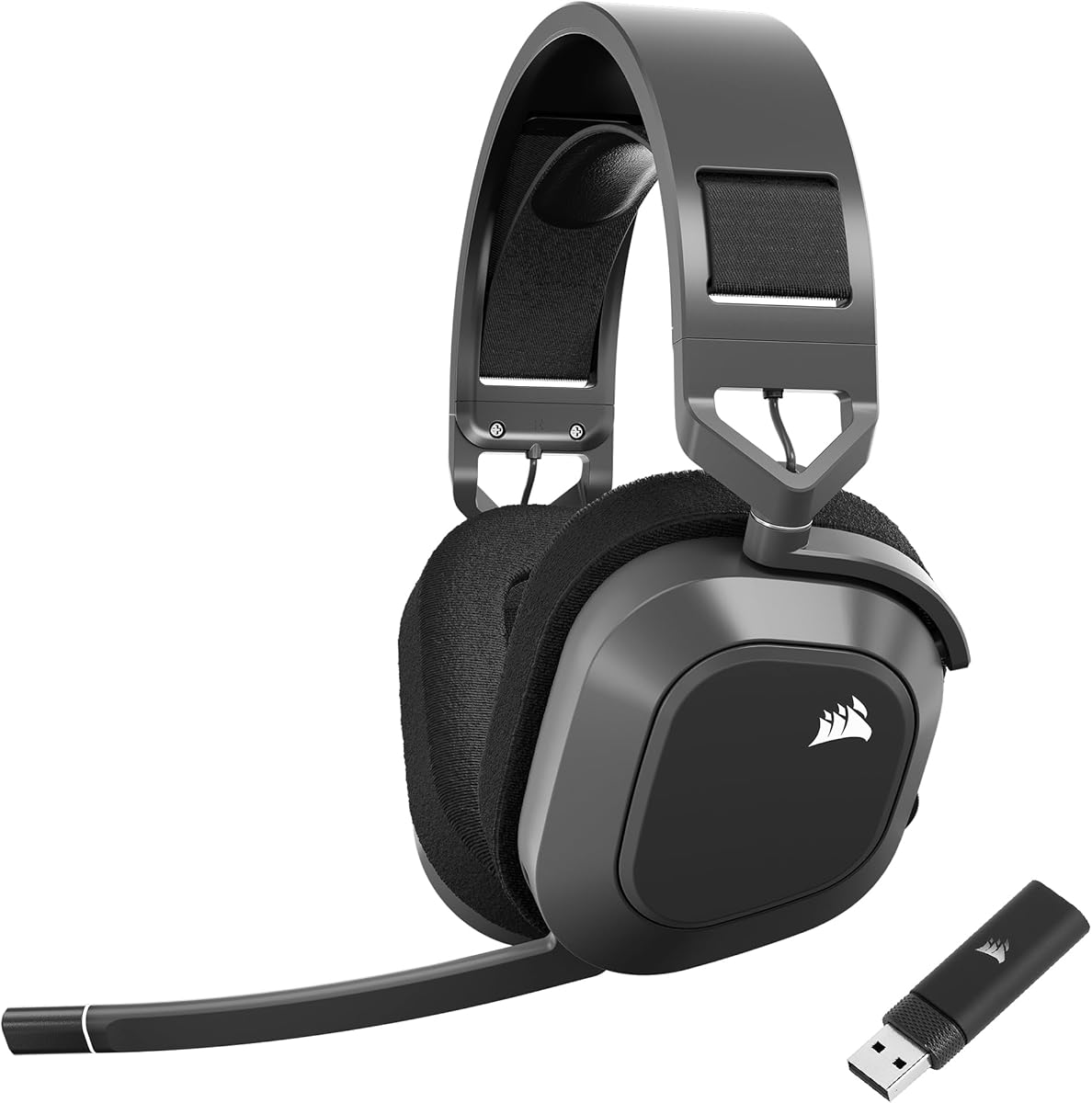
The Corsair HS80 MAX Wireless represents premium gaming audio with a 4.2 rating. It delivers high-fidelity sound and unparalleled battery life, making it perfect for extended Mac gaming sessions.
We may earn a commission when you buy through this link, at no additional cost to you.
Featuring 24bit/96kHz audio, this headset offers sound quality double that of typical gaming headsets. The dual connectivity options allow seamless switching between wireless gaming and Bluetooth calls without disconnecting.
The memory foam ear pads and stress-free floating headband design ensure incredible comfort. Despite its robust features, the lightweight aluminum construction keeps it comfortable even during hours of continuous use.
Ideal for gamers demanding top-tier audio and flexibility, this headset justifies its price with performance. It excels in every category, offering a complete wireless solution for Mac users seeking premium quality.
Experience high-fidelity 24bit/96kHz sound with enhanced clarity and range.
Enjoy up to 65 hours of battery life for days of uninterrupted gaming.
We may earn a commission when you buy through this link, at no additional cost to you.
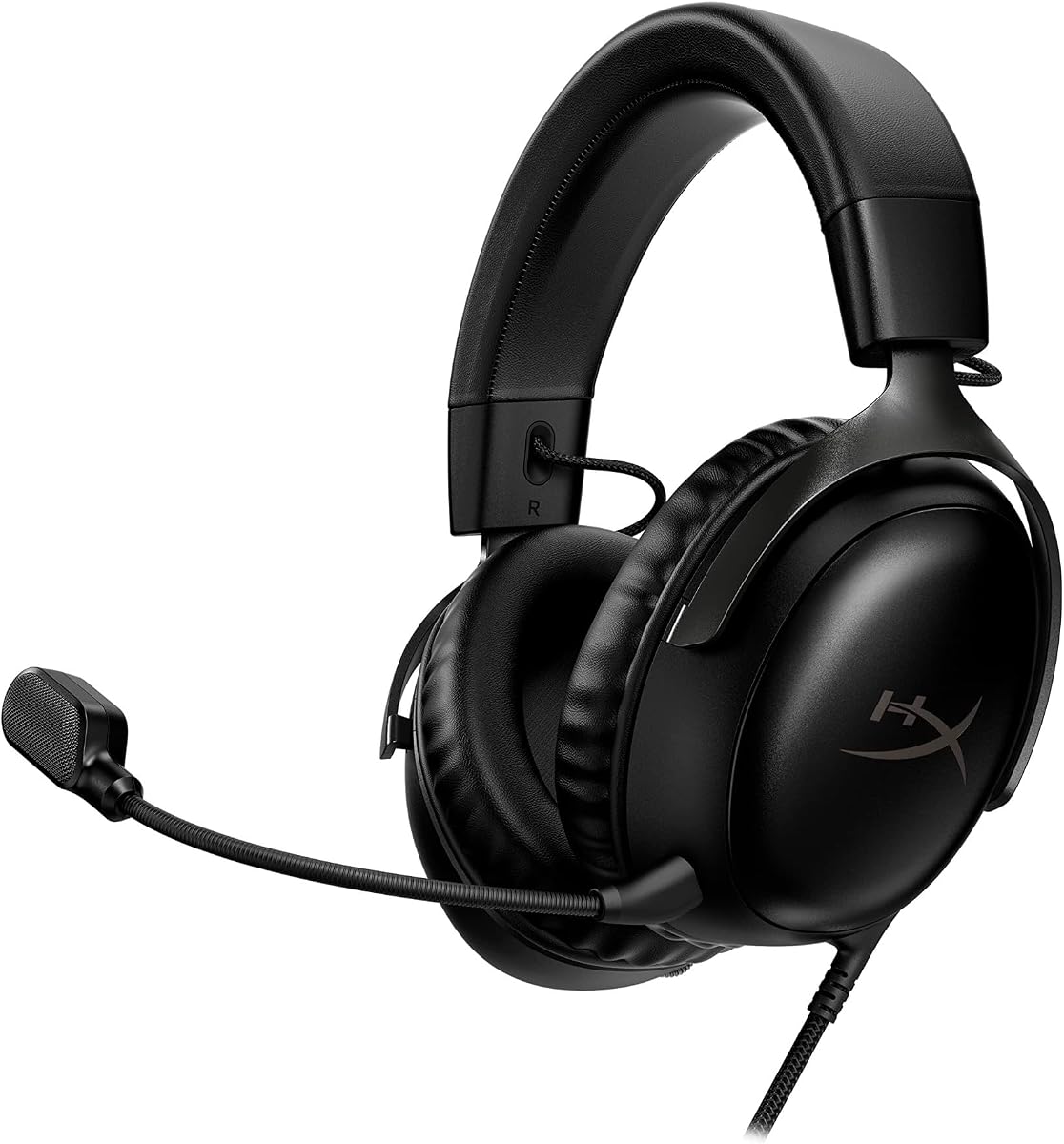
The HyperX Cloud III Wired White earns a 4.6 rating for its legendary comfort and durability. Gamers often praise its memory foam cushions and adjustable design that accommodates various head shapes.
We may earn a commission when you buy through this link, at no additional cost to you.
Audio is tuned by HyperX engineers using 53mm angled drivers for optimal immersion. The full metal frame ensures resilience against travel, while multiple connector options support diverse Mac and mobile setups.
Its noise-canceling mic features a mesh filter to eliminate disruptive sounds. While it lacks Dolby Atmos, the natural tuning provides balanced sound suitable for both gaming and music listening.
Ideal for Mac users who prioritize comfort during long sessions, this headset is a solid investment. The white aesthetic adds a clean look, making it a stylish choice for any gaming setup.
Signature memory foam cushions provide a plush fit for all-day wear.
Full metal frame resists travel and accidents for long-term use.
We may earn a commission when you buy through this link, at no additional cost to you.
The HyperX Cloud III Wired Black offers a 4.3 rating with added Dolby Atmos support for PC users. This feature enhances spatial awareness, making it a compelling choice for competitive gamers.
We may earn a commission when you buy through this link, at no additional cost to you.
Its audio tuning remains consistent with the white model, featuring 53mm angled drivers for immersive sound. The aluminum frame provides durability, while the LED mic mute indicator ensures communication clarity.
While the spatial audio feature is a highlight, it is not available on Mac. However, the balanced audio and comfort make it an excellent standard gaming headset for all platforms.
Ideal for gamers seeking reliable performance with optional spatial features, this headset is a great all-rounder. Its classic design and trusted comfort make it a safe and effective choice for Mac gaming.
Experience true-to-life acoustics optimized for dynamic game sound design.
Flexible aluminum frame stands up to travel and rough handling.
We may earn a commission when you buy through this link, at no additional cost to you.
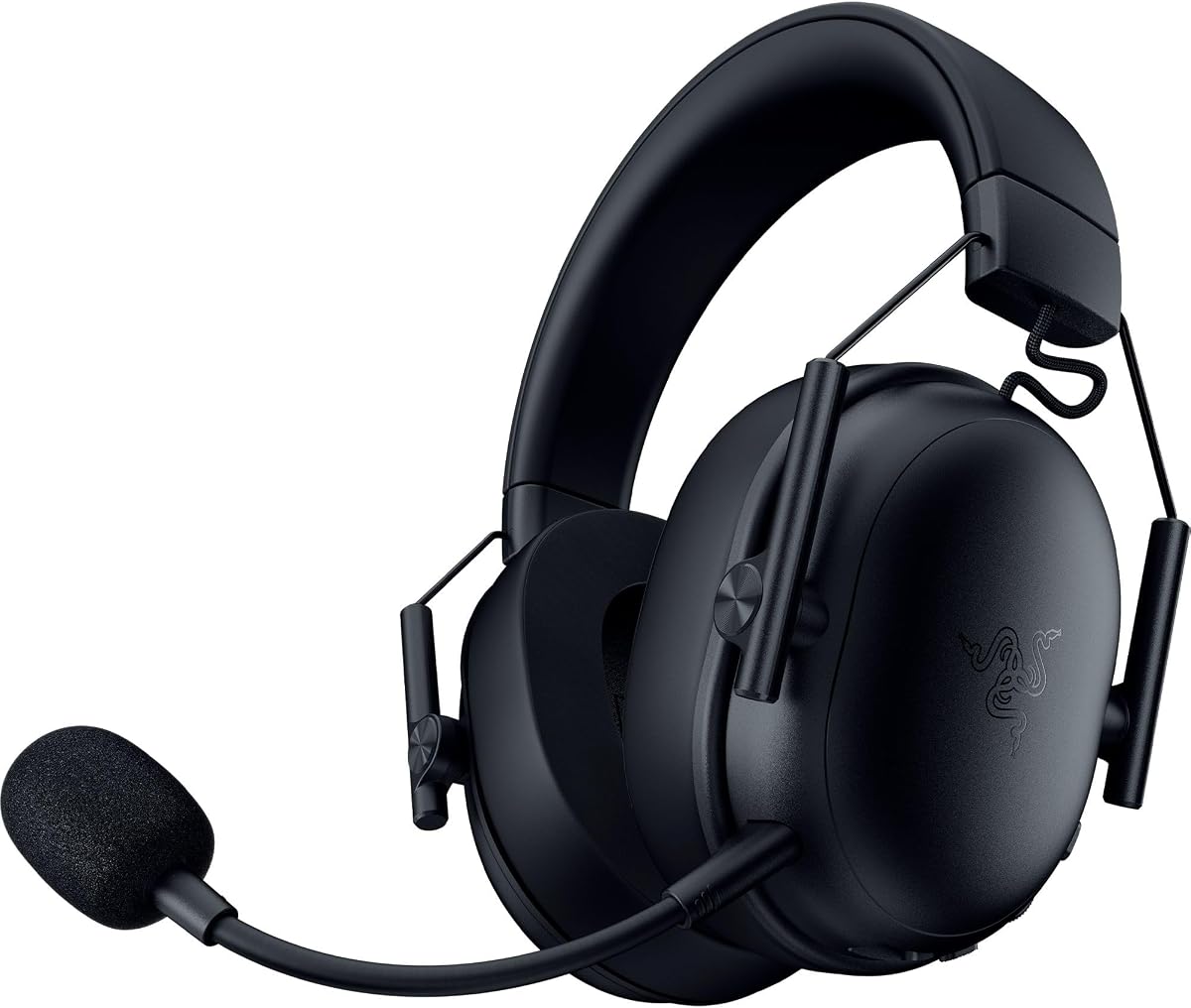
The Razer BlackShark V3 X achieves a 4.2 rating with its Hyperspeed wireless technology. This model focuses on competitive performance, offering seamless connectivity and lightweight comfort for intense gaming.
We may earn a commission when you buy through this link, at no additional cost to you.
Gen-2 TRIFORCE drivers provide improved clarity and positional performance. The 270g weight makes it easy to wear for hours, while the detachable Hyperclear mic ensures versatile usage during non-gaming tasks.
With SmartSwitch Dual Wireless, you can switch between 2.4GHz and Bluetooth easily. Although the lack of dedicated Bluetooth might limit some connectivity options, the 2.4GHz stability is excellent for Mac users.
Ideal for competitive players needing fast response times, this headset delivers on performance. Its focus on speed and comfort makes it a strong contender for Mac gamers prioritizing agility over luxury features.
Ultra-low latency ensures sound is perfectly synced to gameplay.
At 270g, this headset reduces strain during long gaming marathons.
We may earn a commission when you buy through this link, at no additional cost to you.
The Razer Barracuda X Chroma offers a 4.3 rating with unique 6-zone earcup lighting. This feature adds a layer of personalization, aligning with Razer's ecosystem for gamers who value aesthetics.
We may earn a commission when you buy through this link, at no additional cost to you.
With a 70-hour battery life, it supports extensive usage without frequent charging. The SmartSwitch Dual Wireless allows seamless toggling between a PC and a phone, ensuring convenience for multitaskers.
While RGB lighting enhances the look, it may reduce battery life. However, the ergonomic design and balanced audio ensure comfort and quality remain high. Detachable mic allows for easy portability.
Ideal for gamers who value personalization alongside performance, this headset stands out visually. It balances functional features with style, making it a compelling choice for users invested in the Razer ecosystem.
Access 16.8 million colors to match your gaming setup style.
Toggle between devices instantly with SmartSwitch Dual Wireless technology.
We may earn a commission when you buy through this link, at no additional cost to you.
The Corsair Void RGB Elite earns a 4.3 rating for its premium audio and comfortable design. It offers a reliable wireless experience with low latency, perfect for competitive gaming on Mac.
We may earn a commission when you buy through this link, at no additional cost to you.
Featuring custom-tuned 50mm drivers, it delivers stunning sound with a wide frequency range. The breathable microfiber mesh and memory foam keep you cool and comfortable during marathon sessions.
The aluminum yokes provide durability, while the flip-up mute ensures convenient control. While it lacks Bluetooth, the dedicated 2.4GHz adapter ensures stable connection to Mac systems without interference.
Ideal for gamers prioritizing audio fidelity and comfort, this headset is a solid investment. Its combination of premium features and reliable wireless performance makes it a great choice for serious Mac users.
Premium 50mm drivers with expanded frequency range deliver stunning sound.
Microfiber mesh and memory foam ensure comfort during long play.
We may earn a commission when you buy through this link, at no additional cost to you.
The Corsair HS80 RGB Wireless achieves a 4.1 rating, praised for its SLIPSTREAM wireless and immersive audio. It offers high-quality sound with Dolby Atmos support for enhanced spatial awareness on PC.
We may earn a commission when you buy through this link, at no additional cost to you.
Custom-tuned 50mm drivers deliver sound in exquisite detail with an expanded frequency range. The broadcast-grade microphone captures voice with terrific clarity, ensuring teammates hear you clearly during battles.
While Atmos is limited to PC, the overall audio quality remains excellent on Mac. The durable build and comfortable ear pads support extended gaming sessions without discomfort or fatigue.
Ideal for gamers seeking an immersive audio experience with robust build quality, this headset is a strong contender. It balances wireless convenience with superior sound, making it a great option for dedicated gamers.
Dolby Atmos places sounds around you for faster, more accurate reactions.
SLIPSTREAM wireless ensures low latency for high-quality audio synchronization.
We may earn a commission when you buy through this link, at no additional cost to you.
The Valorise Wireless Gaming Headset earns a 4.4 rating for its extraordinary battery life. Offering up to 100 hours of playtime, it ensures you stay connected for days without needing to recharge.
We may earn a commission when you buy through this link, at no additional cost to you.
Its 7.1 surround sound delivers deep bass and clear highs, enhancing game immersion. The retractable ENC microphone cancels background noise effectively, ensuring clear communication with teammates during intense sessions.
While Bluetooth may require an adapter on Mac, the 2.4GHz dongle provides stable connectivity. The ergonomic memory sponge cushions and breathable fabric minimize sweat, making it comfortable for all-day wear.
Ideal for gamers prioritizing long battery life and value, this headset offers great specs. Its multi-platform compatibility and advanced microphone features make it a versatile choice for budget-conscious users seeking quality.
Enjoy up to 100 hours of playtime for extended use without charging.
Noise-canceling mic preserves target voice while eliminating background noise.
We may earn a commission when you buy through this link, at no additional cost to you.
Choosing the right gaming headset for your Mac involves balancing compatibility, audio quality, comfort, and connectivity. This section explores key factors to consider before making a purchase decision.
Wireless headsets typically use 2.4GHz USB dongles for low latency, which works seamlessly with Mac. Bluetooth is convenient but may require adapters for gaming devices. Wired options offer reliability but limit mobility.
Look for USB-C or USB-A dongles that plug directly into your Mac. Ensure the headset supports the connection type your devices use.
Audio quality defines immersion. Drivers between 40mm and 50mm provide balanced sound. Dolby Atmos or 7.1 surround sound enhances spatial awareness in competitive games.
Prioritize models with wide frequency ranges and tuned drivers for clear highs and deep bass.
Comfort is critical for long sessions. Look for memory foam ear cushions, breathable fabric, and adjustable headbands. Lighter weights reduce strain on the neck.
Choose ergonomic designs with soft materials to prevent fatigue during extended gaming.
Clear communication is essential. Noise-canceling and cardioid microphones focus on your voice while reducing background noise. Detachable mics add versatility.
Ensure the mic includes mute indicators and adjustable positioning for optimal voice clarity.
For wireless headsets, battery life impacts convenience. Models with 30+ hours of playtime reduce charging interruptions. Some support charging while in use.
Opt for headsets with long-lasting batteries if you game frequently without access to power outlets.
Durable materials like aluminum frames ensure longevity. Plastic builds may feel lighter but are prone to cracking over time.
Look for reinforced headbands and quality hinges that withstand regular use and travel.
Verify that the headset explicitly supports macOS. Some wireless connections or companion apps may have limited functionality on Mac devices.
Check product descriptions for confirmed compatibility with your specific Mac model and operating system.
Gaming headsets range from budget-friendly to premium. Higher prices often bring better build and audio but assess if extra features match your needs.
Balance cost with essential features you need, such as wireless connectivity or surround sound.
To ensure optimal performance, connect your headset through the recommended port. For wireless models, pair the dongle or via Bluetooth as instructed. Install any necessary drivers to enable advanced features.
Adjust the headband to fit snugly but comfortably. Rotate ear cups to match ear shape for the best seal. Use the mute switch if available to control voice communication easily.
Regularly clean ear pads with a soft cloth to remove sweat and dust. Store in a dry place to prevent damage. Follow manufacturer guidelines for charging to maximize battery lifespan.
Yes, most gaming headsets work with Mac computers. Look for models with USB-A or USB-C connectivity or Bluetooth. Ensure the headset supports macOS software features for full functionality.
Wireless provides freedom and convenience, ideal for setups without cable clutter. Wired offers lower latency and no charging concerns. Choose based on your preference for mobility versus stability.
For wireless, plug the USB dongle into your Mac or pair via Bluetooth settings. For wired, use the 3.5mm jack or USB connection. Follow the product manual for specific setup steps.
Some headsets use companion apps for EQ settings or lighting, which may not support macOS. Most basic functions work without software. Check compatibility before purchasing for full feature access.
Gaming headsets generally work independently but integrate well with gaming setups. Ensure they do not interfere with other USB devices. Check for multi-device support if using multiple peripherals.
Mac supports standard stereo audio well. Surround sound may require software or specific drivers. Choose a headset that delivers clear sound with features like spatial audio for enhanced immersion.
Open Audio MIDI Setup or use a voice recording app. Test voice input by speaking into the mic and adjusting levels. Ensure noise cancellation works to reduce background noise.
Yes, gaming headsets can be used for music on Mac. They offer rich bass and clear vocals. Adjust EQ settings via apps or hardware controls for a customized listening experience.
In conclusion, selecting the right gaming headset enhances your Mac gaming experience significantly. Whether you choose the Razer Kraken V4 X for overall quality or the Ozeino for budget-friendly wireless freedom, each option offers unique benefits.
Prioritize comfort, connectivity, and audio quality to match your gaming style. A headset that fits well and delivers clear sound will make every session more enjoyable and immersive.
Remember that product prices and availability change frequently. Always verify current specifications and prices before buying to ensure you get the best value for your investment.