
Brother HL-L2405W
4.1Editor score
Compact wireless design
Manual feed slot for envelopes
Up to 30 ppm speed
Discover the top laser printers with envelope feeders for home and office. This guide compares ten reliable models for speed, quality, and versatile paper
Finding a reliable laser printer with an envelope feeder is essential for businesses and home offices that frequently handle mailings. These devices streamline document production while ensuring envelopes are processed without jams or misalignment. A good model combines speed, connectivity, and robust paper handling to meet diverse printing demands efficiently.
Our team evaluated ten top-rated laser printers based on real-world performance, user feedback, and technical specifications. We focused on models that support manual or automatic envelope feeding, offer strong wireless connectivity, and deliver crisp black-and-white output. Each selection balances cost, features, and reliability for varied work environments.
Every pick in this list highlights specific strengths like print speed, toner efficiency, or mobile compatibility. We include detailed pros and cons to help you weigh trade-offs before buying. Prices fluctuate frequently, so check current listings for the most up-to-date deals on these versatile laser printing solutions.
4.1Editor score

4.0Editor score

4.4Editor score
This side-by-side comparison highlights key specifications across ten leading laser printers. Each model offers unique advantages for envelope handling, print speed, and connectivity to suit different office needs.


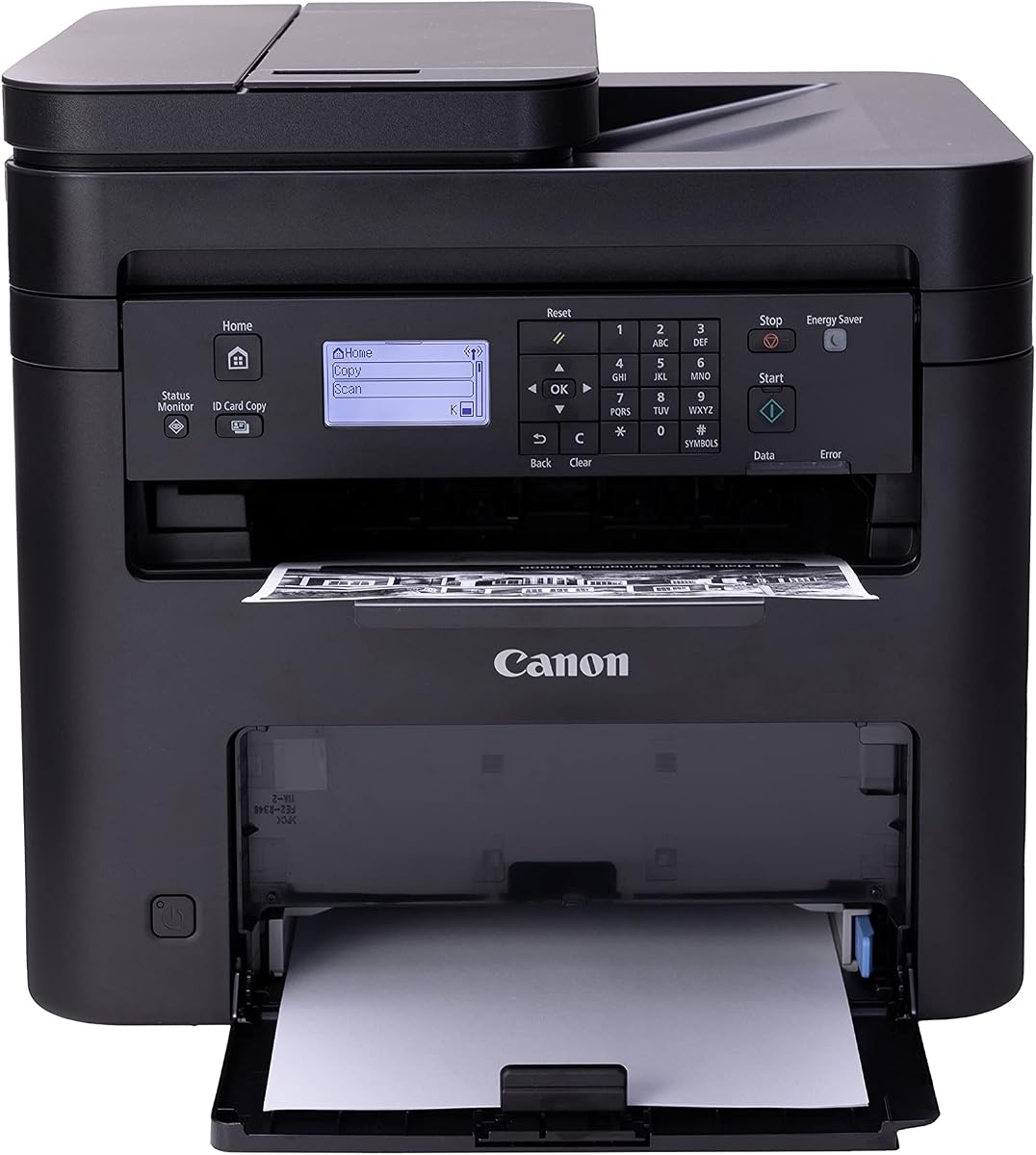


The Brother HL-L2405W stands out as an affordable option for users needing reliable laser printing with envelope support. With a 4.1-star rating, it delivers crisp black-and-white documents at speeds up to 30 pages per minute. Its compact design fits well in home offices while maintaining professional output quality for everyday tasks.
We may earn a commission when you buy through this link, at no additional cost to you.
Key strengths include flexible connectivity through dual-band Wi-Fi and USB, allowing seamless printing from multiple devices. The Brother Mobile Connect app enables remote management and toner tracking. The manual feed slot is crucial for envelope printing, ensuring jams are minimized even with specialty paper types.
While it lacks automatic duplex printing, the trade-off keeps costs low and the footprint small. Users must manually flip pages for double-sided jobs, which may slow high-volume tasks. However, for occasional mailings and standard documents, this limitation is acceptable given the price point.
Ideal for small teams or home users prioritizing budget without sacrificing print quality. Its support for Alexa and mobile apps adds convenience. Buy this if you need a dependable, space-saving printer that handles envelopes reliably without breaking the bank.
The 250-sheet tray reduces refill frequency, while the manual feed slot ensures envelopes are printed safely without jamming internal rollers.
Built-in dual-band Wi-Fi and USB ports allow easy connection to computers and mobile devices, enhancing flexibility in shared office environments.
We may earn a commission when you buy through this link, at no additional cost to you.
This robust all-in-one laser printer excels in high-volume environments requiring rapid document turnover. Rated at 4.3 stars, it delivers up to 50 pages per minute with automatic duplex printing to save paper. The inclusion of a large auto document feeder streamlines scanning and copying tasks efficiently.
We may earn a commission when you buy through this link, at no additional cost to you.
Strengths lie in its productivity features, including a 70-page ADF for batch scanning and gigabit Ethernet for stable network connections. The manual feed slot accommodates envelopes, ensuring professional output for mailing needs. Low-cost output is achievable with high-yield toner cartridges designed for long-term use.
Trade-offs include a higher upfront investment and larger size, which may not suit compact workspaces. Setup is straightforward but requires space for the full unit. For busy offices prioritizing speed and efficiency over space, these factors are manageable compared to performance gains.
Best suited for small to medium businesses handling frequent printing and scanning demands. Its speed and robust paper handling make it a reliable workhorse. Choose this model if you need enterprise-level throughput without compromising on envelope printing capabilities.
With 50 ppm speed and a 70-page ADF, this printer handles heavy workloads effortlessly, reducing wait times for staff in active offices.
Gigabit Ethernet and dual-band Wi-Fi ensure stable network access, making it ideal for shared office environments needing consistent performance.
We may earn a commission when you buy through this link, at no additional cost to you.
The Brother HL-L2460DW offers an ideal balance of speed, efficiency, and affordability for home offices. With a 4.0-star rating, it prints up to 36 pages per minute and features automatic duplex to reduce waste. The manual feed slot ensures envelopes are handled smoothly during print jobs.
We may earn a commission when you buy through this link, at no additional cost to you.
Key strengths include compact design with dual-band Wi-Fi, allowing easy integration into various workspaces. The Brother Mobile Connect app simplifies remote printing and supply management. Automatic duplex printing cuts paper usage by half, making it eco-friendly for daily document production.
Trade-offs involve lack of auto document feeder, requiring manual page placement for scanning. For users focused on printing envelopes and documents, this is minor. The compact build may limit expansion, but it suits spaces where desk real estate is scarce.
Perfect for users seeking a versatile, space-saving laser printer with envelope support. Its speed and duplex features justify the investment. Select this model for reliable performance and modern connectivity in home or small office settings.
Despite advanced features, this model maintains a compact footprint, fitting easily on desks without overwhelming small office environments.
With Alexa compatibility and mobile app support, users can manage print tasks remotely, enhancing productivity on the go.
We may earn a commission when you buy through this link, at no additional cost to you.
This multifunction printer is designed for small teams needing reliable black-and-white output. Rated 4.2 stars, it supports print, scan, and copy with a user-friendly auto document feeder. The two-sided printing is efficient, and connectivity options include wireless and Ethernet for flexible deployment.
We may earn a commission when you buy through this link, at no additional cost to you.
Strengths include intuitive HP Smart app for mobile tasks, allowing cloud scanning and easy management. Security features protect against unauthorized access. While envelope handling relies on manual tray adjustments, its robust build ensures consistent performance for routine office documents and reports.
Trade-offs include lack of dedicated envelope feeder, requiring careful paper alignment. Also, toner options are standard yield, affecting long-term costs. For teams prioritizing security and ease of setup, these are acceptable compromises for daily business operations.
Ideal for startups and small offices needing secure, connected printing with scanning capabilities. Its reliability and ease of use make it a solid choice. Opt for this model if you value security features and straightforward integration into your network.
Built-in security features and wireless self-reset technology protect devices from threats, ensuring safe data handling in shared spaces.
HP Smart app enables seamless mobile printing and cloud scanning, boosting team productivity without complex configuration steps.
We may earn a commission when you buy through this link, at no additional cost to you.
This compact multifunction printer delivers quick output suitable for small office tasks. With a 4.2-star rating, it achieves 30 pages per minute and prints the first page in just 5.3 seconds. Automatic duplex printing helps save paper while maintaining professional document quality consistently.
We may earn a commission when you buy through this link, at no additional cost to you.
Strengths include auto document feeder for scanning and copying, reducing manual effort. Wireless connectivity ensures flexibility for mobile devices. For envelope printing, users rely on manual tray adjustments, which work well for occasional mailings without requiring dedicated hardware.
Trade-offs involve a basic touchscreen and standard toner capacity, limiting advanced customization. However, for routine office needs, these are minor. Its compact size saves desk space while delivering consistent performance for documents and reports.
Great for offices needing quick setup and dependable performance without high-end complexity. Its speed and duplex features support efficient workflows. Choose this model if you need a balance of functionality and space efficiency in a wireless format.
With a first print time of 5.3 seconds, this printer minimizes wait times, ensuring productivity isn't delayed during urgent document needs.
The auto document feeder handles multi-page scanning effortlessly, streamlining digitization processes for records and reports.
We may earn a commission when you buy through this link, at no additional cost to you.
This all-in-one laser printer offers fax, print, scan, and copy in a compact unit. Rated 4.3 stars, it delivers 36 pages per minute with automatic duplex. The 50-page auto document feeder simplifies multi-page tasks while maintaining consistent output quality for documents.
We may earn a commission when you buy through this link, at no additional cost to you.
Strengths include a 2.7-inch touchscreen for easy navigation and cloud app integration. Fax capability adds value for offices still using traditional communication. For envelopes, the manual feed slot allows reliable handling, though it requires careful loading to avoid jams.
Trade-offs include reliance on manual feed for envelopes and a size slightly larger than single-function models. However, versatility outweighs these for small offices. Its compact footprint ensures it fits comfortably without sacrificing essential business functionality.
Best for small offices needing fax support and efficient scanning. The touchscreen and app features enhance usability. Select this model if you want a versatile unit that balances space with advanced document handling.
The intuitive touchscreen simplifies task selection and setup, making it easy for teams to operate without technical training.
Dual-band Wi-Fi and USB ensure stable connections across multiple devices, supporting flexible printing from laptops or phones.
We may earn a commission when you buy through this link, at no additional cost to you.
This advanced laser printer combines speed with a customizable interface for improved workflow. With a 4.2-star rating, it reaches 37 pages per minute and includes a 50-sheet duplex ADF. The 5-inch color touchscreen allows easy navigation and quick task customization.
We may earn a commission when you buy through this link, at no additional cost to you.
Strengths include a generous 100-sheet multipurpose tray for specialty media like envelopes. Duplex scanning saves time on two-sided documents. Its expandable paper capacity ensures flexibility for varied printing needs without constant refilling of standard trays.
Trade-offs involve standard toner capacity, leading to more frequent changes, and manual configuration for wireless. However, the speed and touchscreen make it efficient for offices. The multipurpose tray is ideal for envelope handling without dedicated hardware.
Ideal for teams needing fast output and intuitive controls. The expandable capacity supports growth. Choose this model if you prioritize speed and a user-friendly interface for diverse paper types.
The Application Library on the touchscreen lets users access frequently used features quickly, streamlining repetitive tasks for staff.
With a 100-sheet multipurpose tray, this printer handles envelopes and specialty paper effortlessly, ensuring versatile output options.
We may earn a commission when you buy through this link, at no additional cost to you.
This premium business printer offers high-quality color output with robust security and efficiency. Rated 4.4 stars, it provides 33 ppm print speed and an 80-page auto document feeder. The multipurpose tray supports envelope printing, making it versatile for professional mailing needs.
We may earn a commission when you buy through this link, at no additional cost to you.
Strengths include a 7-inch color touchscreen for intuitive navigation and NFC card reader for access control. Sustainability features like EPEAT Gold certification reduce environmental impact. Advanced security keeps data safe during transit and at print devices.
Trade-offs involve higher upfront cost and larger size, unsuitable for compact offices. However, for businesses needing color and security, this is justified. The multipurpose tray ensures seamless envelope handling alongside standard documents without extra setup.
Best for businesses prioritizing color, security, and efficiency. Its sustainability credentials add value. Select this model if you need a premium printer that handles sensitive tasks and diverse media securely.
Advanced security features and NFC authentication protect sensitive documents from unauthorized access, ideal for secure business operations.
With EPEAT Gold certification and recycled packaging, this printer helps organizations meet environmental goals without sacrificing performance.
We may earn a commission when you buy through this link, at no additional cost to you.
This trusted all-in-one laser printer delivers consistent performance for small teams. With a 4.5-star rating, it offers 35 pages per minute and a 50-sheet auto document feeder. The duplex printing saves paper, ensuring reliable output for professional documents and reports.
We may earn a commission when you buy through this link, at no additional cost to you.
Strengths include dependable Wi-Fi connection and security features protecting data. The 250-sheet tray minimizes refills during busy periods. Envelope handling uses the manual feed slot, requiring user attention but maintaining print quality for important mailings.
Trade-offs involve cartridge restrictions limiting third-party options, which may affect costs. Also, no dedicated envelope feeder. However, reliability and speed make it a strong contender for teams prioritizing uptime and professional output.
Best for businesses needing dependable daily printing. Its speed and auto ADF support workflow efficiency. Choose this if you value consistency and security in a compact office solution.
Wireless networking that seeks the best connection ensures minimal downtime, keeping teams productive even in variable environments.
A 250-sheet input tray reduces the need for frequent refills, keeping workflows smooth during peak office hours.
We may earn a commission when you buy through this link, at no additional cost to you.
This premium all-in-one printer balances speed and durability for small offices. With a 4.4-star rating, it prints up to 26 pages per minute. Its manual feed slot handles envelopes safely, while the 250-sheet tray supports efficient daily document workflows.
We may earn a commission when you buy through this link, at no additional cost to you.
Strengths include robust construction ensuring long-term reliability. Wireless and USB connections offer flexibility. Compact footprint saves desk space. For envelope printing, the manual slot provides control over paper alignment to prevent jams.
Trade-offs include lack of auto document feeder and lower speed compared to business models. However, durability and space savings are valuable. This unit suits environments where consistent performance and compact size are priorities over high volume.
Ideal for offices needing a reliable, space-saving unit. Manual feed supports envelopes effectively. Choose this model if you value build quality and simplicity in a compact all-in-one design.
Sturdy construction ensures this unit withstands busy schedules without performance degradation over time.
The manual feed slot allows careful loading of envelopes, ensuring high-quality output without risking internal jams.
We may earn a commission when you buy through this link, at no additional cost to you.
Selecting the right printer requires evaluating features specific to envelope handling and daily office demands.
Look for printers with a manual feed slot or multipurpose tray, as these are essential for safely feeding envelopes without jamming. Dedicated envelope trays are rare but ensure consistent alignment. Verify the maximum paper weight supported to avoid damage with thick stock.
Consider the pages per minute (ppm) rating based on your workload. High-volume offices benefit from 30 ppm or more to reduce wait times. Ensure the printer can handle your daily page count without overheating or slowing output.
Wireless printing is critical for modern offices. Look for dual-band Wi-Fi, Ethernet, and USB options to connect multiple devices. Mobile printing apps and cloud integration enhance flexibility, allowing you to send documents from phones or tablets easily.
Evaluate toner yield and cost per page. High-yield cartridges reduce replacement frequency and long-term expenses. Subscription services may offer discounts but lock you into specific brands. Check availability of compatible alternatives if not using OEM supplies.
Automatic duplex printing saves paper and is ideal for two-sided documents. Auto document feeders streamline scanning and copying tasks. While not directly tied to envelopes, these features boost overall office efficiency and reduce manual effort significantly.
For business environments, advanced security features protect sensitive data during printing and scanning. Look for models with robust encryption and authentication options. Ensure warranty terms cover at least one year, with support options like live chat for quick troubleshooting.
Compact models save valuable desk space but may have fewer paper trays. Measure your workspace before buying. Consider expandable options like additional trays if you anticipate growing needs without moving to a larger, bulkier unit.
Choose brands with strong support networks and regular firmware updates. Manufacturer apps enable remote management and toner tracking. Community forums and documentation help resolve issues without needing technical assistance for every minor task.
To print envelopes correctly, always use the manual feed slot or multipurpose tray. Adjust guides to fit the envelope size snugly to prevent misalignment. Select the envelope paper type in printer settings to ensure proper toner application and heat settings.