
Acer Nitro V Gaming Laptop
4.6Editor score
RTX 4050 handles mid settings well
165Hz refresh rate for fluid combat
Affordable price point for new players
Diablo 4 demands robust hardware to handle its immersive dark fantasy world. A gaming laptop for Diablo 4 must balance processing power with visual fidelity to deliver smooth gameplay during intense combat sequences and dungeon exploration.
We analyzed ten top models based on graphics performance, display quality, and thermal management. Each entry offers unique strengths tailored to different budgets while ensuring reliable frame rates in Sanctuary's most demanding zones.
Every pick highlights key specifications and real-world usage scenarios for fans. Prices fluctuate frequently so check current listings before purchasing to ensure you secure the best deal for your specific gaming needs today.
4.6Editor score

4.4Editor score

4.3Editor score
As an Amazon Associate we earn from qualifying purchases.
This side-by-side comparison evaluates key specifications across all ten models to help you find the perfect machine for exploring Sanctuary efficiently without unnecessary compromises.




This ASUS ROG Strix G16 stands out as a top choice for Diablo 4 players seeking reliable performance. With a 4.4 rating it delivers consistent frame rates essential for navigating Hell's harsh environments without stuttering.
We may earn a commission when you buy through this link, at no additional cost to you.
The NVIDIA GeForce RTX 5060 GPU leverages Blackwell architecture to handle high settings efficiently. Combined with a 165Hz FHD+ display players experience fluid motion during chaotic boss fights and large-scale battles.
While the price is higher than budget options the performance justifies the investment. The advanced cooling system prevents thermal throttling ensuring sustained speeds during extended raid sessions.
Ideal for serious gamers wanting a balance of power and portability. We recommend this model for those prioritizing visual fidelity and responsiveness in their Diablo 4 experience.
ROG Intelligent Cooling uses vapor chambers and liquid metal to keep components cool under pressure.
The 165Hz refresh rate and low latency ensure precise aiming and quick reaction times.
We may earn a commission when you buy through this link, at no additional cost to you.
The Acer Nitro V 16S AI combines powerful AI processing with robust gaming hardware. Its 4.4 rating reflects consistent performance that handles Diablo 4's demanding scenes with ease.
We may earn a commission when you buy through this link, at no additional cost to you.
The RTX 5060 GPU features 572 AI TOPS enabling advanced ray tracing and DLSS technologies. This ensures stunning visuals and high frame rates even when exploring dense urban zones.
Upgrading to 32GB RAM supports heavy multitasking while gaming. Users can stream or chat without compromising game performance due to memory constraints.
This model is perfect for creators who also game. The AI features provide future-proofing making it a smart long-term investment for evolving hardware demands.
AI TOPS horsepower optimizes rendering and neural tasks for faster load times.
The 180Hz WUXGA panel provides crisp and fluid motion for competitive edge.
We may earn a commission when you buy through this link, at no additional cost to you.
This Acer Nitro V offers excellent value for players entering Diablo 4. With a high 4.6 rating it proves that affordable gaming laptops can deliver satisfying experiences without breaking the bank.
We may earn a commission when you buy through this link, at no additional cost to you.
The RTX 4050 GPU handles medium to high settings smoothly. Paired with a 165Hz display combat feels responsive and visually engaging for most players.
Storage and RAM are adequate for modern titles. The inclusion of Thunderbolt 4 adds versatility for connecting external monitors or high-speed storage devices.
We recommend this for budget-conscious gamers or casual players. It provides a solid foundation for enjoying Sanctuary without overpaying for unnecessary features.
Balanced specs ensure smooth gameplay without the high cost of premium models.
Thunderbolt 4 port expands possibilities for peripherals and future upgrades.
We may earn a commission when you buy through this link, at no additional cost to you.
The ASUS ROG Strix G16 with RTX 5070 Ti is a powerhouse for enthusiasts. Its 4.3 rating indicates high satisfaction among users demanding peak performance for Diablo 4.
We may earn a commission when you buy through this link, at no additional cost to you.
This GPU handles ray tracing and max settings effortlessly. The 240Hz display ensures every movement feels instantaneous which is critical for competitive PvP encounters.
The Intel Core Ultra 9 processor supports heavy multitasking without slowdowns. Gamers can run voice chat and streaming tools simultaneously while maintaining high frame rates.
Ideal for users who want the best possible experience. Though expensive it justifies the cost through exceptional speed and visual fidelity.
240Hz panel provides superior fluidity and reaction times for precision play.
Core Ultra 9 delivers unmatched speed for complex in-game physics and AI.
We may earn a commission when you buy through this link, at no additional cost to you.
The msi Cyborg 17 offers a massive 17.3-inch display that enhances immersion. With a 4.3 rating it proves to be a reliable choice for players who prioritize screen real estate.
We may earn a commission when you buy through this link, at no additional cost to you.
The RTX 5060 GPU ensures stable performance on this larger canvas. Diablo 4's dark environments look striking on the vivid FHD panel during late-night sessions.
Despite its size it remains relatively thin and light. This makes it easier to transport than traditional bulky gaming laptops despite the larger footprint.
Best for players who need a big screen for multitasking. The combination of portability and display size makes it a unique option in its class.
17.3-inch screen provides a vast field of view for exploring dungeons.
Slim chassis allows easy transport without sacrificing screen quality.
We may earn a commission when you buy through this link, at no additional cost to you.
The HP Victus 15.6 stands out with a perfect 5.0 rating. Its reliable performance makes it a top contender for gamers who also use their laptop for work or school.
We may earn a commission when you buy through this link, at no additional cost to you.
The 32GB RAM ensures smooth multitasking. Players can run Discord Chrome and background apps without worrying about memory bottlenecks during gameplay.
AMD Ryzen 7 processor provides efficient power consumption. This results in better battery life compared to Intel based rivals allowing longer unplugged sessions.
Ideal for students or professionals who game. The sleek design fits office environments while delivering enough power for Diablo 4 at high settings.
32GB DDR5 RAM ensures zero lag during complex in-game interactions.
HDMI and USB-C ports support easy external display setups.
We may earn a commission when you buy through this link, at no additional cost to you.
This Acer Nitro V offers an accessible entry point for Diablo 4 players. With a 4.5 rating it delivers surprising capability for such an affordable price tag.
We may earn a commission when you buy through this link, at no additional cost to you.
The RTX 4050 GPU handles the game smoothly. While not maxed out players will enjoy high settings without significant frame drops.
Upgrading the RAM is a simple process for future-proofing. The 512GB SSD is fast but may require external storage for large libraries.
Best for budget constrained gamers or students. It provides a reliable start to PC gaming without requiring a massive financial commitment.
Expandable RAM allows users to boost performance over time.
165Hz panel ensures smooth visuals during intense combat.
We may earn a commission when you buy through this link, at no additional cost to you.
The Acer Nitro V RTX 5050 model offers exceptional display quality. With a 4.6 rating it highlights how important screen specs are for an immersive experience.
We may earn a commission when you buy through this link, at no additional cost to you.
The 16-inch WUXGA display delivers sharp visuals. Colors are vibrant and motion is smooth thanks to the 180Hz refresh rate.
RTX 5050 provides solid performance for entry-level gaming. While not the strongest GPU it handles Diablo 4 well at optimized settings.
Ideal for players focused on visual clarity. The large storage space also accommodates many games without needing extra drives.
WUXGA resolution provides sharp details for exploring dark environments.
180Hz refresh rate ensures fluid movement during combat.
We may earn a commission when you buy through this link, at no additional cost to you.
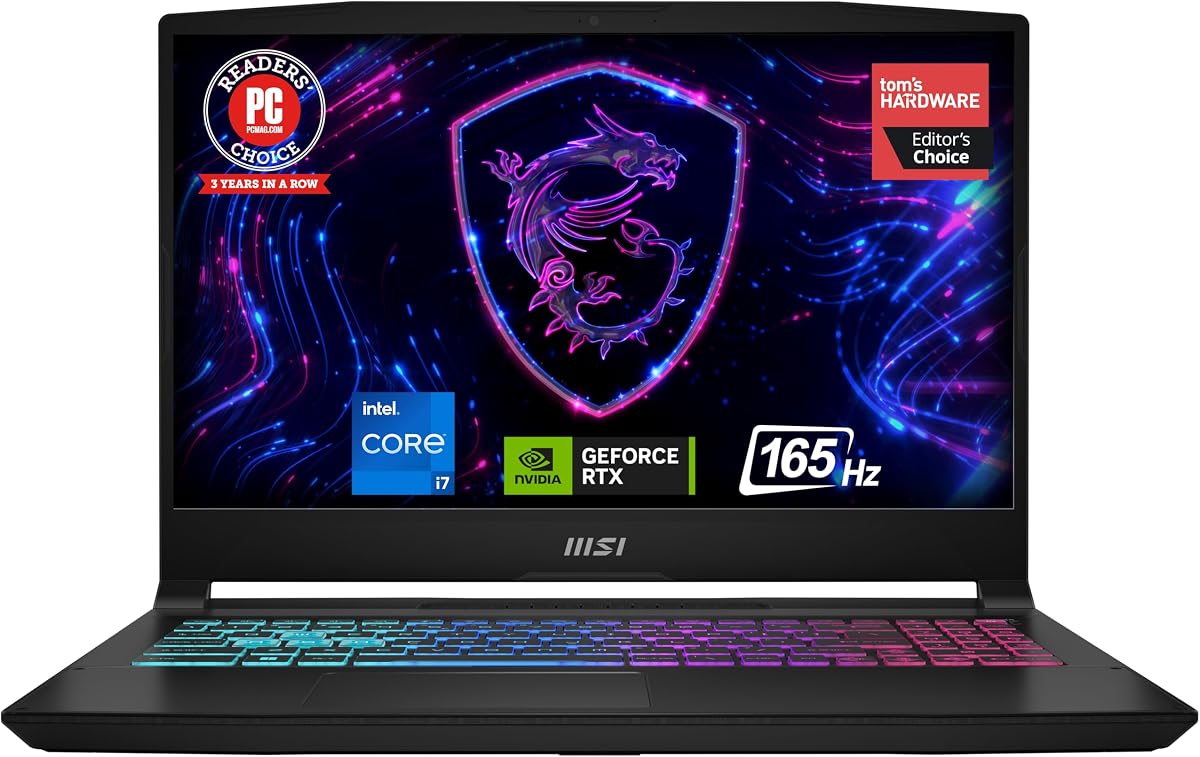
The msi Katana 15 delivers strong mid-range performance. Its 4.1 rating reflects reliable usage for those wanting QHD visuals without premium pricing.
We may earn a commission when you buy through this link, at no additional cost to you.
The RTX 4070 GPU is a sweet spot for Diablo 4. It enables ray tracing and high frame rates consistently across different zones.
Cooler Boost 5 keeps temperatures in check. The QHD screen enhances visual fidelity making textures pop during exploration.
Best for gamers wanting a step up from budget models. It offers a great balance of power and cost for extended sessions.
QHD display provides crisp details for intricate game environments.
Cooler Boost 5 ensures sustained performance during extended gameplay.
We may earn a commission when you buy through this link, at no additional cost to you.
The GIGABYTE Gaming A16 combines performance with a sleek chassis. A 4.4 rating confirms its reliability for travelers needing power without the bulk.
We may earn a commission when you buy through this link, at no additional cost to you.
The RTX 5060 GPU handles Diablo 4 effectively. Combined with AMD Ryzen 7 processing it delivers smooth gameplay during demanding encounters.
The slim design is ideal for on the go play. Despite its thin profile it manages heat reasonably well for casual sessions.
Best for students or digital nomads. The portability factor makes it easy to carry to classes or coffee shops while gaming.
Slim chassis ensures easy transport without sacrificing power.
GiMATE AI interface simplifies system management tasks.
We may earn a commission when you buy through this link, at no additional cost to you.
Selecting the right laptop involves balancing performance budget and portability. This guide outlines essential factors to ensure optimal Diablo 4 gameplay.
The graphics card is critical for rendering Diablo 4's dark landscapes. Look for RTX 5050 or higher models to support ray tracing and DLSS efficiently.
A strong GPU ensures smooth frames during large battles and minimizes stutter in dense zones.
Refresh rates above 144Hz provide fluid motion essential for combat. IPS panels offer better color accuracy for spotting enemies in shadows.
Prioritize high refresh rates and sharp resolution for an immersive visual experience.
Modern CPUs like Core i7 or Ryzen 7 handle physics and AI without lag. Ensure the processor matches your GPU to avoid bottlenecks.
A balanced CPU GPU pair ensures consistent performance across all game settings.
16GB RAM is the minimum for smooth multitasking and gaming. 1TB SSDs offer enough space for the game and other applications.
Upgrading RAM helps if you stream or run multiple apps simultaneously.
Effective cooling prevents throttling during long sessions. Vapor chambers and multiple fans maintain stable performance under load.
Check reviews for thermal performance to ensure comfort during extended play.
Gaming laptops typically have shorter battery life. Look for efficiency features if you play unplugged frequently.
Balance gaming power with battery capacity based on your mobility needs.
Ports like USB-C and HDMI allow external displays. Wi-Fi 6E provides low latency for online play.
Ensure the laptop supports your peripherals and network requirements effectively.
Set a realistic budget based on your performance needs. Higher priced models offer better longevity and visual fidelity.
Invest in key components that impact gameplay directly for best value.
Always plug in your laptop during gaming sessions to ensure full performance. Battery modes often throttle speed and reduce frame rates significantly during intense gameplay.
Use external cooling pads or stands to improve airflow. Keeping vents clear prevents dust buildup and maintains optimal internal temperatures over time.
Update graphics drivers regularly to access new optimizations. Keeping your system patched ensures stability and performance improvements for Diablo 4 updates.
For smooth gameplay aim for an RTX 5050 or higher. The RTX 4060 or 5060 provides excellent ray tracing support and high frame rates at maximum settings.
Yes 16GB is sufficient for most players. However 32GB helps if you stream or run multiple background applications simultaneously without impacting performance.
Ray tracing enhances visual fidelity significantly but requires a capable GPU. If visuals matter most to you prioritize models with RTX 5060 or higher for best results.
A 144Hz display is the minimum recommended for smooth visuals. Higher rates like 165Hz or 240Hz reduce motion blur and improve responsiveness during fast actions.
You can but performance will likely drop. Gaming consumes significant power so plugging in ensures full speed and avoids unexpected shutdowns during long sessions.
The Acer Nitro V RTX 4050 model offers great value. It balances cost and performance effectively for players who do not need maximum graphical settings.
Our top picks highlight the balance between power and portability. The ASUS ROG Strix G16 leads as the overall choice for its exceptional cooling and display.
Prioritize GPU power and refresh rate when making your decision. These factors directly impact how smooth and immersive your experience in Sanctuary will feel.
Check current prices and availability before purchasing. Prices fluctuate frequently so comparing deals ensures you get the best value for your investment today.