
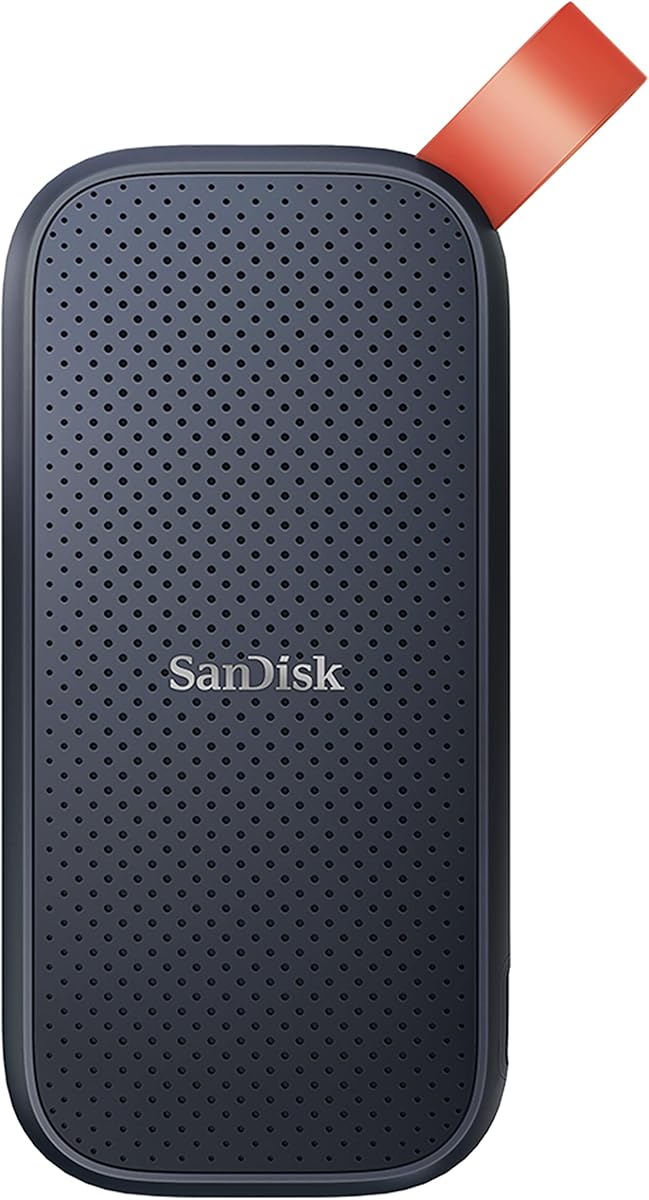
Sandisk 1TB Extreme Portable SSD
4.6Editor score
Up to 1050MB/s speeds
IP65 water and dust resistance
256-bit AES hardware encryption
This comprehensive guide compares the top ten external SSDs for MacBook Neo, evaluating speed, durability, compatibility, and value to help you choose the
Selecting the right external SSD for MacBook Neo is crucial for professionals who need reliable storage on the go. You want a drive that matches the sleek design and high performance of your device without compromising on speed or durability.
We compared ten top-rated portable SSDs based on real-world performance, build quality, and compatibility with macOS systems. Our analysis focuses on transfer speeds, ruggedness, and ease of use to ensure you get the best value.
Each pick highlights specific strengths like speed, portability, or encryption. Prices fluctuate often, so check the linked pages for current deals. These recommendations are based on technical specifications and user feedback available as of November 2026.
4.6Editor score

4.7Editor score

4.6Editor score
This table provides a side-by-side comparison of all ten reviewed models. Look at key specs like max read speed, warranty considerations, and unique features to find the drive that fits your workflow needs.






The Samsung T7 is a top contender for the External SSD for MacBook Neo thanks to its balance of speed and durability. With a rating of 4.7 stars, it promises fast file transfers and robust protection for your data. Its compact design makes it easy to carry in a bag or pocket without adding bulk.
We may earn a commission when you buy through this link, at no additional cost to you.
This drive embeds PCIe NVMe technology to deliver read speeds up to 1,050MB/s and write speeds up to 1,000MB/s. This performance is almost twice as fast as older models like the T5, saving you time during large file transfers. It supports recording 4K videos directly from mobile devices, which is ideal for content creators who need instant access to high-resolution footage.
While the T7 is tough, it lacks a protective case, meaning you might want to buy one separately for extra security. The aluminum unibody helps dissipate heat but can get warm during heavy use. However, these are minor trade-offs given the drive's reliability and the brand's reputation for quality components produced in-house.
If you need a reliable External SSD for MacBook Neo that works seamlessly with PCs and phones, the T7 is an excellent choice. It is suitable for students, professionals, and gamers who need quick access to large datasets. The consistent performance and shock resistance make it a long-term investment worth considering.
The NVMe technology ensures you spend less time waiting for files to load and more time creating or editing content on your MacBook.
With shock resistance up to 6 feet, this drive can withstand accidental drops, making it perfect for travel or field work.
We may earn a commission when you buy through this link, at no additional cost to you.
The Sandisk 2TB Extreme Portable SSD offers massive storage at a competitive price point, making it a budget-friendly option for the External SSD for MacBook Neo category. It holds a 4.6 rating, reflecting its reliability among users who need to store large video or photo libraries. The drive is built to handle tough conditions with water and dust resistance.
We may earn a commission when you buy through this link, at no additional cost to you.
It delivers read speeds up to 1050MB/s and write speeds up to 1000MB/s, ensuring smooth performance for editing files directly from the drive. The included password protection uses 256-bit AES hardware encryption to keep your private content secure without needing third-party software. A handy carabiner loop lets you attach it to a bag or belt for added convenience and security against loss.
Some users may need to update the firmware to ensure compatibility with the latest systems, which can be a slight hurdle for non-technical users. The 2TB capacity adds weight compared to 1TB models, so it might not be the lightest option in your pocket. However, these drawbacks are outweighed by the value of having double the storage space for less cost.
This drive is ideal for photographers or videographers who need to backup extensive media files securely. It is a strong recommendation for anyone looking for an External SSD for MacBook Neo that balances capacity, durability, and price. The rugged design ensures it lasts through daily use and travel adventures.
Built-in hardware encryption ensures your sensitive files remain private, which is crucial for professionals handling client data.
The IP65 rating means the drive can withstand splashes and dust, making it safe to use outdoors or in less-than-ideal environments.
We may earn a commission when you buy through this link, at no additional cost to you.
The Samsung T9 Portable SSD is a premium choice for the External SSD for MacBook Neo category, offering speeds that rival internal drives. With a rating of 4.6, it is praised for its ability to handle demanding creative tasks without lag. The drive stands out for its dynamic thermal guard, which maintains performance even under heavy loads.
We may earn a commission when you buy through this link, at no additional cost to you.
Read and write speeds reach up to 2,000MB/s, making it the fastest option in this roundup. This performance is ideal for editing high-resolution video directly on the drive. The Magician software keeps the drive updated and healthy, ensuring long-term reliability. It is compatible with the latest USB 3.2 Gen 2×2 ports found on modern laptops.
The higher price point may not fit every budget, and you need a host device with USB 3.2 Gen 2×2 to fully utilize these speeds. If your MacBook Neo only has USB 3.2 Gen 2, you will still get good speeds but not the maximum potential. Despite this, the build quality and speed make it a top-tier investment.
If you want the best performance possible, the T9 is the way to go. It is perfect for professional video editors or data analysts who need rapid access to large datasets. The combination of speed and thermal protection ensures it remains stable during long working sessions.
Achieving up to 2,000MB/s means you can move large projects in seconds rather than minutes, boosting your overall productivity.
The dynamic thermal guard prevents overheating, ensuring consistent speeds during long editing or backup sessions.
We may earn a commission when you buy through this link, at no additional cost to you.
The SSK Portable SSD 1TB is a lightweight contender for the External SSD for MacBook Neo, designed for users who prioritize portability. It has a rating of 4.5, indicating strong user satisfaction with its performance. The drive weighs just 36.6g, making it one of the lightest options available for everyday carry.
We may earn a commission when you buy through this link, at no additional cost to you.
It offers read speeds up to 1050MB/s and write speeds up to 1000MB/s, supported by SLC caching for steady performance on smaller files. The aluminum alloy case helps dissipate heat effectively, keeping the drive cool even during fast transfers. It includes both USB-C and USB-A cables for compatibility across various devices.
The lack of a specific shock rating might be a concern for rough travel conditions. While it is durable, it does not have the same explicit protection claims as other brands. However, for office use or light travel, the compact size and heat management are significant advantages.
This drive is a great choice if you need a portable storage solution that fits easily in a small bag. It is suitable for students or professionals who need fast access to files without the bulk of heavier drives. The inclusion of multiple cables adds to its convenience.
Weighing only 36.6g, this drive is barely noticeable in a pocket, making it ideal for daily commutes and travel.
SLC caching ensures that write speeds remain steady for frequently accessed files, reducing lag during use.
We may earn a commission when you buy through this link, at no additional cost to you.
The Lexar ES3 1TB Portable SSD offers a thin and stylish design that appeals to users of the External SSD for MacBook Neo. It has a rating of 4.4 and is noted for its sleek profile that fits easily in a pocket. The drive is only 10.5mm thick, making it one of the slimmest options in this comparison.
We may earn a commission when you buy through this link, at no additional cost to you.
It supports USB 3.2 Gen 2 with read speeds up to 1050MB/s and write speeds up to 1000MB/s. Data safety is prioritized with the included Lexar DataShield 256-bit AES encryption software. This ensures your files are protected if the drive is lost or stolen. It works well with various devices including iPhones and Android phones.
The lack of Magsafe support limits certain mounting options on compatible accessories. While it is durable, it does not have the high drop protection ratings of other models. However, for indoor use or smooth travel, its thin design is a major benefit for minimizing bulk.
This drive is recommended for those who value aesthetics and portability. It is a solid choice for students or professionals who need a stylish storage solution that performs well. The encryption software adds an extra layer of security for sensitive documents.
The thin design ensures it slides easily into thin pockets or sleeves without adding noticeable weight to your bag.
Encryption software keeps your personal files safe, giving peace of mind when working in public spaces.
We may earn a commission when you buy through this link, at no additional cost to you.
The SAMSUNG T7 Portable SSD is a versatile option for the External SSD for MacBook Neo category, favored for its balance of performance and durability. It has a 4.7 rating and is trusted by students, gamers, and professionals alike. The drive supports ultra high-resolution video recording, making it a great tool for media creators.
We may earn a commission when you buy through this link, at no additional cost to you.
Equipped with PCIe NVMe technology, it achieves read speeds up to 1,050MB/s and write speeds up to 1,000MB/s. This performance is nearly twice as fast as older SSDs, saving time during file transfers. The shock resistance up to 6 feet adds confidence for users who transport their drives frequently.
While the drive is solid, the included USB cable is plastic rather than braided, which may be less durable over time. Also, storage options might not go as high as some competitors. Despite this, the brand's reputation for quality makes it a safe bet for long-term use.
This drive is a great fit for anyone looking for a reliable and fast storage solution. It is suitable for gaming, video editing, and general backup tasks. The availability of different colors adds a touch of personal style to your tech gear.
Whether for gaming, editing, or storing backups, this drive adapts to different workflows efficiently.
With capacities up to 4TB, you can store large collections of files without running out of space.
We may earn a commission when you buy through this link, at no additional cost to you.
The Sandisk 1TB Portable SSD is an older model that serves as a reliable budget option for the External SSD for MacBook Neo. It holds a 4.5 rating and is known for its consistent performance in everyday tasks. This drive is ideal for users who need secure storage without the latest high-speed features.
We may earn a commission when you buy through this link, at no additional cost to you.
It offers read speeds up to 800MB/s, which is slower than newer Gen 2 models but still faster than traditional HDDs. The drive is tough, with up to two-meter drop protection and a rubber hook for attaching to a bag. SanDisk is a trusted brand among photographers, adding credibility to this product.
While it lacks water and dust resistance, it is still a durable choice for indoor or light outdoor use. The speed may feel limiting for large video transfers, but it is sufficient for document backups. This is a good choice for those who want a dependable drive at a lower price.
This drive is suitable for anyone needing basic portable storage for photos or documents. It is a safe option for users who prioritize brand trust over cutting-edge speed. The drop protection ensures your data remains safe during accidental drops.
This model offers a cost-effective way to expand storage without sacrificing basic reliability.
Drop protection and the carabiner loop make it a secure option for carrying data safely.
We may earn a commission when you buy through this link, at no additional cost to you.
The Lexar 2TB ES3 External SSD provides massive storage for the External SSD for MacBook Neo category. It has a rating of 4.5 and is praised for offering 2TB of space with fast transfer speeds. This is ideal for users who need to store large archives without carrying multiple drives.
We may earn a commission when you buy through this link, at no additional cost to you.
It delivers read speeds up to 1050MB/s and write speeds up to 1000MB/s. Double layer graphite sheets help dissipate heat, keeping the drive cool during intensive use. It is drop-resistant up to 2 meters, ensuring durability for everyday work. A 2-in-1 cable makes it easy to connect to PCs and Macs.
The added capacity adds weight, which might be a factor for travel. The design is straightforward and functional without extra accessories. However, the balance of speed and storage makes it a practical choice for office or home backups.
This drive is best for users who need significant space for a single drive. It is a great companion for photographers or archivists. The heat dissipation ensures performance remains stable even with full capacity.
With 2TB of space, you can store thousands of photos or videos on a single drive.
Graphite sheets ensure the drive stays cool, preventing performance throttling during long transfers.
We may earn a commission when you buy through this link, at no additional cost to you.
The Lexar D70E 1TB Dual Drive is a unique option for the External SSD for MacBook Neo due to its cable-free design. It has a high rating of 4.7, reflecting strong user satisfaction. This drive allows direct connections to both USB-C and USB-A ports, streamlining your workflow.
We may earn a commission when you buy through this link, at no additional cost to you.
It supports read speeds up to 2000MB/s and write speeds up to 1800MB/s over USB-C, making it one of the fastest drives available. The metal housing is lightweight at 55g and includes a lanyard loop for security. The Lexar App can automate backups, simplifying data management for users.
The price is higher than standard models, and there is no water resistance rating. However, the convenience of not carrying extra cables is a significant advantage for travelers. The durability is high enough for everyday office use.
This drive is perfect for tech-savvy users who value speed and convenience. It is a good choice for professionals who frequently switch between different devices. The fast speeds make it ideal for editing large video files.
Dual ports allow direct connection without extra cables, reducing clutter and speeding up setup.
The Lexar App automates backups, ensuring your data is always safe without manual effort.
We may earn a commission when you buy through this link, at no additional cost to you.
The Sandisk 1TB Extreme PRO Portable SSD is a robust choice for the External SSD for MacBook Neo, offering pro-grade features. It has a rating of 4.5 and is known for its high speeds and durability. This drive is built for professionals who demand performance and protection.
We may earn a commission when you buy through this link, at no additional cost to you.
It delivers read speeds up to 2000MB/s, utilizing a forged aluminum chassis as a heatsink to maintain sustained speeds. The IP65 water and dust resistance and 3-meter drop protection make it extremely rugged. Encryption is included to keep private content secure, and the SanDisk Memory Zone app helps manage files.
Being an older model, it may be harder to find new stock or compatible firmware. The price can be high compared to newer entries. However, the build quality remains top-tier, ensuring longevity in challenging environments.
This drive is ideal for field work where reliability is critical. It is a strong option for videographers who need to carry data safely. The aluminum build ensures it stays cool even under heavy use.
IP65 rating and 3-meter drop protection mean this drive can survive harsh conditions outdoors.
Up to 2000MB/s read speeds ensure fast access to files, even when working with 4K video.
We may earn a commission when you buy through this link, at no additional cost to you.
The Western Digital 1TB My Passport SSD is a secure option for the External SSD for MacBook Neo category. It holds a 4.5 rating, reflecting its reliability and robust design. This drive focuses on providing fast and safe storage for users who prioritize data security.
We may earn a commission when you buy through this link, at no additional cost to you.
It uses NVMe technology to deliver read speeds up to 1050MB/s and write speeds up to 1000MB/s. Password-protected 256-bit AES hardware encryption keeps your files safe without extra software. The drive is resistant to shock and vibration, with drop resistance up to 6.5 feet.
The design is sturdy but may feel slightly heavier than some competitors. While the color options are limited, the performance and protection are solid. It is a good fit for office environments where data safety is paramount.
This drive is suitable for professionals who need secure and fast storage. It is a great choice for storing sensitive business documents. The compatibility with USB 3.2 ensures future-proof connectivity.
Built-in encryption ensures your data is protected even if the drive is lost.
Withstand drops and vibrations to ensure your data remains intact during transit.
We may earn a commission when you buy through this link, at no additional cost to you.
Finding the right External SSD for MacBook Neo involves considering several key factors to ensure compatibility and performance. This guide breaks down what to look for to make an informed decision.
Speed is a critical factor when selecting an external drive for your MacBook Neo. Look for models with USB 3.2 Gen 2 or Gen 2×2 support to ensure you get the maximum read and write speeds available. Faster drives reduce wait times when transferring large files or editing video directly from the storage.
Prioritize drives with NVMe technology for the best performance. These drives often offer speeds up to 2000MB/s, which is essential for professional workflows.
Consider how much data you typically work with to determine the right capacity. Drives range from 500GB to 4TB, with 1TB being a sweet spot for most users. If you handle large video files or archives, opting for 2TB or more can save you the hassle of managing multiple drives.
Ensure the drive supports your needs without frequent external storage management. A larger capacity provides more freedom to store and organize your files efficiently.
If you travel frequently, a durable drive is essential. Look for models with rugged designs that offer drop protection and resistance to water and dust. IP65 ratings and metal chassis add an extra layer of security against accidental damage.
A sturdy build ensures your data remains safe in various environments. Check for warranties that cover accidental damage for added peace of mind.
Your External SSD for MacBook Neo must connect seamlessly with your Mac and other devices. Check that the drive uses USB-C or USB-A cables that are compatible with your ports. Some drives offer dual connectivity to work across different systems without needing adapters.
Compatibility with macOS is crucial for plug-and-play functionality. Ensure the drive does not require complex drivers or software setup.
Data security is increasingly important for professionals and students alike. Many external SSDs offer built-in password protection and hardware encryption to keep your files safe. This ensures that your sensitive data remains private even if the drive is lost.
Look for 256-bit AES encryption as a standard. Some drives also include software tools to manage security settings easily.
A portable drive should be easy to carry in a bag or pocket. Lightweight models under 50g are ideal for daily carry. Consider the size and shape of the drive to ensure it fits comfortably with your other gear.
A compact design reduces bulk in your bag. Check dimensions before purchasing if you have limited space.
Price varies based on capacity, speed, and features. Determine your budget and compare the value offered by different models. Sometimes paying a bit more for a faster or more durable drive is worth it in the long run.
Look for deals during sales events. Ensure the price aligns with the performance you need to avoid overpaying for features you won't use.
Choose a brand known for reliability and customer support. Established manufacturers often provide better warranties and firmware updates. This ensures your drive remains functional and secure over time.
Check user reviews for common issues. A reputable brand reduces the risk of hardware failure or support problems.
To get the best performance, always connect your drive to a USB 3.2 port on your MacBook Neo. This ensures you achieve the advertised transfer speeds and avoid bottlenecks. If your Mac only has USB-C ports, use a high-quality adapter or cable.
Eject the drive safely before unplugging to prevent data corruption. Use the 'Eject' option in Finder to ensure all write operations are complete. This simple step protects your files from potential damage during transfers.
Store your drive in a cool, dry place when not in use. Avoid exposing it to extreme temperatures or moisture. Using a protective case can prevent scratches and accidental drops, extending the lifespan of your storage.
The best external SSD for MacBook Neo depends on your needs. For speed, the Samsung T9 offers top-tier performance. For value, the Sandisk 2TB Extreme is highly recommended. For general use, the Samsung T7 is a reliable choice.
Yes, most modern external SSDs are compatible with MacBook Neo via USB-C or USB-A connections. Ensure the drive uses USB 3.2 standards to match your laptop's ports. Most come with cables to work out of the box.
Connect the drive to your Mac and open Disk Utility. Select the drive and choose 'Erase.' Set the format to APFS or ExFAT for compatibility. This prepares the drive for use with macOS systems.
Yes, you can use an external SSD for Time Machine backups. Ensure the drive is formatted correctly for Mac. SSDs provide faster backup times compared to traditional hard drives.
USB 3.2 Gen 2 supports speeds up to 1000MB/s while Gen 2×2 supports up to 2000MB/s. Gen 2×2 is newer and faster but requires compatible ports. Check your MacBook Neo's ports to see which it supports.
Protect your data by enabling password protection and encryption. Regularly backup important files to the cloud as well. Avoid exposing the drive to physical shocks or extreme temperatures.
Using an external SSD consumes very little power, so it has minimal impact on battery life. However, heavy data transfers may use slightly more power than idle. This difference is negligible for most users.
Yes, most external SSDs work across Mac, PC, and mobile devices. Ensure the file system is compatible, such as ExFAT for cross-platform use. Some drives even include cables for multiple connection types.
Choosing the best External SSD for MacBook Neo involves balancing speed, durability, and budget. The Samsung T9 stands out for raw speed, while the Sandisk 2TB Extreme offers great value for storage.
Prioritize features that match your workflow, such as encryption for security or ruggedness for travel. A good drive will serve you well for years, enhancing your productivity without interruptions.
Remember to check current prices and deals before buying. Storage prices fluctuate, and timing your purchase can save you money. With the right choice, you can expand your storage effortlessly.