
10Gtek 10Gb PCI-E NIC Network Card
4.4Editor score
Intel 82599EN controller
Single SFP+ port
Includes low profile bracket
This guide compares the top Fiber Optic Network Interface Cards for speed and reliability helping you choose the right adapter for your server or desktop
Finding the right Fiber Optic Network Interface Card is essential for high speed data transfer and reliable connectivity in modern computing environments. These cards enable rapid connections essential file servers gaming setups and professional workstations needing bandwidth beyond standard copper limits.
We evaluated ten leading models based on chipset performance compatibility with operating systems and support for fiber optic protocols. Each product was analyzed for its ability to handle heavy workloads while maintaining stable throughput and low latency across various network configurations.
Every pick shows key features and strengths so you can match a card to your specific hardware and usage needs. Prices and availability change frequently so please verify current details before purchasing to ensure you get the best value for your investment.
4.4Editor score

5.0Editor score

4.9Editor score
The following table provides a side-by-side overview of all ten reviewed products highlighting their key specifications and capabilities for quick comparison.


This StarTech 2-Port GbE SFP Network Card offers a reliable solution for adding fiber connectivity to desktops or servers. With a perfect rating it stands out for its Intel I350 chipset which ensures stable performance across many operating systems.
We may earn a commission when you buy through this link, at no additional cost to you.
The dual open SFP slots allow flexibility to use Singlemode or Multimode modules or direct attach copper cables. Features like link aggregation TCP offloading and VLAN tagging make it suitable for professional network management tasks.
While it supports up to 1Gbps per port which is not the fastest available the reliability and compatibility are strong trade-offs. The inclusion of a low profile bracket and built-in heatsink helps fit it into tight spaces while maintaining optimal temperatures.
If you need a versatile dual port gigabit fiber card that works with Windows Server Linux or VMware this is an excellent choice. Its solid construction and wide compatibility make it a top pick for IT professionals.
The two open SFP slots let you mix and match fiber or copper connections to fit your specific cabling needs.
Support for PXE boot jumbo frames and virtualization tech ensures this card handles server deployment and virtual machine traffic efficiently.
We may earn a commission when you buy through this link, at no additional cost to you.
This adapter delivers stable 10Gb/s connectivity ideal for NAS storage and high performance computing tasks. Using the Intel 82599ES controller it provides robust performance for data centers and desktop PCs needing faster throughput.
We may earn a commission when you buy through this link, at no additional cost to you.
The PCIe x4 interface allows it to work in x4 x8 or x16 slots ensuring broad compatibility with modern motherboards. Advanced features like VMDq and SR-IOV support make it suitable for virtualized environments where network efficiency is key.
Users should note that Windows 11 requires driver installation whereas Server versions are plug and play. The included low profile bracket helps fit it into smaller cases but the card does need adequate airflow due to its design.
For gamers or professionals needing 10Gbps speeds without breaking the bank this adapter is a strong contender. Its support for fiber and direct attach cables gives you options for short or long range connections.
With 10GbE support this card handles large file transfers and video streaming with ease reducing bottlenecks in your network.
Features like SR-IOV and VMDq improve virtual machine networking performance making it a great fit for ESXi or Proxmox hosts.
We may earn a commission when you buy through this link, at no additional cost to you.
The Asus XG-C100F delivers blazing fast 10Gbps speeds that are ten times quicker than standard Gigabit Ethernet. Its sophisticated aluminum heatsink ensures the card stays cool during intensive network tasks maintaining consistent performance.
We may earn a commission when you buy through this link, at no additional cost to you.
Compatibility with SFP+ cages allows you to use either fiber optic or direct attach copper connections giving you flexibility in cabling choices. The built-in QoS technology automatically boosts bandwidth to critical streams which is helpful for gaming or video calls.
While it is a solid option for desktop and workstation use users should check specific OS support before purchasing. The card fits PCIe 2.0 and 3.0 x4 slots which covers most modern systems but requires adequate space in the chassis.
If you value performance and design this adapter offers a reliable path to faster networking. Its ability to handle heavy loads with stable cooling makes it a great pick for power users.
The integrated aluminum heatsink helps dissipate heat effectively allowing the card to run at high speeds without throttling.
QoS prioritization ensures that your most important data gets the bandwidth it needs even when the network is busy.
We may earn a commission when you buy through this link, at no additional cost to you.
This 10Gtek card offers a cost-effective way to upgrade to 10Gbps networking without compromising on reliability. Equipped with the Intel 82599EN controller it provides stable throughput suitable for storage and virtual workloads.
We may earn a commission when you buy through this link, at no additional cost to you.
The single SFP+ port supports DAC or AOC modules making it easy to connect to switches or servers over short or long distances. It works well with Windows Server and Linux systems though Windows 11 may require manual driver setup.
While it does not support lower speeds like 1G or 2.5G the dedicated 10G focus ensures maximum performance when needed. The package includes both full and low profile brackets to fit various case sizes conveniently.
If you need a budget friendly 10G card that delivers solid performance this is a top choice. Its warranty and support add extra peace of mind for long term use.
This card brings high speed networking to your setup at a price point that is accessible for many users.
A three year warranty and lifetime technology support show the manufacturer's confidence in the product's durability.
We may earn a commission when you buy through this link, at no additional cost to you.
Featuring the Realtek RTL8127 controller this card delivers stable 10Gbps performance with modern PCIe Gen4 x1 lane design. It is compatible with Windows 10 11 and select Linux kernels offering broad system support for most users.
We may earn a commission when you buy through this link, at no additional cost to you.
The single SFP+ port allows connections via DAC or AOC cables providing flexibility for different network topologies. Built-in technologies like RealWoW enhance wake-up functions and diagnostic capabilities to improve overall reliability.
Users running Linux should note the kernel version limit which may exclude some newer distributions. The card does not support FreeBSD or ESX systems which are important considerations for advanced server setups.
For those seeking a modern interface card that works well with current hardware this is a reliable option. Its balance of speed and compatibility makes it a strong pick for general network upgrades.
PCIe Gen4 x1 compatibility ensures the card works seamlessly with newer motherboards without needing older slot types.
Exclusive RealWoW technology helps maintain stable data transmission and improves system responsiveness during network operations.
We may earn a commission when you buy through this link, at no additional cost to you.
This card offers genuine Intel 82599EN silicon providing sustained 10G throughput for NAS and storage tasks. The unlocked SFP+ cage means you can use third-party modules without rejection ensuring better value and flexibility.
We may earn a commission when you buy through this link, at no additional cost to you.
It is plug and play on many popular server OS options like Proxmox TrueNAS and Unraid reducing setup time. For Windows systems installing the Intel driver pack is straightforward ensuring broad compatibility across platforms.
The passive heatsink design runs warm so adequate case airflow is needed to maintain optimal performance. It fits x4 x8 or x16 slots and includes both full height and low profile brackets for versatile installation.
If you run a home lab or NAS system this adapter delivers reliable high-speed connectivity without unnecessary restrictions. Its open approach to modules makes it a favorite among enthusiasts.
Without vendor lock-in you can choose any compatible SFP+ module to suit your budget or performance needs.
Features like jumbo frames and checksum offload improve data transfer efficiency ideal for large file storage systems.
We may earn a commission when you buy through this link, at no additional cost to you.
This dual port adapter delivers 25GbE speeds making it ideal for cloud data centers and heavy virtual workloads. The Mellanox ConnectX-4 Lx controller supports RDMA and RoCE for ultra-low latency communications essential in enterprise environments.
We may earn a commission when you buy through this link, at no additional cost to you.
Features like NVGRE VXLAN and GENEVE overlay network support allow flexible network configurations. Its PCIe Gen 3.0 x8 interface ensures enough bandwidth to handle both ports simultaneously without bottlenecks.
The card is plug and play on Windows 11 and many Linux distributions reducing setup hassle. However you will need compatible SFP28 transceivers or cables which may add to the overall cost.
If you need top tier performance for storage and virtualization this card is a premium choice. Its robust feature set and high rating make it a leader in the category.
Remote Direct Memory Access capabilities reduce CPU load and improve throughput for high performance computing tasks.
Advanced protocols enable you to build complex virtual networks efficiently for modern data center requirements.
We may earn a commission when you buy through this link, at no additional cost to you.
This card stands out by including a multimode optical module in the package which adds immediate value. It uses the Intel 82599EN chip to provide fast and stable 10Gbps fiber connectivity for various applications.
We may earn a commission when you buy through this link, at no additional cost to you.
The PCIe x1 interface makes it compatible with most systems without requiring high bandwidth slots. Gold-plated fingers ensure reliable contact and reduce hardware faults over time improving overall service life.
It supports both half and full duplex modes and auto-adapts transmission rates for flexibility. The included brackets help fit it into different chassis sizes whether you need low profile or full height options.
If you want a turnkey solution with a module included this card is a strong consideration. Its proven chipset and practical design offer reliable performance for fiber connections.
Getting an optical module with the card saves you the hassle of buying and verifying compatibility separately.
Gold-plated contact points improve reliability and reduce the risk of connection issues due to oxidation.
We may earn a commission when you buy through this link, at no additional cost to you.
While not a fiber card this adapter offers 10GBase-T speeds ideal for copper network environments. It delivers ten times faster throughput than standard Gigabit adapters ensuring smooth data for local transfers.
We may earn a commission when you buy through this link, at no additional cost to you.
QoS technology prioritizes gaming and streaming traffic reducing lag and congestion during peak use. The included 1.5m CAT6A cable helps maximize performance without requiring extra purchases.
Backwards compatibility with multiple speeds makes it easy to integrate into existing networks without upgrades. Full and low profile brackets ensure it fits standard and compact PC cases.
If your setup relies on copper cabling this is a reliable choice for fast speeds. Its ease of use and included accessories make it a convenient option.
Using standard CAT6A cabling means you can upgrade speed without rewiring your entire network infrastructure.
Quality of Service features help ensure your gaming packets get priority for smoother online experiences.
We may earn a commission when you buy through this link, at no additional cost to you.
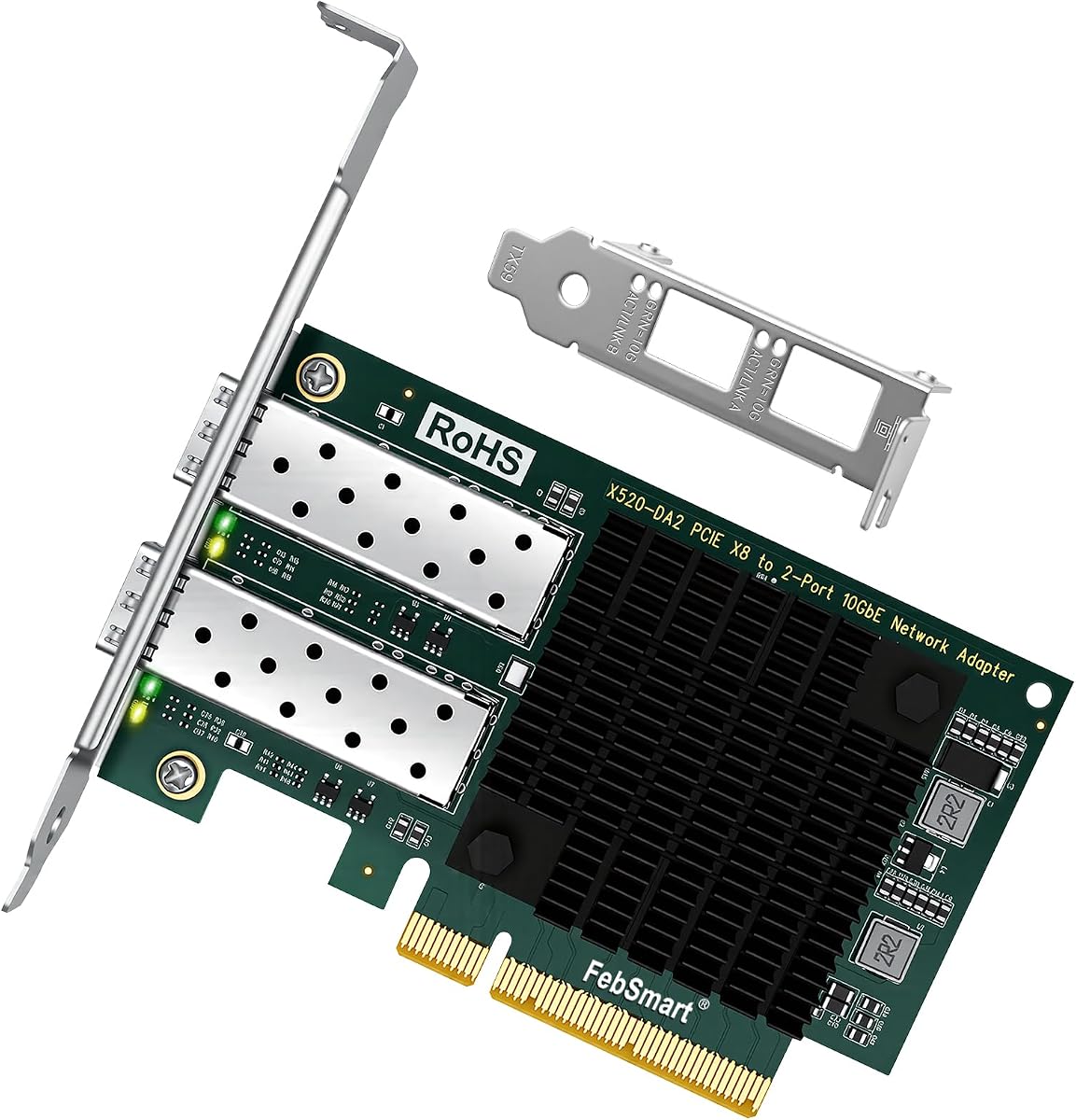
This dual port adapter offers two 10GbE SFP+ ports powered by the Intel 82599ES controller for stable LAN and SAN connectivity. It is a great solution for virtualization and storage-intensive environments needing multiple fast links.
We may earn a commission when you buy through this link, at no additional cost to you.
The PCIe 2.0 x8 interface delivers ample bandwidth for full-duplex connections. It supports storage over Ethernet and virtualization tech like SR-IOV making it versatile for server use.
Most Linux and Server OS options are driver free but Windows 10 and 11 require installation. The low profile bracket included helps it fit into smaller cases while maintaining performance.
If you need dual 10G ports without spending much this card delivers excellent value. Its broad compatibility and strong features make it a top contender for upgrades.
Two 10GbE ports allow you to build redundant or aggregated connections for better reliability and throughput.
Features like SR-IOV help virtual machines access the network efficiently without CPU bottlenecks.
We may earn a commission when you buy through this link, at no additional cost to you.
Selecting the right Fiber Optic Network Interface Card depends on your speed needs operating system and physical slot availability.
Determine whether you need 1Gbps 10Gbps or higher speeds like 25Gbps based on your current network and future needs. Higher speeds cost more but reduce bottlenecks for large file transfers and virtualization.
Match the card speed to your switch and cabling to avoid wasting performance or paying for unused capacity.
Intel chipsets like 82599ES or I350 are widely supported across Windows Linux and VMware systems making setup easier. Check if drivers are required for your OS to ensure plug and play functionality.
Look for cards that offer long term driver updates to maintain compatibility with newer operating system releases.
Decide between single or dual ports and whether you need SFP+ or SFP28 cages for fiber or copper modules. Dual ports allow link aggregation or redundancy which improves reliability in server environments.
Ensure the card includes necessary brackets to fit your case whether you need low profile or full height options.
Verify the PCIe generation and lane count such as x1 x4 or x8 to ensure it fits your motherboard slot and provides enough bandwidth. Gen3 or Gen4 is ideal for 10G and faster speeds.
Adequate PCIe lanes prevent bottlenecks that could limit network throughput even if the card supports high speeds.
Check that the card lists support for your specific OS version including Windows 10 11 Server or Linux distributions. Some cards require manual driver installation on client OS versions while server versions are often driver free.
Virtualization platforms like ESXi Proxmox and Unraid have specific requirements so confirm support if using those systems.
Some cards include SFP transceivers or cables while others require separate purchases. Confirm what is included to budget correctly for the full setup.
Match the transceiver type like singlemode or multimode to your fiber cabling distance and switch compatibility.
If you run virtual machines look for features like SR-IOV VMDq and Jumbo Frame support to optimize network performance. These features reduce CPU overhead and improve VM data handling.
Advanced offloading capabilities help maintain high speeds during intensive workloads like backups or data replication.
Look for cards with heatsinks or passive cooling designs to maintain stable temperatures during long runs. A solid warranty and tech support can save time if issues arise.
Check customer reviews for long-term reliability and real-world performance to gauge the card's overall quality.
Install the card in an available PCIe slot ensuring it is secure and the brackets align with the case. If using fiber connect appropriate SFP modules or DAC cables to the ports following manufacturer guides.
Install necessary drivers from the manufacturer website or let your OS detect the card automatically. Verify the connection status in network settings to confirm the link is active and operating at the expected speed.
Keep the case clean and ensure adequate airflow around the card to prevent overheating. Avoid touching fiber connectors directly to prevent damage and store extra modules properly when not in use.
A Fiber Optic Network Interface Card is an adapter that adds fiber connectivity to your computer or server enabling faster data transfers over optical cables. It connects to the PCIe slot and supports modules for light-based transmission.
Yes you typically need SFP modules and fiber optic or DAC cables to connect to switches or servers. Ensure the module type matches your network requirements such as multimode for short distances.
Most home routers do not have fiber ports so you will need a compatible switch to use a fiber card. They are best suited for servers NAS or workstations with dedicated network gear.
Download drivers from the manufacturer website if your OS does not support plug and play. Some systems like Windows Server may detect the card automatically without manual steps.
Yes cards with 10Gbps speeds can reduce latency for online gaming especially with low latency fiber connections. Ensure your network setup supports the speed to see benefits.
SFP supports 1Gbps speeds while SFP+ supports 10Gbps and is backwards compatible. Check your network speed needs to choose the right port type.
We reviewed ten top Fiber Optic Network Interface Cards offering speeds from 1Gbps to 25Gbps for various needs. The StarTech dual port stands out for versatility while budget options like 10Gtek deliver solid 10G performance.
Prioritize chipset support and OS compatibility to ensure smooth setup and long-term reliability. Consider whether you need single or dual ports based on redundancy or aggregation requirements.
Prices and availability change so verify current details before purchasing. With the right card you can upgrade your network to handle modern workloads with ease.